Your budget is set, the creative cleared review, and the ad set has been live for eighteen hours with zero impressions. Spend sits at zero, the results column is empty, and the only thing moving is the delivery label. The reflex is to raise the budget, swap the creative, or duplicate the campaign into something fresh. Two of those three destroy learning data you've already paid for, and none of them tells you which layer is blocked.
Every stalled ad in Meta carries a label. The label is a symptom, not a diagnosis. Read it in the right order and most cases of not delivering Facebook ads resolve inside an hour without touching creative or budget. Read it out of order and you spend a week rebuilding ad sets that were never broken.
Table of Contents
- Read the Delivery Status Before You Touch Anything
- The Settings Check to Run in Order
- Auction, Audience and Bid Constraints That Starve Delivery
- Platform Incidents Versus Creative Fatigue
- When to Wait, Recreate or Escalate
- Recreate Stalled Ads in Bulk Without Losing Settings
Read the Delivery Status Before You Touch Anything
The Delivery column is the first screen you open, not the last. It exists at three levels, and the level that shows the problem is the level you fix. A campaign paused by an automated rule reads INACTIVE at ad set and ad level even when every ad inside it is approved, switched on, and perfectly built. Media buyers who audit only the ad row spend hours rebuilding creative that was never the issue.
Meta's Delivery column uses distinct status categories that map directly to the severity of a delivery problem, as Meta's Ads Manager delivery status documentation sets out: ERROR means the campaign, ad set, or ad cannot run until an issue is fixed, WARNING means delivery is limited, PENDING generally means the item is in review or scheduled for a later start, ACTIVE means it is running as expected, and INACTIVE generally means it is completed or a related campaign, ad set, or ad has been switched off. That hierarchy is the whole diagnostic frame. Everything below is just working it in order.
The five labels, plus two that get misread
| Status or label | What it means | Check first | Escalate when |
|---|---|---|---|
| ERROR | Campaign, ad set or ad cannot run until an issue is fixed | Open the flagged setting in the Delivery column and fix it | The error returns after the fix or repeats across several ads |
| WARNING | Delivery is limited | Check Learning limited, bid caps and spend limits on the same row | The warning persists through a full learning window with stable settings |
| PENDING | In review or scheduled for a later start | Confirm the start date and time and the review result | Still pending after the scheduled start with no review activity |
| Preparing | Passed review, waiting to start delivery | Allow up to 24 hours before making any edit | No impressions after 24 hours and the other checks pass |
| ACTIVE | Running as expected | Compare spend and impressions, not the status | Status is ACTIVE but spend stays at zero |
| INACTIVE | Completed, or switched off at campaign, ad set or ad level | Check the schedule end date and each parent switch | The item is switched on but still reads INACTIVE |
| Learning limited | Unlikely to reach about 50 optimisation events in the week after the last significant edit | Audience size, budget, bid controls and overlap | Still flagged after a full week with no new edits |
Two rows cause most of the wasted work. Preparing follows approval and is not a failure: approval clears review, it doesn't guarantee immediate impressions. Learning limited is an optimisation constraint, not a disapproval, so treating it as a rejection and rebuilding the ad set throws away the events the system has already collected.
Filter the account before you fix anything
On an account with 40 ad sets and 300 ads, don't scroll. Filter the ad level by Delivery status, resolve every ERROR and PENDING row, then move to WARNING. A green ACTIVE with zero spend is a completely different animal from a blank or pending state: nothing is blocking it, so the constraint lives in the auction, the budget, or the bid. Diagnosing that as a technical fault sends you editing settings that were fine.
Diagnostic rule: resolve ERROR and PENDING states before you change a bid or a budget. Changing either on a blocked item tells you nothing about whether the change worked.
The status column tells you whether an ad can run. It says nothing about whether the offer can sell, and a clean column with a bad CPA is a different problem entirely. If you're rebuilding ad sets while the main gap sits in the offer and the landing page, how brands sell on Facebook profitably is the better read before you touch another setting.
The Settings Check to Run in Order
A stalled ad on a big account burns hours when you check things in the wrong order. Work down the blocked row and exhaust this list before you touch a single creative. Each check isolates one variable, and the order matters because a parent switch or a billing hold makes every later test meaningless.
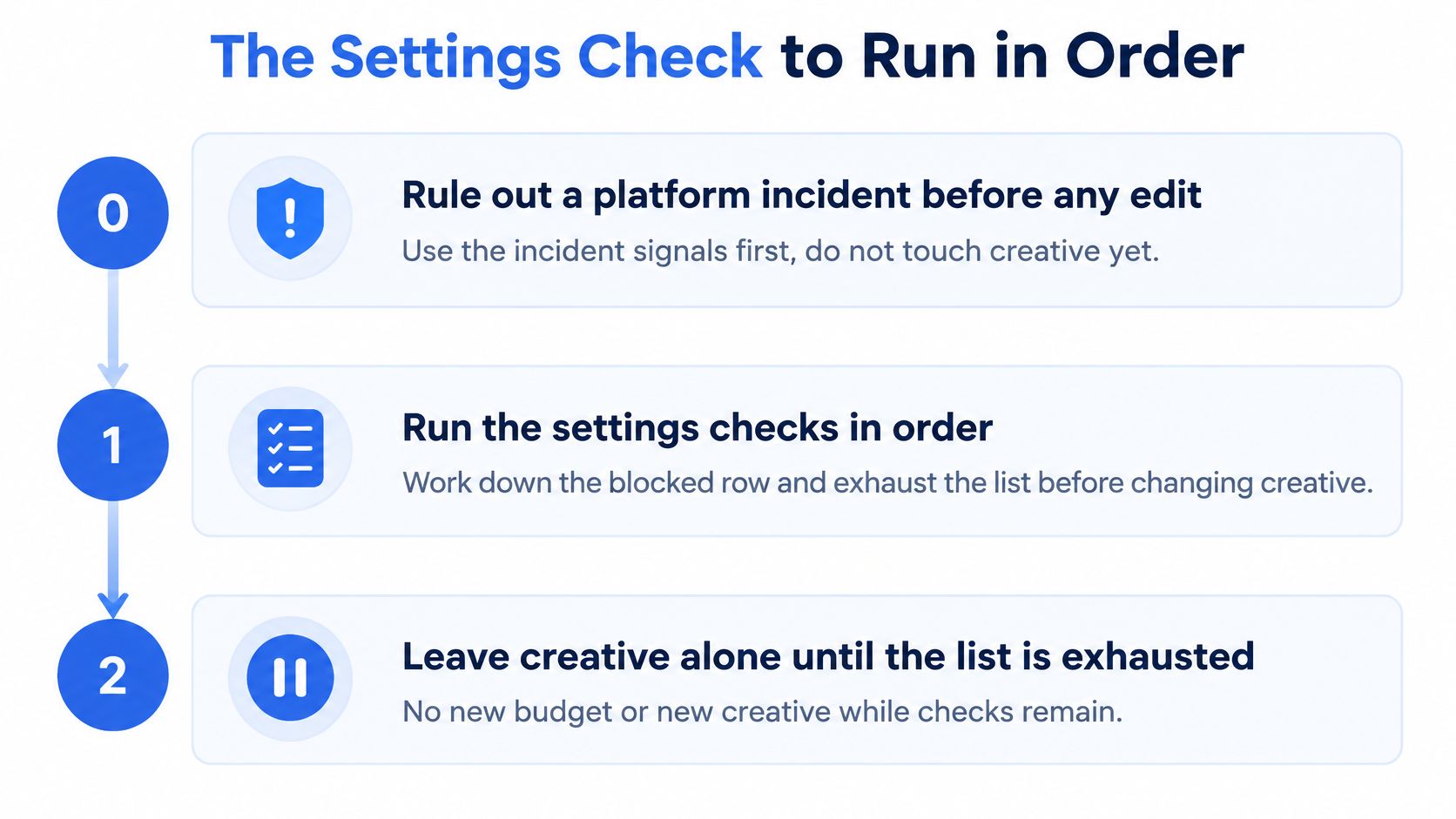
Step 0: rule out a platform incident. Before any edit, check whether delivery is down across multiple accounts at the same time. If it is, you're editing into an outage and every change you make will be judged against broken data. This takes two minutes and saves you from chasing a fault that never existed in your account.
Step 1: confirm all three switches. Campaign, ad set, and ad must each be on. A paused parent blocks children that still display as active in a filtered view, and this is the single most common false alarm in a large account. Click up to the campaign level and look with your own eyes rather than trusting the filtered row.
Step 2: check the clock. Look at the start date, the start time, and any scheduled end date that has already passed. Timezone mismatches between the account and your local clock produce ads that look live to you and scheduled to Meta. An end date set during a rushed duplication is the usual culprit here.
Step 3: check the account, not the ad. A spending limit or a failed payment method at account level holds every ad at once. If several campaigns stalled on the same morning, look here before anywhere else. One expired card can freeze an entire account while every individual ad looks perfectly healthy.
Step 4: read Activity History. Meta and other users in the account both write to it. Automated rules that pause underperformers, or a colleague who switched off an ad set, appear here with a timestamp and an author. Skipping this step means you can spend an afternoon debugging a problem that a rule created in one second.
Step 5: inspect the budget layer. Open the ad set's Budget and schedule section for spend limits, then check any bid cap or cost-per-result goal. Meta recommends temporarily removing restrictive spend limits, bid caps, or cost goals as a diagnostic test, because an overly constrained auction strategy can prevent delivery outright, per Meta's guidance on ads not delivering.
Step 6: run the test window. Remove the limit, cap, or goal for a short window and watch. Impressions starting inside that window and spend moving toward the budget is a clean result: the constraint was the setting, and you now know where to reset it. If nothing moves, the budget layer was never the problem, and you've cleared it cheaply instead of guessing.
Step 7: leave Preparing alone. If the ad still reads Preparing after all of the above, don't touch it. Meta says delivery can take up to 24 hours to begin, and an edit inside that window resets the clock.
A clean pass through all eight checks tells you the problem isn't state, schedule, billing, budget, or bidding. If creative is still being held at review, the rejection reason shown in Ads Manager usually tells you which asset to change, and this walkthrough of Meta advertising policies covers what each policy category blocks when the wording is too vague to act on.
Auction, Audience and Bid Constraints That Starve Delivery
Every status is clean, spend is still near zero, and the ad has been approved for days. Most accounts break at this point, and it isn't a malfunction. Meta's delivery system runs an auction plus machine learning, so a technically healthy ad can lose every bid it enters because the audience is too narrow, the cost control is too tight, or three ad sets are chasing the same people.
Start with estimated audience size, not creative. Then work outward: age, location, placement, and interest restrictions each narrow the pool, and stacked restrictions compound. A cold prospecting audience squeezed below a million users with a tight CPA goal has almost no room to clear an auction at your price.
Learning limited is the label that names this condition precisely. Meta defines it using a concrete threshold: an ad set enters that state when it is unlikely to receive approximately 50 optimisation events during the week following its last significant edit, according to Meta's Learning limited documentation. It's not a policy penalty. It means the system lacks the event volume to optimise reliably with the current setup, and Meta names small audiences, low budgets, low bids or restrictive cost controls, auction overlap, infrequent optimisation events, and too many simultaneously running ads as the usual causes.
Test one constraint at a time
The discipline that separates a readable result from a week of guesswork is single-variable testing. Change one thing, give it a defined observation window, and measure spend, impressions, CPM, and optimisation event volume before the next move.
| Constraint | Signal in Ads Manager | Diagnostic test | Change to make |
|---|---|---|---|
| Narrow audience | Estimated audience size is too small for the budget | Measure estimated audience size before and after each restriction | Broaden age, location, placement or interest restrictions |
| Restrictive bid cap or cost goal | Delivery stalls against the cost-per-result goal | Remove the cap or goal for a test and compare delivery | Loosen the cap or goal toward observed cost per result |
| Ad-set spend limit | A spend limit sits in the Budget and schedule section | Remove the limit for a test window | Reset the limit to a realistic daily figure |
| Auction overlap in Advantage+ campaign budget | Several ad sets target similar audiences | Compare audience definitions across ad sets | Consolidate ad sets or separate audiences |
| Too few optimisation events | Learning limited status appears after recent edits | Count optimisation events in the week after the last major edit | Expand the audience, raise the budget or consolidate excess ads |
| Placement ineligibility | The creative format is not eligible for a selected placement | Review the placements selected in the ad set | Remove unsupported placements or use a compatible creative |
Placement eligibility is the one buyers skip. A 4:5 asset can't serve everywhere, and an ad set that includes placements the creative can't fill will under-deliver while the status reads ACTIVE. If your targeting architecture itself is the constraint, building audiences that survive scale covers the structure side rather than the patch.
A higher budget cannot force delivery past a bid constraint, a saturated audience, or a creative that has lost expected value. Treating budget as the universal lever is how accounts end up spending more to lose the same auctions, which is why allocate ad budget for real revenue starts with where delivery is blocked.
Platform Incidents Versus Creative Fatigue
A stalled Delivery column is a symptom, not a diagnosis. Read it in a fixed order: first check whether the drop is shared across accounts, then whether it is isolated to one ad set. That sequence keeps a platform incident, a saturated audience and creative fatigue from being treated as the same problem.
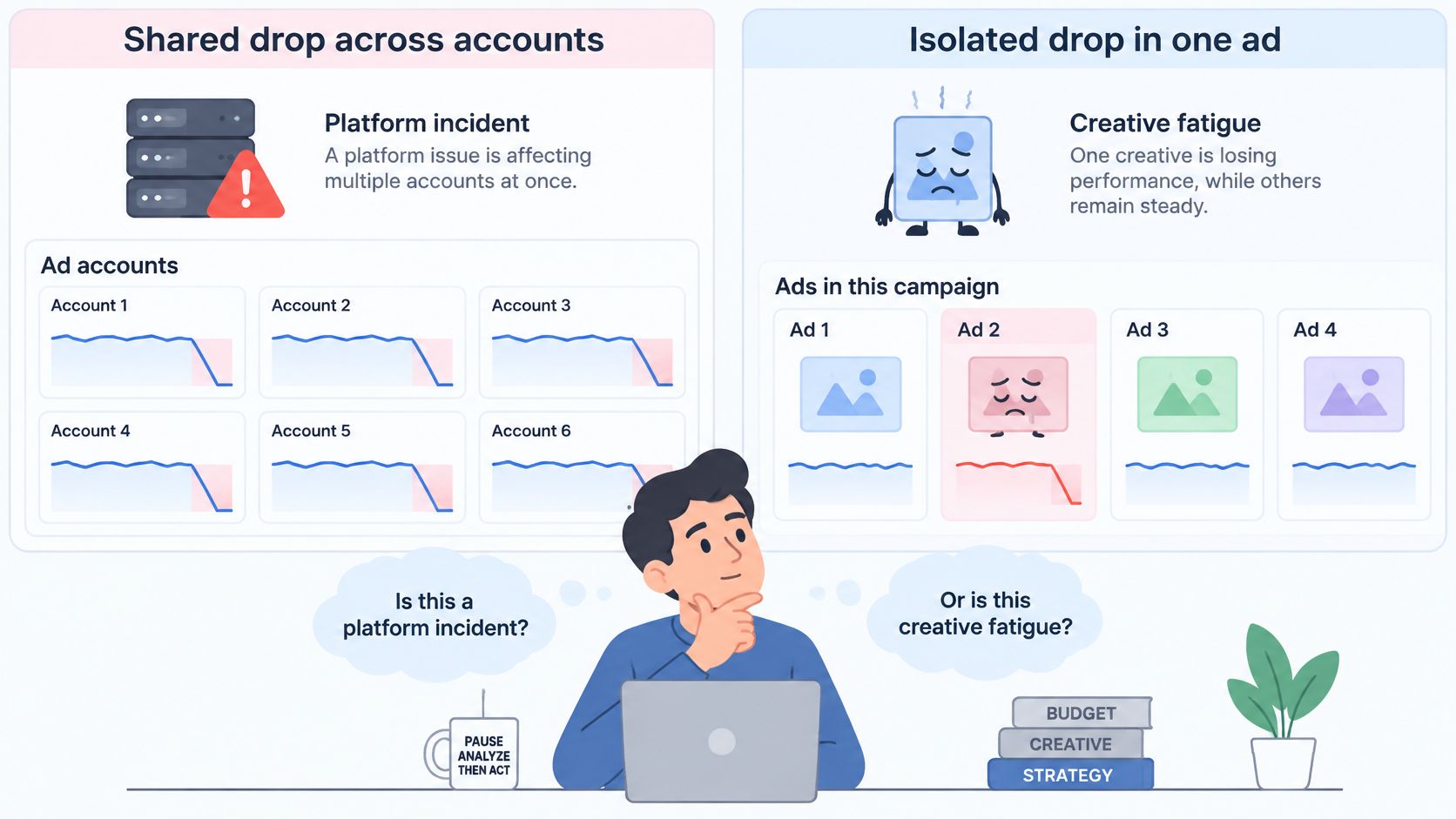
Signal one: is the drop shared? If delivery falls across many accounts at the same time, the cause is almost certainly above your account. Third-party monitors track repeated Meta Ads delivery incidents, giving you a reference point rather than a guarantee. A separate Meta advertising outage archive covering October 2024 through March 2026 records more than 60 incidents, with 53% classified as delivery issues and an estimated average duration of two to six hours. Short interruptions still cost real money on launch-dated campaigns and budget-capped ad sets.
Signal two: is the drop isolated? One ad set fading while the rest of the account holds steady points to an auction or creative problem. Frequency climbing while CPM and reach stay flat means the audience is saturated. Frequency rising while response falls over the past week is fatigue, and the fix is new assets rather than a bigger budget.
| Signal in Ads Manager | Likely cause | Action |
|---|---|---|
| Delivery drops across many accounts at the same time | Platform incident | Pause edits and recheck after the incident window |
| Frequency rises while CPM and reach stay flat | Audience saturation | Broaden the audience |
| Frequency rises and response falls over the past week | Creative fatigue | Refresh the creative |
| Cost goal or bid cap is the limiting setting in the ad set | Restrictive constraint | Loosen the cap or goal toward observed cost per result |
| None of the above signals appears | Nothing clearly broken | Hold the campaign for a short observation window |
Editing during an incident is the expensive mistake. A seasonal offer edited three times in one afternoon never leaves the learning phase, because each significant edit restarts the count. One controlled change followed by a wait produces a readable answer. The same discipline applies to creative fatigue: replace the asset after the frequency and response pattern confirms fatigue, instead of rotating copy, budget and audience in the same afternoon and losing the evidence.
If the row looks wrong in the interface rather than in the delivery data, troubleshooting a Facebook ad preview that is not rendering is a separate fault with a separate fix, and it does not belong in a delivery diagnosis.
When to Wait, Recreate or Escalate
Turn the checks into a timeline and the decision stops being emotional. Three phases, each with its own action.
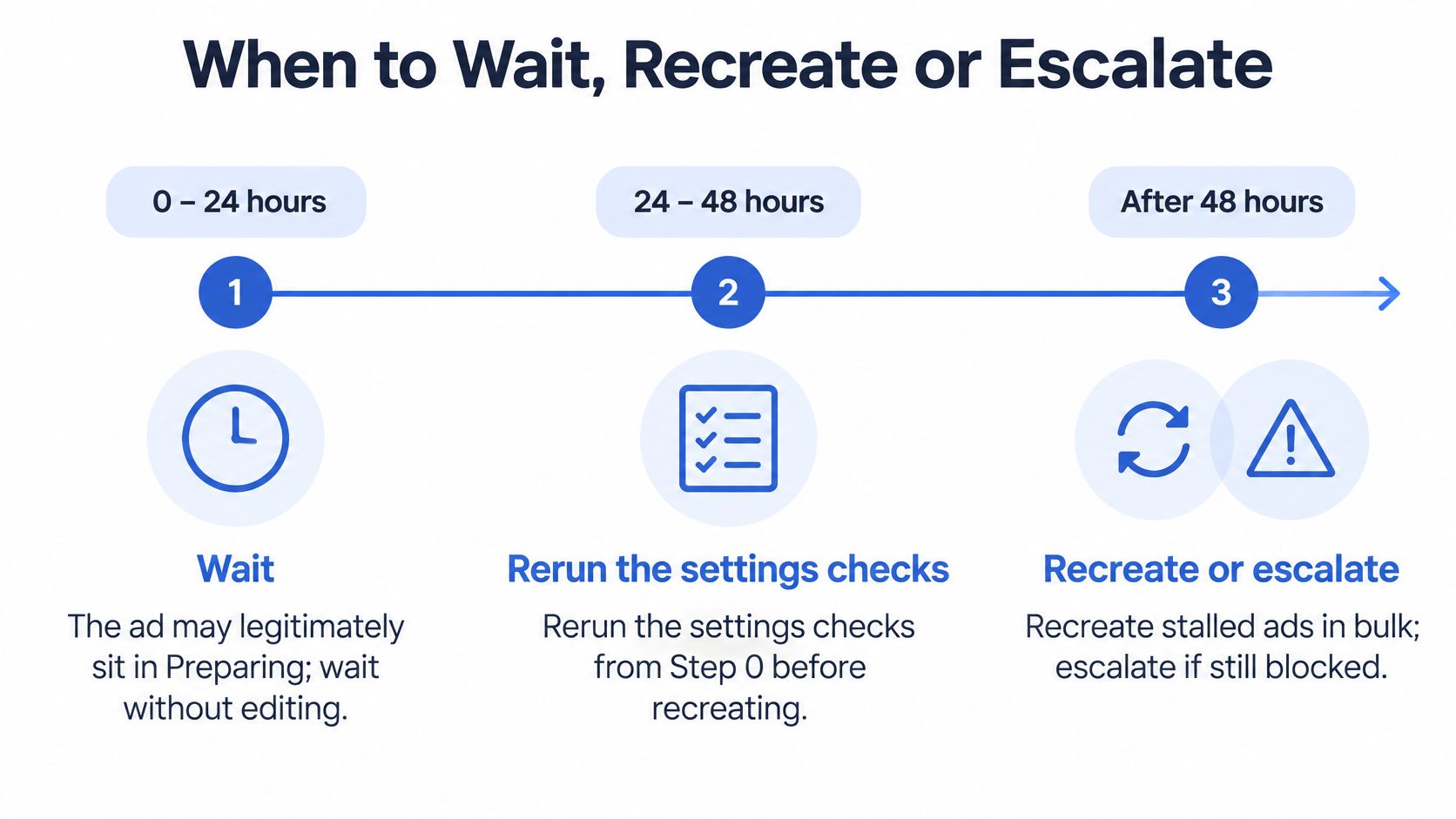
Hours 0 to 24 after publish or after a fix. The ad may legitimately sit in Preparing. Wait, and keep your hands off the budget. Any edit here resets the clock and restarts the learning count on an ad that hasn't had a fair chance to deliver.
Hours 24 to 48. Rerun the settings checks against the same row and read Activity History again. If the state changed, the earlier fix worked and the ad is slow to ramp. If nothing moved, you now have a documented baseline: same status, same settings, same zero impressions across a full day. That baseline is what separates a slow start from a genuine block.
After 48 hours with no delivery and no resolution. Recreate the ad rather than editing the original. Treat this as a practical last resort, not a first response. The reason to recreate instead of edit is mechanical: repeated edits keep resetting the learning phase on the original, so a fresh ad with identical settings reaches the auction cleaner than a patched one that has been restarted three times.
Several ads stalling at the same time is a different trigger. That pattern points to a cause above ad level, so contact Meta support rather than recreating each ad in sequence and inheriting the same block six times.
A recreate is a diagnosis of last resort, not a fix.
The cost of getting the timing wrong is specific. A launch-dated lead-gen creative or a seasonal offer can lose two days of learning and conversion data before the final remediation step even applies, and a seasonal window doesn't reopen because the ad finally started serving. Log every decision with a date, a time, and a reason, including the ads you deliberately left alone. That audit trail is what lets you tell, three weeks later, whether a fix worked or whether the auction shifted underneath you.
Recreate Stalled Ads in Bulk Without Losing Settings
Rebuilding by hand is where the biggest loss happens. A stalled batch recreated one ad at a time loses setup detail on each pass and restarts learning on every ad, and on a hundred-ad launch the clicks alone eat a working day.
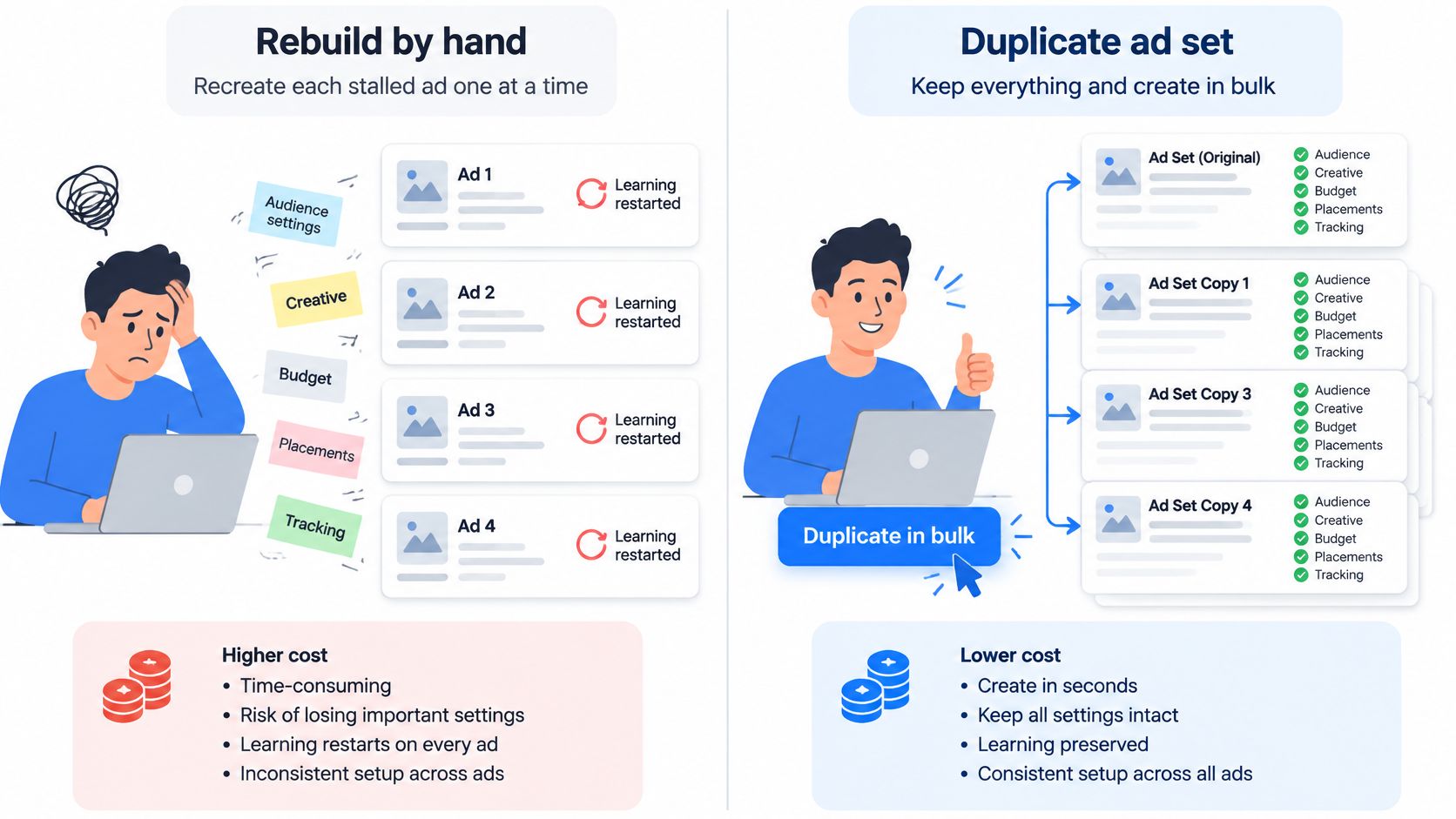
Duplicate the ad set, don't start from scratch. Budgets, audiences, placements, and optimisation events carry over, so the replacement inherits the structure you already validated instead of a blank canvas.
Name for the audit trail. Put the recreation date and the original ad ID in the new ad and ad set names. Six weeks later, reporting that can't distinguish a rebuilt ad from its predecessor is reporting you can't act on.
Re-upload creatives in bulk and verify the enhancements. After upload, confirm Advantage+ creative enhancements are off, because Meta can switch them back on and change what serves.
This is the workflow Rapid Ads was built around. It's a software-as-a-service platform designed to connect Facebook ad accounts and upload ad creatives to Meta Ads efficiently, and it handles bulk uploads, enforced naming conventions at ad and ad set level, auto-disabling of Advantage+ creative enhancements, and multi-account management from a single dashboard. Rapid Ads is an Official Meta marketing partner, which matters when the fix is speed rather than more manual QA. Teams running a hundred or more creatives per launch get the same result faster, and if you're producing that volume of assets in the first place, Nim tool for scaling ads removes the bottleneck upstream.
Pick the worst undelivered ad set in your account today. Run it through the settings checks, then the auction and audience constraints, and recreate only the ads that still fail the 48-hour test.
Rapid Ads turns that rebuild into minutes instead of an afternoon. Upload your images, videos, and copy in bulk, let enforced naming and auto-disabled Advantage+ enhancements protect the setup, and publish the replacement batch across every account from one dashboard. Start on the free plan with 10 uploads and no card required at Rapid Ads, then recreate your first stalled batch properly.