A familiar Monday problem: a commerce client spots its product beside a competitor's offer in Facebook Feed and asks whether the account has lost control of placements. The campaign may be delivering through Meta's multi-advertiser format, where several businesses' ads can appear in one shared unit. The more important operational question isn't whether the creative is “on” or “off.” It's whether the setting was deliberately chosen, persisted through launch, and recorded clearly enough to explain later.
For teams running many ads across accounts, treat multi-advertiser delivery as an ad-level configuration with implications for creative, auction competition, and reporting. Meta's default behaviour and bulk-launch processes can create configuration drift, so the checkbox deserves the same attention as naming, URLs, and other launch controls.
Table of Contents
- What Multi Advertiser Ads on Facebook Are
- How the Auction Decides Which Advertisers Appear Together
- Use Cases for Performance Marketers and Agencies
- Placements, Objectives and the Opt-In Control
- Permissions, Measurement and Attribution Implications
- Why Multi Advertiser Ads Don't Sit in a Silo
- A Bulk-Launch Checklist for Operations Teams
What Multi Advertiser Ads on Facebook Are
An account team reviewing a catalogue campaign may see its product beside another business's offer in Facebook Feed. That shared presentation does not mean the other advertiser has taken over the ad or that the account is using a new creative format. Meta's multi-advertiser ads are an ad-unit architecture: ads from multiple businesses can appear in one unit, with personalization signals helping determine which businesses and products a person sees. The ads can be related or unrelated, and each advertiser keeps its own destination and call to action. Meta's description of multi-advertiser ads
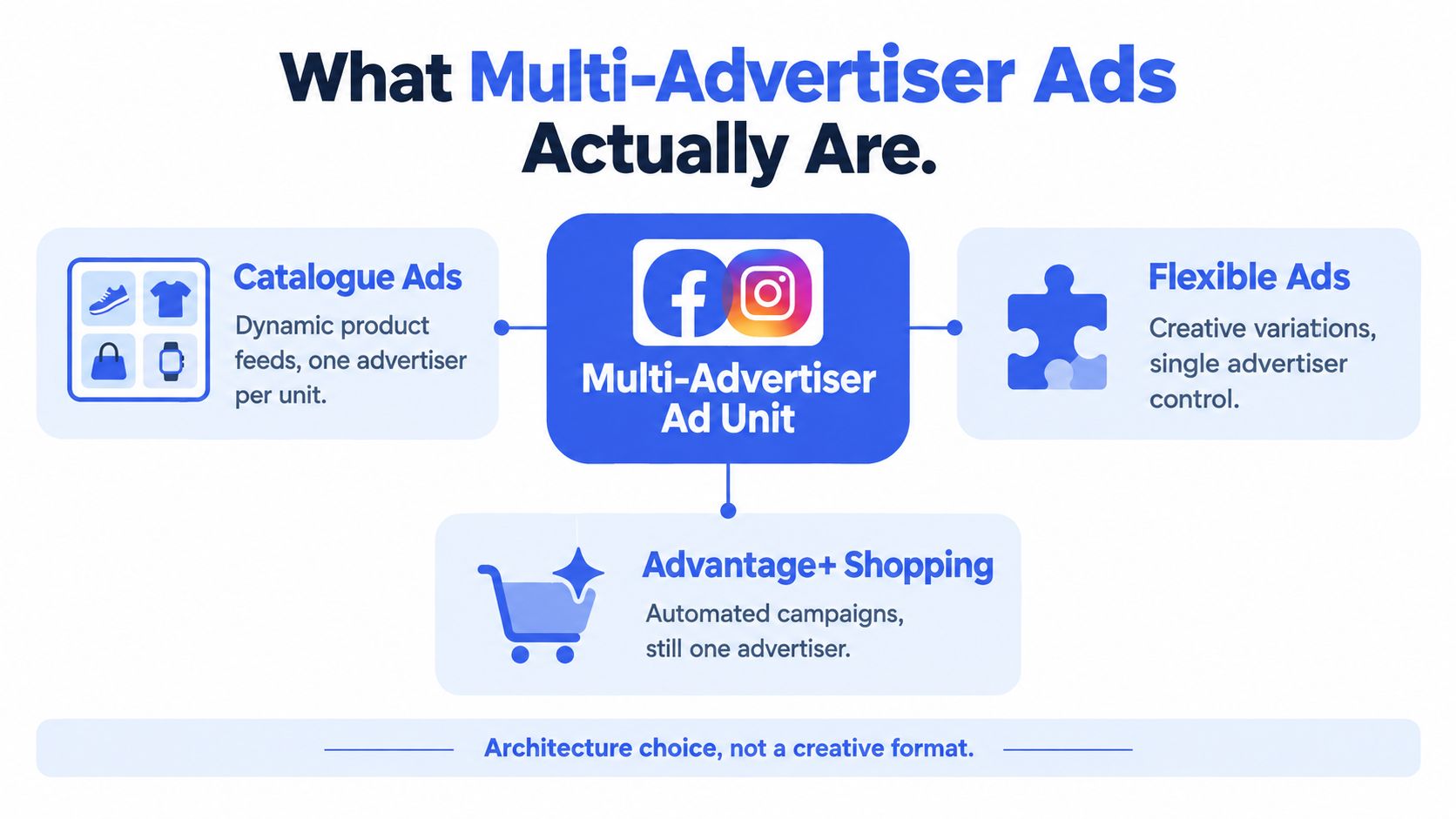
This differs from catalogue ads, Flexible Ads, and Advantage+ shopping campaigns. Catalogue ads use a product feed to promote one advertiser's items. Flexible Ads let Meta assemble a presentation from that advertiser's creative assets, while Advantage+ shopping automates campaign delivery for one advertiser. Multi-advertiser delivery changes the composition of the ad unit, not the ownership of each ad or the campaign objective. For operations teams, that makes it a configuration to verify at the ad level, not a creative format to select.
What changes for the advertiser
Participating ads can use established creative types, including photo, video, carousel, and collection. A carousel can contain up to 10 images or videos, as described in the Meta multi-advertiser format overview. The available creative types do not turn multi-advertiser delivery into a separate format. Meta can place several advertisers in a shared experience while each ad retains its own destination and call to action.
For client communication, keep the explanation specific: “Your ad may appear alongside ads from other businesses in a shared, personalized unit. Your destination and call to action remain yours, but your ad may not be the only one in that viewing experience.” That wording clarifies the trade-off without implying the account controls which other advertisers appear beside it.
Meta made the option available across all ad objectives in 2024, extending it beyond shopping campaigns to traffic, acquisition, conversions, and leads. Sprinklr's documentation of the expansion describes it as an option advertisers can allow or exclude, not a requirement. Check the setting and delivery eligibility in the account before testing. Broad objective availability does not guarantee that every objective, creative, and placement combination qualifies.
How the Auction Decides Which Advertisers Appear Together
A user scrolling Facebook Feed may see an ad beside offers from other businesses. That shared unit is an outcome of ad delivery, not a slot advertisers purchase as a group. Meta evaluates eligible ads through its auction and relevance systems. Bid, predicted relevance, and creative quality influence delivery, while personalization helps determine which ads and products fit a particular user. The mechanics of Meta's auction and relevance systems explain how those factors contribute to delivery.
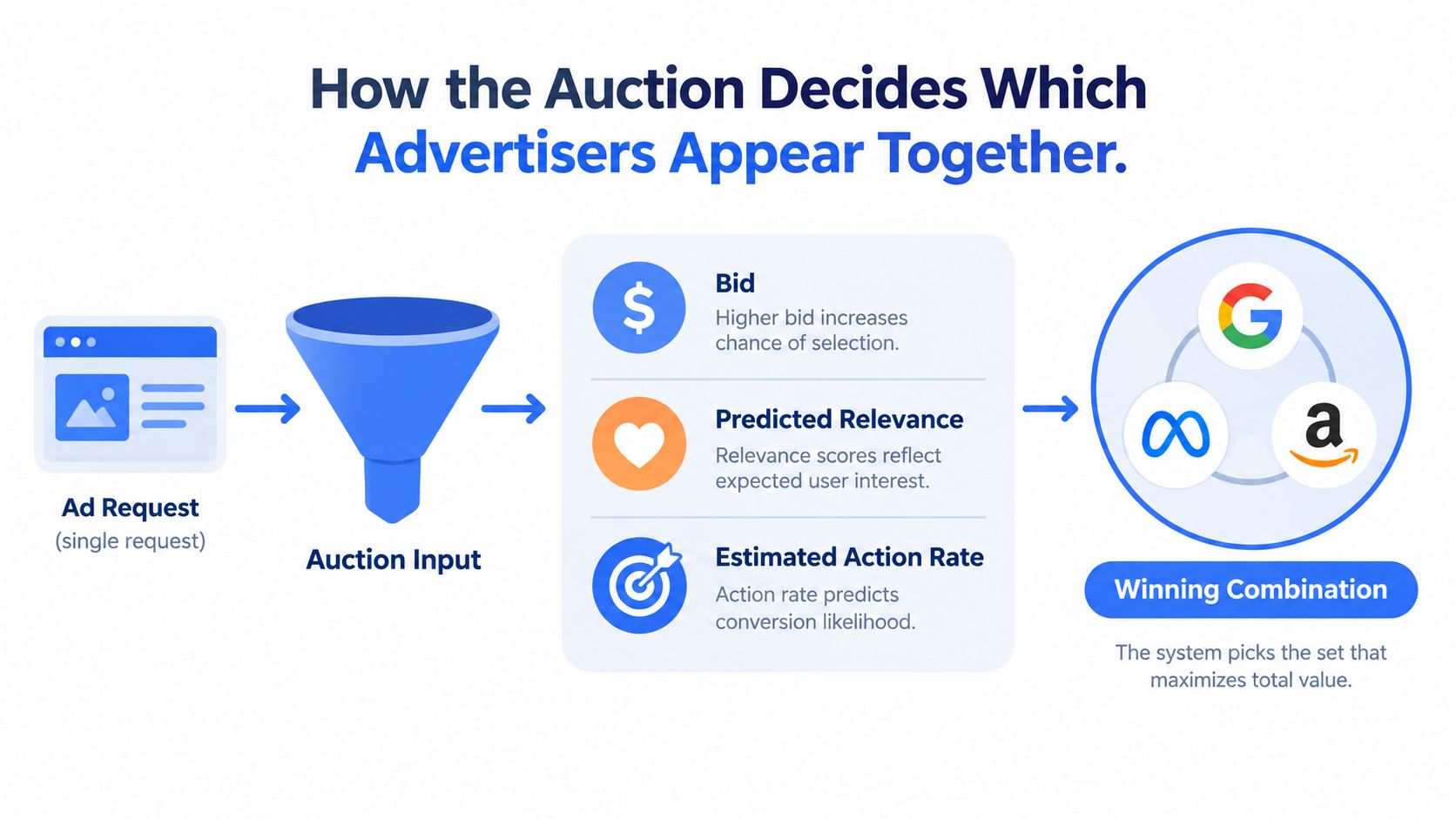
Meta evaluates eligible ads for an opportunity, then decides what to show. Several advertisers can appear in one unit, but each still competes for inclusion. A high bid will not compensate for weak relevance or poor creative. Strong creative also cannot guarantee delivery if campaign settings, placement, or eligibility rules rule out the opportunity. For teams using bulk-launch systems, the ad-level configuration matters: a copied template or an unnoticed default can change eligibility without changing the campaign's commercial intent. Keep the selected setting in the launch record and verify it against the live ad.
Relevance is the commercial pressure point
In retargeting, a user may already know the brand or have viewed a product. Another offer in the same unit can make comparison immediate. In prospecting, the ad may sit among other discovery options, so its creative needs to communicate value without relying on an isolated impression.
Catalog quality also affects the match. Product details should be accurate, images should represent the item, and the landing page should correspond to what the ad shows. Incomplete feed data or a mismatched destination weakens the user experience; appearing in a shared unit will not correct either problem.
Buying rule: Judge the format against the campaign's target CPA and the offer's strength, not as a guaranteed efficiency gain. If the economics work only when the ad appears alone, shared delivery may expose that weakness instead of fixing it.
Placement is an eligibility check, not a promise of universal delivery. Eligible surfaces include Facebook Feed, Facebook video, Facebook Stories, Facebook Reels, Instagram Feed, and Instagram Reels, subject to objective, ad format, and other settings. Before attributing a performance change to the format, confirm which placements were eligible and whether the ad-level configuration remained consistent through launch and subsequent edits.
Use Cases for Performance Marketers and Agencies
The right governance model depends on who owns the account, who can edit ads, and how the team will report results. A co-op campaign, an agency portfolio, and a single business with multiple brands may all use shared units, but the operational risks differ.
Compare the operating models
| Use case | Access model | Reporting hook | Biggest risk |
|---|---|---|---|
| Co-op commerce placement | Separate advertisers manage their own business assets and ads; each retains its destination and CTA | Campaign and ad naming identify the advertiser, offer, and product group | A client assumes shared placement means shared creative approval or control over another advertiser |
| Agency-managed accounts | Agency users work through approved account access and role permissions for each client | Account ID, client token, campaign objective, and ad-level setting are captured in launch records | A bulk edit or template carries the wrong setting, name, or destination into another client account |
| Multi-brand portfolio | Teams administer distinct brand campaigns within a shared business environment, with ownership and access defined by the business | Brand token and product or market identifier remain present through campaign, ad set, and ad reporting | Similar naming or overlapping feeds make it hard to attribute spend and outcomes to the right brand |
Co-op commerce is a natural fit when each participant has a distinct product and a destination that can stand on its own. It's less suitable when one brand needs exclusive presentation, strict adjacency control, or a coordinated message that depends on its ad appearing alone. The shared unit is a discovery environment, not a promise of brand exclusivity.
For an agency, the feature is primarily a governance problem. Different clients can have different policies, so don't treat an account-wide launch template as proof that every ad has the intended state. Build client-specific checks into the workflow and keep permission boundaries clear. An agency seat should grant only the access needed to manage that client's campaign; shared ad-unit delivery doesn't make client accounts or reporting interchangeable.
A multi-brand business has a related challenge. Teams may share operational infrastructure, but each brand still needs legible campaign names, distinct landing pages, and reporting that doesn't collapse brands into one blended result. Use the format when discovery across a shopping journey supports the brand's goal. Don't add it merely because a campaign can run with it.
Placements, Objectives and the Opt-In Control
A bulk launch can have the right campaign objective and placement settings while individual ads carry an unintended multi-advertiser setting. Meta controls this option at the ad level, so campaign-level checks won't catch every mismatch. Availability has expanded across ad objectives, but eligibility still depends on the specific ad and placements. Treat the setting as a launch field that needs verification, not a creative preference carried forward by a template.
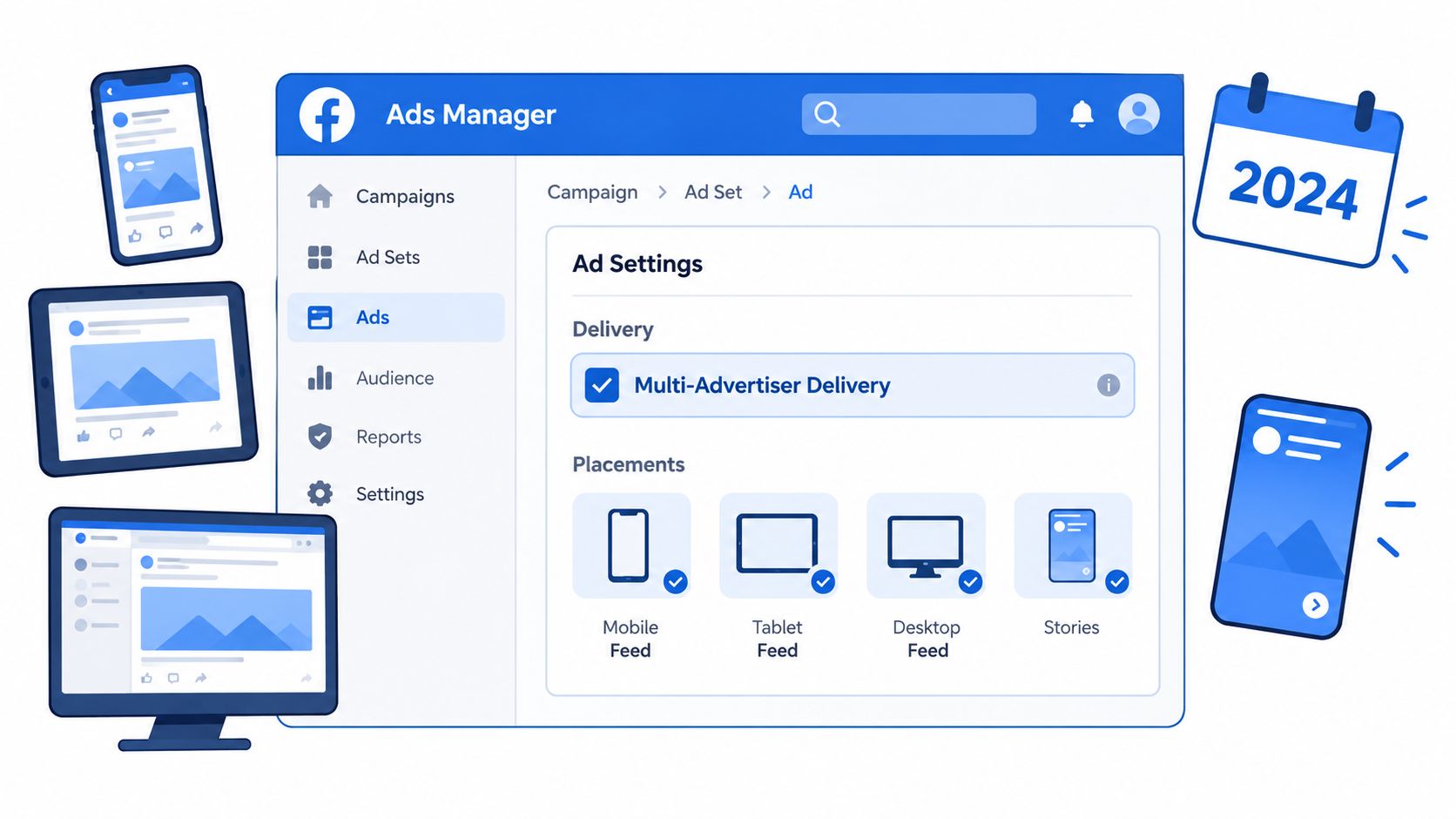
The Ads Manager workflow
Review Placements at the ad-set level after building the campaign and ad set. Advantage+ placements is selected by default; manual selection is available. Eligible placements include Facebook Feed, Facebook video, Facebook Stories, Facebook Reels, Instagram Feed, and Instagram Reels. Then open Ad setup on the ad itself and check the Multi-advertiser ads box to opt in, or uncheck it to opt out before publishing. Meta's Ads Manager instructions cover eligible placements, the control, and bulk editing.
Placement selection and multi-advertiser participation need separate checks.
For existing campaigns, Meta warns that the option may be enabled automatically unless ads were explicitly opted out. That creates configuration drift: the live setting can differ from the launch team's intended state. Use bulk editing to standardize selected ads, then inspect the resulting ad-level settings. Checking a representative ad is useful for finding the control, but it doesn't establish that the whole batch matches.
Keep the intended setting and the checked result in the launch record so maintenance teams can distinguish a deliberate change from an inherited default.
Use this walkthrough to align operators on where the control sits:
The API changes the launch checklist
Programmatic support arrived in Graph API/Marketing API v20.0; eligible API-created ads initially required explicit opt-in, before a transition to default-on behaviour beginning August 19, 2024, as Meta's API announcement explains the transition.
Bulk-launch systems therefore need an explicit intended state for each ad. Set it during creation, validate the result afterward, and support bulk updates when policy changes. Defaults can differ across workflows and change over time. For advertisers that require opt-out, leaving the field unspecified does not establish the required state.
Permissions, Measurement and Attribution Implications
Shared presentation doesn't erase the advertiser's own destination or CTA, but it does change the context in which a user sees the ad. The measurement question is whether the team can isolate that delivery choice from other campaign changes. If the same launch also changes creative, audience, placement controls, or budget, a ROAS or CPA movement won't identify which change mattered.

Keep the treatment identifiable
Use a consistent naming token at the ad level for the multi-advertiser state and preserve it in campaign exports and reporting. Pair that with stable UTMs so analytics can distinguish the destination traffic without relying on a campaign name alone. When comparing opted-in and opted-out delivery, keep the rest of the setup as consistent as practical and document the test window, objective, creative set, audience, and placement configuration.
Custom audiences still serve a role in audience strategy, but they don't make attribution exact. Meta's reporting remains subject to the account's attribution settings, and a user may encounter multiple ads before converting. Post-purchase surveys can offer a separate customer-reported signal. Holdout tests, where feasible, can help assess incremental impact rather than treating platform-attributed conversions as the whole answer.
Permission boundaries protect the audit trail
Agency reporting breaks down when staff can't reliably tie an ad to its client, market, or configuration. Keep partner access and user permissions aligned with the accounts each person manages. A shared unit doesn't grant an agency visibility into another advertiser's account, and it shouldn't be treated as a reason to share logins or loosen client access controls.
Measurement discipline: Record the setting that was actually published, not just the setting the launch team intended. That distinction is critical when Ads Manager defaults or bulk edits change the state after a template was prepared.
When reporting across accounts, standardize the tokens that identify client, brand, market, and test arm. Then join those records to the ad-level configuration and the campaign's attribution settings. This won't eliminate attribution uncertainty, but it gives account leads a defensible way to separate delivery choices from naming errors and launch drift.
Why Multi Advertiser Ads Don't Sit in a Silo
It's tempting to treat multi-advertiser delivery as a stable switch with a clean before-and-after result. That can be misleading when Meta is also changing how it handles creative assets. Industry coverage describes a move away from older DCO/Flexible controls toward a newer multi-media workflow that can put up to 10 images or videos into one ad, with customization for text, cropping, placements, and destinations. The discussion of Meta's Flexible Ads transition is a reminder that an apparent format effect may coincide with a creative-workflow change.
The risk is attribution by coincidence. A team changes the multi-advertiser setting, replaces a Flexible setup, refreshes product images, and updates a feed at the same time. Performance moves, but the report can't say which change caused it. Keep the delivery setting explicit and document any simultaneous migrations so the test remains interpretable.
Diagnose the feed before blaming the format
For commerce campaigns, inspect catalog eligibility and product data before concluding that shared delivery doesn't work. Check that product titles, prices, availability, deep links, currency, and language are accurate for the market. Review image quality and aspect ratios, too. A product can be eligible in a feed yet still fail to communicate clearly in the creative context or land on a page that doesn't match the offer.
When you standardize a cross-market test, agree on:
- Product data: Titles, prices, and stock status are accurate and consistent with the destination.
- Market fields: Currency, language, and localized feed content match the audience.
- Creative fit: Images and videos use suitable aspect ratios and keep important product details visible.
- Landing pages: Deep links resolve to the advertised product and market.
- Reporting names: Product and market identifiers survive through campaign, ad set, and ad exports.
Ask whether a performance change coincided with new asset handling, feed repairs, or changes in placement eligibility. If it did, treat the result as a combined workflow outcome until you can isolate the variables. That's more useful than declaring the ad-unit architecture itself the cause.
A Bulk-Launch Checklist for Operations Teams
A bulk launch can carry the right creatives, destinations, and naming conventions while leaving the multi-advertiser setting unchecked. Treat that setting as part of the ad's configuration record. The build sheet should show the intended state; the launch log should show what was published. Quiet default-on behaviour makes that distinction worth auditing.
A repeatable launch sequence
- Set the policy by campaign type. Decide whether each client, brand, and objective should permit or exclude multi-advertiser delivery. Account-wide defaults are convenient, but they can override differences in client requirements.
- Name the state. Add a consistent token to the ad name or launch metadata. Keep client, brand, market, and test identifiers readable so an export supports an audit without requiring someone to reconstruct launch intent.
- Attach destination tracking. Apply UTMs consistently and confirm that the destination matches the promoted product, market, and offer. Tracking should survive the same bulk-launch process as the creative.
- Set the ad-level control. Verify the multi-advertiser checkbox on each ad in Ads Manager. For API or bulk workflows, write the intended opt-in or opt-out explicitly rather than relying on an inherited state.
- Validate after creation. Compare published ads with the launch record. Sample ads to catch workflow errors, then verify the setting across the launch before signing off. Bulk-edit mismatches and record the corrections.
- Schedule ongoing audits. Recheck duplicated, refreshed, and maintained ads. Defaults can change; copying an ad is not proof that its intended configuration survived.
Keep the sign-off at ad level.
Ads Manager is practical for small launches where a buyer can inspect every ad. Bulk uploads, naming templates, Advantage+ auto-disable requirements, and multi-account preparation increase the manual checking burden. Rapid Ads supports bulk uploads, naming conventions, UTM tags, and multi-account campaign preparation. Those capabilities can consolidate preparation, but published settings still need validation.
Questions operators ask after rollout
Should the team opt in by default? Require a client policy and a way to verify every ad before making opt-in the launch default.
Can a campaign-level review confirm the state? Review the ads themselves. The control is ad-level, so campaign approval cannot replace configuration checks.
How should the team interpret a positive result? Use it to justify further testing. Meta reported better performance when adding multi-advertiser contextual ads to existing Instagram Feed purchase campaigns, without disclosing absolute lift, sample size, or confidence interval. Meta's API announcement describes that result and its limits.
For multi-account launches, Rapid Ads can support repeatable creative uploads, naming, and UTM preparation. Make the ad-level audit part of launch approval so preparation and publication remain traceable.