The popular advice is simple: put every serious budget into Reels because vertical video is where attention lives. That's an attractive shortcut, but it's a poor buying rule. In a Q2 2025 Facebook benchmark, Feed generated 44% of total clicks, delivered a 37% lower CPC than the campaign average, and recorded a 4.03% CTR, outperforming Reels, Stories, and Overlay environments for click outcomes (benchmark PDF).
The practical question isn't which placement looks most native. It's which ad format Facebook gives you the right creative structure, delivery options, and reporting signal for the objective you're buying against. Feed, Reels, Stories, Carousel, Collection, and Flexible all solve different operational problems. The winning setup usually comes from matching the format to the goal, confirming what Ads Manager makes available, then building a production workflow your team can repeat without corrupting the data.
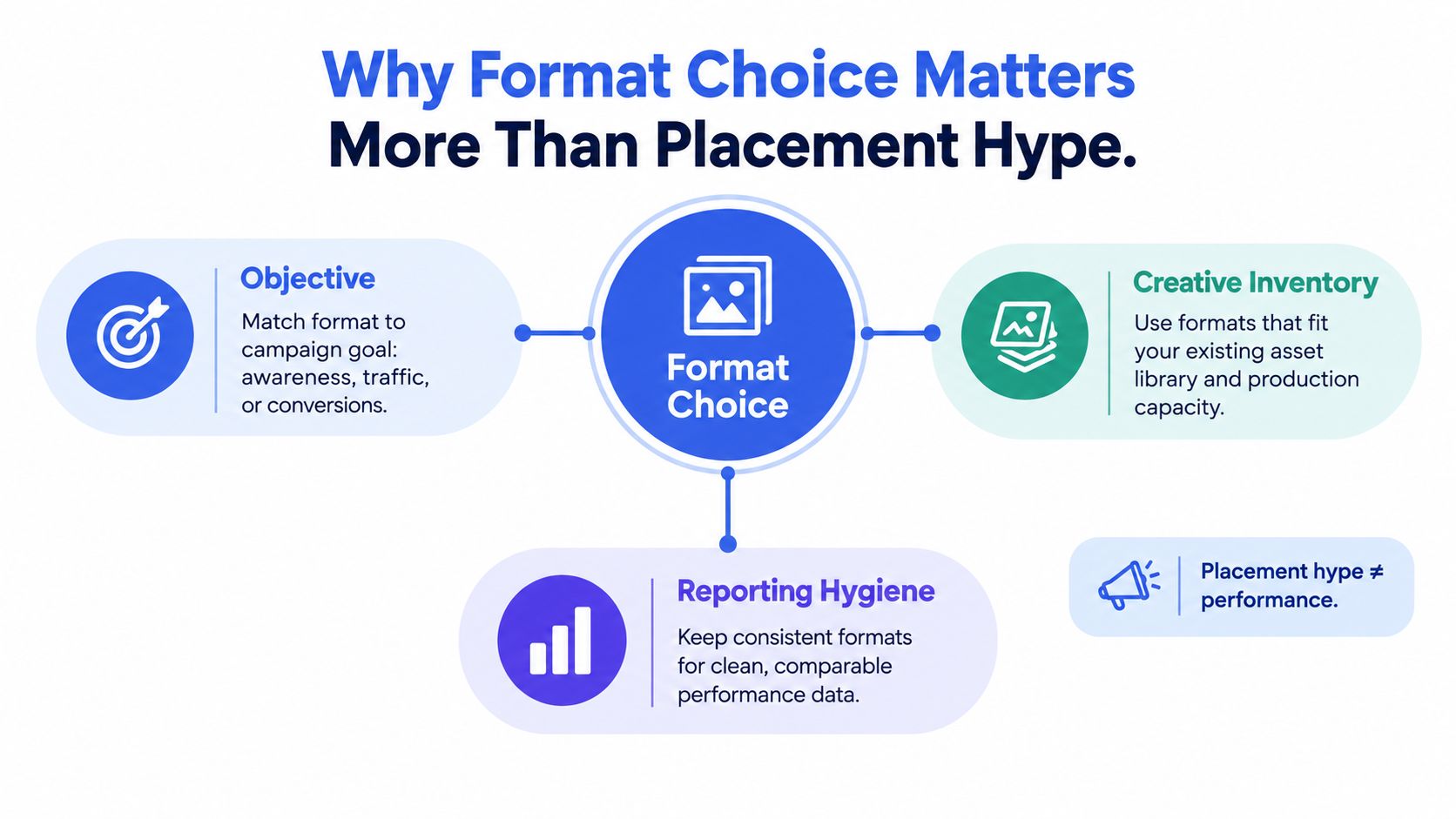
Table of Contents
- Why Format Choice Matters More Than Placement Hype
- Every Meta Ad Format with Current Specs
- Feed vs Reels vs Stories for Click and Conversion Goals
- How Flexible Ads Optimize Delivery
- Bulk-Launching Mixed-Aspect Creatives Without the Chaos
- Managing Multiple Client Accounts and Naming Without Losing Your Mind
- A Decision Framework for Your Next Campaign
Why Format Choice Matters More Than Placement Hype
Reels can be excellent for a strong vertical hook, creator-style footage, and incremental reach. That doesn't make it the automatic control for a conversion campaign. A polished nine-by-sixteen video can earn attention while a less glamorous Feed asset produces cheaper clicks, cleaner product comprehension, or stronger purchase intent.
The distinction matters because attention efficiency and conversion efficiency are different measurements. Hook rate, watch-through, and full-screen consumption tell you whether the creative stopped the scroll. CTR, CPC, conversion rate, cost per result, and incremental lift tell you whether that attention moved the business. Blending those signals into one campaign-level average makes it difficult to tell whether a format worked, an audience worked, or Meta found cheaper inventory.
Start with the campaign job
Facebook's advertising system evolved from a relatively simple platform into a multi-format ecosystem. Facebook launched its advertising platform in 2007, introduced Sponsored Stories in 2011, and expanded into eight major formats between 2018 and 2020, including photo, video, Stories, Messenger, carousel, slideshow, collection, and playable-content ads (Facebook advertising history).
That progression created a useful buying principle: format is part of the strategy, not a cosmetic setting. Single-image ads can make a direct offer easy to scan. Video can demonstrate a product. Carousel can sequence an argument or expose several products. Collection can move mobile shoppers into an Instant Experience. Flexible can let Meta select among multiple assets for different people.
The production constraint is real
A format only helps if your team can produce, label, route, and evaluate it properly. A media buyer managing a few ads can manually check every crop. An agency launching mixed 1:1, 4:5, and 9:16 assets across client accounts needs a naming system, asset routing, placement rules, and a way to prevent settings from drifting during upload.
Practical rule: Treat format choice as a three-part decision. Match the objective, confirm the available placement combination, then choose the creative structure your production pipeline can sustain.
The sections ahead focus on the decisions that usually get missed: current format constraints, Feed versus Reels versus Stories, Flexible delivery, and the operational workflow required to launch more than a handful of creative variants without losing reporting hygiene.
Every Meta Ad Format with Current Specs
Specs are not strategy, but bad specs can invalidate strategy before delivery starts. Meta links available formats and placements to the selected campaign objective, so the format picker you see at the ad level may change with the objective and account setup (Meta format and placement documentation).
The core formats
Single image is the clean baseline for offers, product photography, retargeting, and controlled creative tests. Use 1:1 or 4:5 where supported, and keep separate source files rather than relying on aggressive cropping.
Single video is the right container for demos, testimonials, tutorials, and narratives that need motion. It can be adapted for Feed, Reels, Stories, and other eligible placements, but the source composition should reflect the destination rather than treating a horizontal edit as universal.
Carousel contains two to ten cards, with each card able to carry its own headline, description, link, and call to action. It suits product catalogs, feature comparisons, sequential explanations, and multi-angle offers. Meta lists 1:1, 4:5, and 9:16 support, although 4:5 is restricted to certain Advantage+ catalogue carousel setups using catalogue product images (Meta Carousel specifications).
Collection pairs a cover image or video with smaller product images. A cover tap opens a full-screen Instant Experience, while a product-image tap can open the supplied product-detail page. That makes Collection a mobile commerce flow, not merely a carousel with a larger first card (Meta Collection format).
Slideshow turns static images into a lightweight motion sequence. It can be useful where production capacity or connection quality makes full video impractical, but it offers less control over pacing and interaction than a native video asset.
Flexible lets Meta choose which media or media combination to show to each person. One Flexible ad can contain up to 10 images and videos, and the system can use a single image, video, or carousel combination depending on the delivery opportunity (Meta Flexible Ads).
Meta Ad Format Specs at a Glance
| Format | Aspect Ratios | Min Resolution | Recommended | File Cap | Best For |
|---|---|---|---|---|---|
| Single image | 1:1, 4:5, 9:16 | 500 × 500, 600 × 750, 500 × 888 px | 1024 × 1024, 1080 × 1350, 1080 × 1920 px | JPG or PNG up to 30 MB | Offers, products, retargeting |
| Single video | 1:1, 4:5, 9:16 | Confirm by placement | Placement-specific source | Up to 4 GB, up to 240 minutes in certain placements | Demonstrations and storytelling |
| Carousel | 1:1, 4:5, 9:16 | Same resolution guidance by ratio | 1024 × 1024, 1080 × 1350, 1080 × 1920 px | Image up to 30 MB, video up to 4 GB | Product exploration and sequential stories |
| Collection | Cover plus product imagery | Confirm in Ads Manager | Cover and catalogue assets prepared separately | Confirm by asset type | Mobile shopping journeys |
| Slideshow | Placement-dependent | Confirm in Ads Manager | Use source images that remain legible in sequence | Confirm in Ads Manager | Lightweight image-led motion |
| Flexible | Asset-dependent | Use valid source files for each asset | Mix deliberate image and video variants | Up to 10 images and videos in one ad | Algorithmic creative optimisation |
Meta applies a 3% aspect-ratio tolerance for Facebook placements, but tolerance isn't a substitute for a deliberate crop. Uploading one master asset and hoping every placement preview looks acceptable usually creates avoidable text clipping, subject loss, or weak opening frames. Preview every placement that matters, especially when the same ad contains both Feed and vertical inventory.
Feed vs Reels vs Stories for Click and Conversion Goals
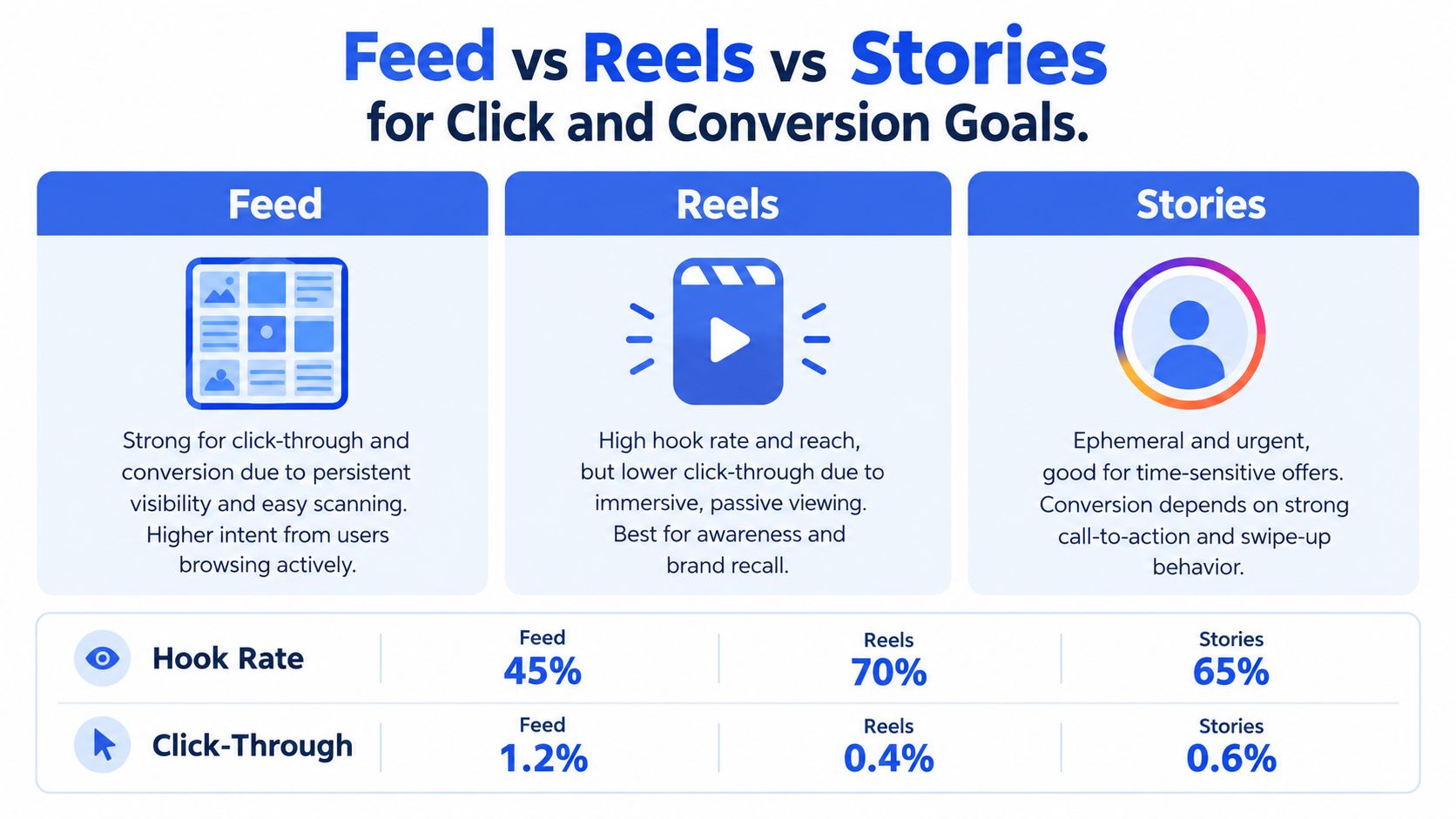
Reels, Stories, and Feed are different buying environments, not interchangeable placements. Reels gives fast-moving creative an immersive vertical canvas and access to discovery-driven viewing. Stories interrupts a full-screen sequence, which suits urgency and direct prompts. Feed provides more context, so users can assess the product, price, proof, and call to action before clicking.
Use the benchmark cited earlier as a control, not a universal rule. Stories and Reels placements showed materially higher CPMs in that comparison, making Feed a sensible control when the campaign is judged on CPC. The result does not make Feed the automatic winner. It makes abandoning Feed because vertical video feels newer a poor testing decision.
Separate attention from action
Choose Reels when performance depends on a fast hook, creator delivery, product demonstration, or broad discovery. Watch-through and engagement show whether the edit earns attention, but purchase and lead metrics decide whether it works commercially.
Choose Stories for a full-screen interruption, deadline, or direct action prompt. Time-sensitive offers can fit the format well. Weak framing, unclear hierarchy, or a buried CTA wastes the available inventory.
Keep Feed in traffic and conversion tests as a genuine control. It supports clear comparisons between image, video, and carousel variants without assuming that immersive viewing produces efficient clicks.
Do not compare a Reels hook rate with a Feed CPA and call one placement the winner. Judge each placement against the metric tied to the campaign objective.
Build the comparison in Ads Manager
Start with placement-level breakdowns instead of blended campaign averages. Review CPM, CTR, CPC, conversion rate, cost per result, and incremental lift, then check whether audience mix, creative, and delivery volume are comparable.
Automatic placements can move delivery toward video-heavy inventory without making the cause obvious. Keep a Feed control, while supplying Reels and Stories with assets built for their own environments. Name the assets by placement, concept, and variation so results remain traceable after a bulk upload. Mixed-aspect batches then become easier to review, pause, and replace without rebuilding the campaign.
For click objectives, Feed's CPC may matter more than a stronger video attention signal. For awareness, Reels reach and hook quality may justify a different success standard. Test the formats in parallel, then let objective-level results, not placement fashion, determine the next allocation.
How Flexible Ads Optimize Delivery
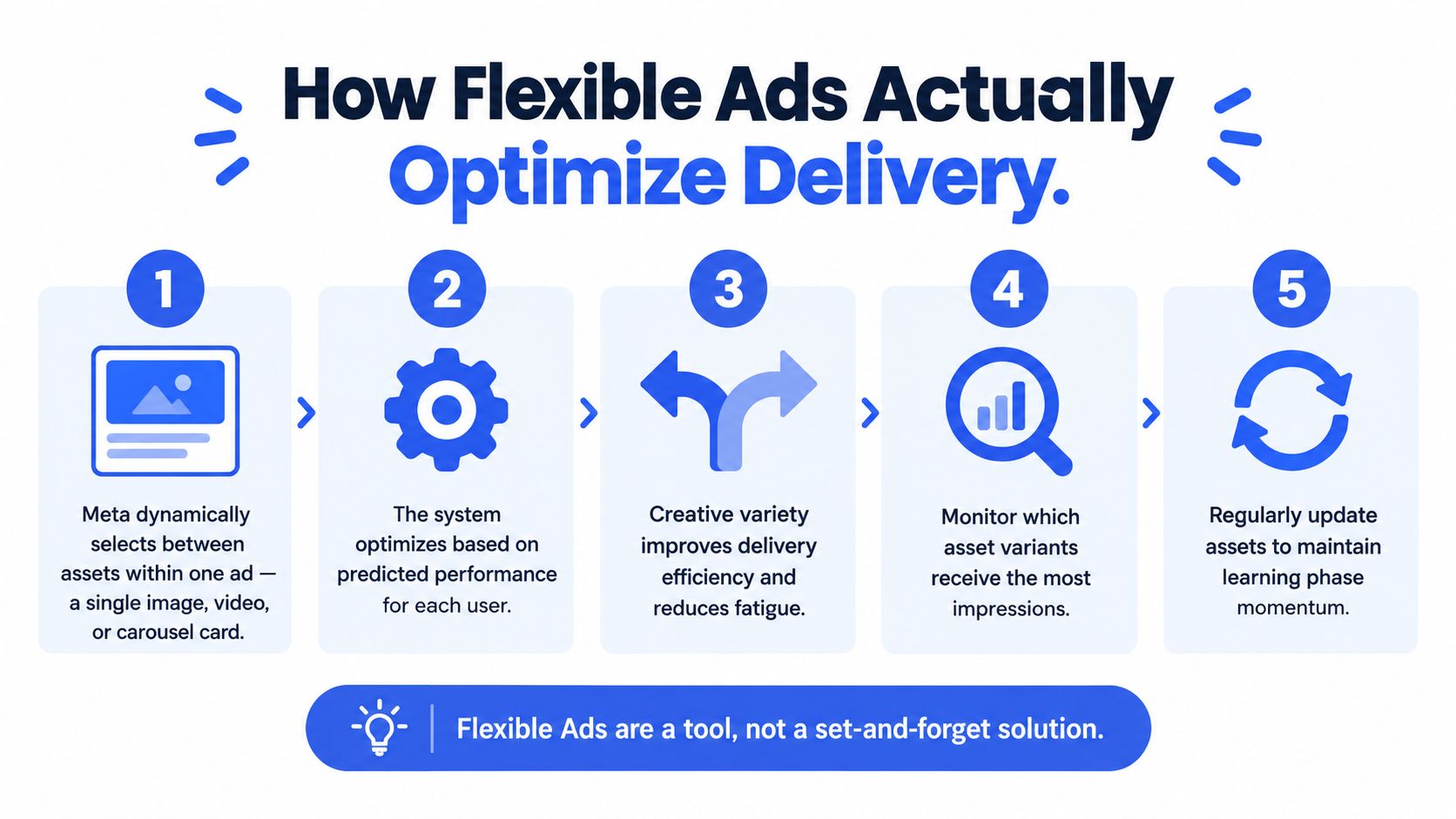
Flexible Ads are often described as a faster version of conventional creative testing. They are an optimisation format in which Meta decides which asset, or combination of assets, to show to a person based on predicted delivery performance.
One ad can contain images and videos, and Meta can select a single image, a video, or a carousel combination. That gives the system more ways to match creative to users, but it also means delivery is not evenly distributed across assets. If the algorithm quickly favours one video, the remaining assets may receive too little exposure to support a clean comparison.
Treat the format as an optimisation package
Creative breakdown reporting began expanding in July 2025, exposing per-asset delivery and performance for Flexible ads and certain AI-generated assets (Creative breakdown coverage). Use that view to spot concentration, not to pretend the system ran a randomised test.
A Flexible ad can post strong aggregate ROAS while one asset absorbs nearly all meaningful delivery. That can be the right outcome if your goal is efficiency. It does not prove the other assets are weak, because they may never have had a fair run.
A responsible Flexible workflow
- Define asset-level success criteria. Decide whether each image or video is being judged on clicks, purchases, qualified leads, or another objective-aligned result.
- Monitor spend and impressions by asset. Record delivery concentration before calling a variant a loser.
- Log copy combinations. A winning media asset paired with one primary-text variation is a different test from that same asset paired with another.
- Run controlled follow-ups. Periodically isolate one variable in a conventional ad or ad set and compare it with the Flexible package.
- Refresh deliberately. Add new assets when fatigue or message saturation appears, but do not change every input at once.
Flexible gives Meta room to optimize delivery across a package. Controlled single-variable tests tell the buyer which creative element deserves more spend.
Bulk-Launching Mixed-Aspect Creatives Without the Chaos
Launching 100 or more creatives is not difficult because the upload button is complicated. It's difficult because each asset needs the right format, placement logic, name, copy, tracking, and enhancement settings. A manual workflow breaks when someone uploads a 9:16 Reel into a Feed ad set, forgets a UTM parameter, or discovers after launch that Advantage+ creative enhancements changed the intended execution.

Use the asset structure as the operating system
A repeatable batch should start with a naming convention that carries the fields needed for reporting. A practical pattern is:
CLIENT_MARKET_FORMAT_AUDIENCE_DATE
Add a creative identifier when several hooks share the same format, such as:
CLIENT_MARKET_REELS_PROSPECTING_UGC_DATE_HOOK01
Use the same logic at ad-set level. The ad name should identify the specific asset or angle, while the ad-set name should identify the audience, market, placement logic, and test cell. This prevents the common post-launch question, “Which video was that?” from turning into a reporting investigation.
Route assets before publishing
A workable bulk sequence looks like this:
- Upload the complete asset library. Keep source filenames stable so your ad names can inherit meaningful identifiers.
- Detect aspect ratio. Route 1:1 and 4:5 assets toward Feed-compatible structures, and 9:16 assets toward Reels and Stories structures.
- Apply ad-set rules. Use separate placement logic where a mixed batch would otherwise create poor crops or ambiguous delivery.
- Import copy in bulk. A CSV can keep primary text, headlines, descriptions, calls to action, and market variants aligned.
- Apply UTM templates. Build parameters around campaign, ad set, format, audience, and creative ID so analytics can reconcile Meta delivery with site data.
- Preview before publish. Check the first frame, crop, text truncation, destination URL, and CTA across the selected placements.
- Disable unwanted enhancements explicitly. Don't assume a previous setting will persist.
Rapid Ads fits this workflow as one operational option. It supports bulk image, video, and copy uploads, aspect-ratio routing, naming conventions at ad and ad-set level, CSV copy import, UTM attachment, and a signature auto-disable function for unwanted Advantage+ creative enhancements. Its Quick Actions include Duplicate Ad Set and Copy-From / Copy-To, while AI-applied targeting fields can cover budgets, cost and bid caps, locations, genders, and age ranges.
Protect the test from silent settings drift
Advantage+ enhancements can alter the creative you intended to test. If the question is whether a particular hook, crop, offer, or edit works, an unplanned enhancement introduces another variable. Build the disable rule into the launch workflow rather than relying on someone to inspect every ad manually.
The same discipline applies to Flexible. Use it when you want algorithmic asset selection, label it as an optimisation package, and keep controlled tests in separate structures when learning matters more than immediate delivery efficiency.
Managing Multiple Client Accounts and Naming Without Losing Your Mind
A representative agency week might include three client ad accounts, two markets per client, and more than 150 creatives scheduled for launch. The creative volume is manageable. The reporting risk comes from inconsistent labels, duplicated assets, and account-specific settings that no one documented.
The agency can enforce a pattern such as CLIENT_MARKET_FORMAT_AUDIENCE_DATE, then append a hook or product identifier at the ad level. That makes a query for all Reels prospecting assets in one market possible without opening every ad preview. It also gives account managers a consistent language for client reviews.
Keep access and templates operational
Seat-based team access lets colleagues launch campaigns without sharing logins or Business Manager access. Custom templates and bulk CSV import keep copy consistent across markets while allowing localised offers or language changes where required.
A buyer can clone a winning structure into five new ad sets with Quick Actions such as Duplicate Ad Set and Copy-From / Copy-To, then change the market or audience fields without rebuilding the campaign manually. The important point isn't the shortcut itself. It's that the copied structure preserves the naming, placement, budget, and tracking conventions that make the next launch comparable to the previous one.
Formats become much easier to manage when the team treats them as reporting dimensions. The asset type, aspect ratio, placement intent, market, and audience should be visible in the account structure before spend starts.
A Decision Framework for Your Next Campaign
Use this sequence before publishing. It keeps testing interpretable while giving Meta room to allocate delivery where the setup supports it.
1. Start with the objective
The campaign objective controls which format and placement combinations Ads Manager shows. Confirm the available options in the campaign setup because supported combinations vary by objective and account configuration, and some third-party tools expose fewer controls than Meta's own interface (Meta placement combinations).
2. Match the format to the job
- Feed single image or video: A practical baseline for offers, demonstrations, traffic, and conversion tests.
- Carousel: Useful for product ranges, feature sequences, comparisons, and multiple destinations.
- Reels: Suits vertical hooks, creator demonstrations, and discovery-focused delivery.
- Stories: Fits full-screen urgency, short offers, and direct action prompts.
- Collection: Use when catalogue browsing and an Instant Experience flow are ready.
- Flexible: Give Meta a deliberate mix of image and video assets, then monitor which assets receive delivery.
3. Set the placement strategy
Use placement-level results rather than assuming immersive inventory will convert best. Keep Feed as a control for click or purchase campaigns. Supply Reels and Stories with assets built for vertical viewing, not simple crops from another placement.
4. Choose the testing structure
Use a controlled ad structure when you need a clean comparison. Use Flexible when the goal is delivery optimisation across several assets and you will review asset-level spend, clicks, and conversions. A Flexible Ad is an allocation method, not a substitute for a test design.
5. Make the launch repeatable
Before upload, check the objective-format pairing, naming convention, aspect-ratio routing, UTM template, copy import, and Advantage+ enhancement settings. For a high-volume launch, batch mixed aspect ratios by placement, then configure Advantage+ auto-disable rules where manual control is required. After publishing, inspect asset and placement results instead of relying only on aggregate ROAS.
The working order is objective, format, placement, creative structure, bulk workflow. Rapid Ads supports bulk image, video, and copy uploads, mixed-aspect routing, Flexible Ads, naming rules, UTM templates, and launches across multiple Meta accounts. Teams handling repetitive uploads can review the workflow at Rapid Ads.