The popular advice is simple: turn on Dynamic Creative and let Meta find the winner. That advice is incomplete. Dynamic Creative Facebook campaigns are not automatically better tests, and they don't tell you why one asset wins, whether an enhancement altered the message, or whether a cheap click became a valuable customer.
Dynamic Creative is a delivery mechanism. You provide multiple images, videos, headlines, primary text options, and calls to action, then Meta assembles combinations and distributes delivery toward variants it predicts will perform better. Meta introduced the feature in 2017, first through the Marketing API and then through a phased Ads Manager rollout, establishing the operating model that later products such as Flexible Ads continued to develop. Meta's original Dynamic Creative announcement describes that shift from manually building every permutation to supplying structured creative inputs for automated distribution.
The practical question isn't whether automation sounds attractive. It's whether you need scalable combination testing, or whether you need controlled diagnosis, exact brand presentation, or clean attribution at the individual-ad level.
Table of Contents
- When Dynamic Creative Earns Its Place in Your Meta Stack
- Preparing Assets for a Clean Dynamic Creative Batch
- Configuring Dynamic Creative in Meta Ads Manager
- Dynamic Creative, Flexible Ads, and Standard Ads Compared
- Running a Dynamic Creative Test You Can Trust
- Scaling Dynamic Creative Without Losing Creative Intent
- Decision Recap and Creative Drift Checklist
When Dynamic Creative Earns Its Place in Your Meta Stack
A media buyer with three hooks and two videos can drop all five into one ad, assume delivery will reveal the strongest concept, and still be unable to say which variable moved CPA. Dynamic Creative may find a useful combination, but it does not automatically isolate whether the hook, format, offer, or visual caused the result.
That distinction matters because Meta's own research has linked creative execution strongly with performance across its technologies. A Meta-reported comparison found an average 11-fold difference in return on ad spend between the best-performing and worst-performing designs. That figure does not mean every Dynamic Creative campaign will reproduce the gap. The cited analysis of Meta creative performance supports testing more than one design, while also showing why test volume and learning quality should not be treated as the same thing.
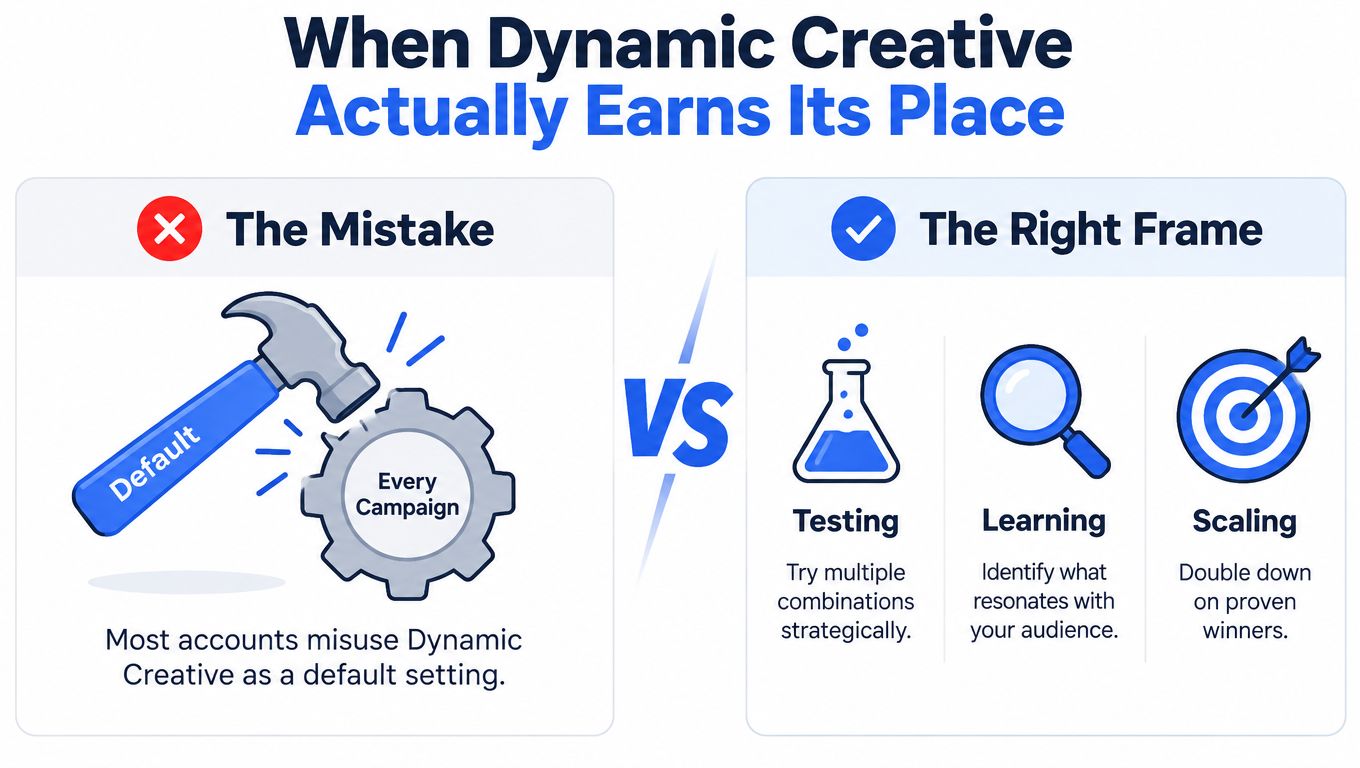
What Dynamic Creative changes
Dynamic Creative changes the delivery layer. You place multiple creative components in one advertising workflow, then let Meta explore combinations across audiences and placements. That setup suits a launch with several credible assets when the immediate goal is to find combinations that deserve more spend.
It does not create a new offer, repair weak footage, validate compliance language, or explain causality. If one video receives most of the delivery, you know the resulting combination earned distribution. You may not know whether the opening frame, accompanying text, placement, audience pocket, or interaction among those components produced the result.
Treat Dynamic Creative as a hypothesis to validate, not a default switch.
Use it when:
- The launch is asset-rich: Distinct concepts, formats, hooks, and offers remain valid when paired.
- The audience is broad: Delivery flexibility gives Meta more room to find responsive pockets.
- The objective is prospecting discovery: You want promising complete combinations before building a more controlled iteration.
Skip it as the primary test when:
- You need causal diagnosis: A standard ad structure gives you cleaner control over the variable.
- Claims or layouts are regulated: Automated crops, generated backgrounds, or text variations can create compliance risk.
- Localisation is central: Dynamic Creative is not compatible with dynamic language optimisation. Meta also lists incompatibility with asset customisation and political-content ads. Meta's Dynamic Creative help documentation should be checked before a multi-market build.
The operating constraints
Dynamic Creative supports a maximum of 10 assets per ad, so it cannot represent an unrestricted creative library. Select a coherent batch, preserve the intended relationship between assets, and treat the cap as a test-design constraint.
Meta also imposes a maximum of 1,000 ads using Dynamic Creative. Once that ceiling is reached, you must delete or archive ads before creating more. Meta's ad-volume guidance distinguishes this limit from broader Page-level ad-volume limits.
Practical rule: Use Dynamic Creative to discover strong combinations. Use manually built ads to prove which creative variable created the improvement.
Preparing Assets for a Clean Dynamic Creative Batch
Dynamic Creative does not protect a messy asset library. Meta can pair assets you never intended to show together, so every headline, primary text option, image, and video must work in combination, not only in isolation.
Build a creative matrix before opening Ads Manager. Give every component a stable identifier covering its concept, format, hook, market, and version. A name such as CONCEPT_UGC_HOOK-PROBLEM_FORMAT-9x16_MARKET-UK_V03 lets you trace a delivered combination to its source. final-video-new.mp4 does not.
Stage the inputs
Keep the batch deliberate:
- Group by concept first. Separate product demonstrations, testimonials, comparisons, founder-led ideas, and offer-led ideas.
- Separate formats intentionally. Do not place a square Feed asset and a vertical Reels asset in the same pool by accident.
- Write compatible copy. A headline about a free trial should not sit beside primary text describing a discount unless both offers are valid.
- Audit every claim. Check prices, conditions, disclaimers, subtitles, product names, and market-specific language.
- Preview combinations. Confirm that each copy option still makes sense with every visual it may accompany.
The Meta ad-volume guidance sets a maximum of 10 assets per Dynamic Creative ad. Treat that ceiling as a test-design constraint: choose a coherent set that can express one hypothesis, then split a larger library by concept or market rather than placing every file in one ad.
Aspect ratio requires its own decision. A 1:1 visual may suit Feed, while a 9:16 asset is built for Reels and Stories. Mixing ratios can support placement flexibility, but it can also produce crops that remove packaging, subtitles, or legal text. Keep the original files and record intended placement in the asset metadata.
Limits that affect production planning
| Limit | Number | Practical impact |
|---|---|---|
| Assets in one Dynamic Creative ad | 10 | Select a coherent test pool and protect the intended creative relationship. |
| Dynamic Creative ads per Meta limit | 1,000 | Track active and archived volume before a large launch. |
| Page-level guidance for small-to-medium Pages | 250 ads | Dynamic Creative still counts as one ad toward Page volume. |
| Page-level guidance for medium-to-large Pages | 1,000 ads | Coordinate account planning with Page limits. |
| Page-level guidance for larger Pages | 5,000 ads | Maintain an ad-volume register across teams. |
| Page-level guidance for the largest Pages | 20,000 ads | Do not confuse asset count with ad count. |
The Page-level figures in the table come from the same Meta documentation cited above. Each Dynamic Creative ad counts as one ad toward the Page limit, even when it contains several assets.
For a 50 to 200-input staging batch, store the asset ID, source filename, concept, hook, format, ratio, market, language, offer, approval status, and intended placement. That metadata lets reporting and bulk-upload tools map performance back to creative intent, while preserving the original structure as the batch scales.
Configuring Dynamic Creative in Meta Ads Manager
Build the campaign around the decision you want the delivery system to make. Sales and lead campaigns should use the conversion event that represents business value. Traffic campaigns can use clicks for a traffic question, but CTR shouldn't become the final acquisition decision by accident.
Campaign and ad set setup
Choose the campaign objective first, then decide how much budget control you need. CBO is appropriate when you want campaign-level allocation across ad sets and accept that Meta will move spend toward the ad sets it predicts will perform. ABO is more useful when each ad set needs a comparable budget, especially for a controlled test where uneven budget allocation would weaken the comparison.
At ad-set level:
- Select the audience and exclusions before adding creative.
- Choose placements deliberately, or use broader placements only when your assets can survive the resulting crops.
- Select the optimisation event that matches the decision metric, such as a purchase or qualified lead.
- Keep attribution settings, schedule, and budget logic consistent across the variants you intend to compare.
- Add a naming template that identifies the test, audience, placement strategy, and market.
Use a UTM template that records campaign, ad set, ad, concept, hook, format, and version. The exact parameter structure is less important than making it stable enough for Analytics, CRM, and internal reporting to join the data.
Ad-level workflow
At the ad level, choose the format and open Ad Creative, then select Set up creative. Enter Dynamic Creative mode, add the approved images, videos, primary text options, headlines, descriptions, and calls to action, and confirm that the total asset count remains within Meta's limit.
The most frequently missed control is Advantage+ Creative. During creation, open Enhancements and switch off each transformation you don't want. Use Advanced Preview and inspect the Advantage+ creative tab so you can see the variations Meta may deliver.
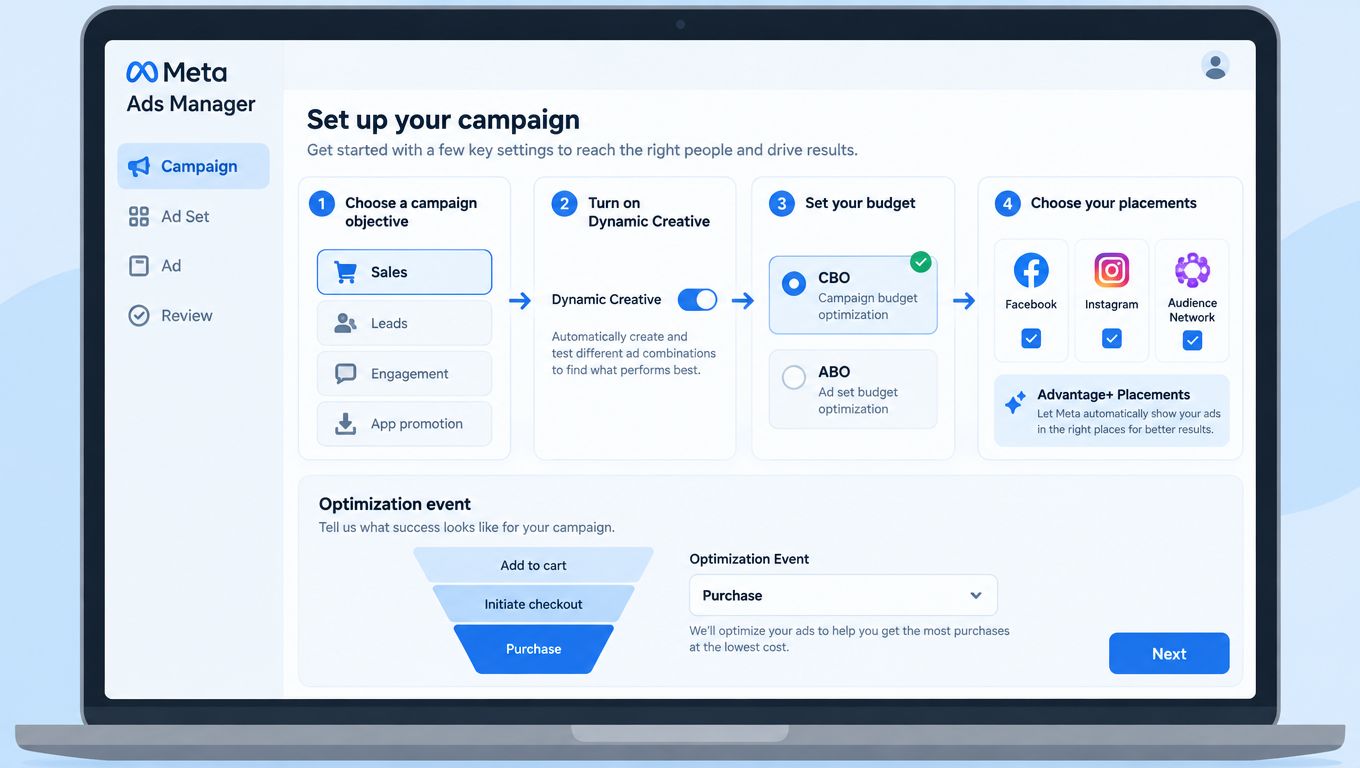
Meta's workflow is documented in its Advantage+ Creative controls. Some enhancements may be enabled by default, so don't rely on an earlier account preference. If you need exact crops, backgrounds, copy treatments, or brand layouts, check the setting before publication.
After publication, select the ad, click Edit, open Advantage+ creative, choose Edit, and save the changes before publishing again. Treat that post-publish check as part of the build process, not as a rescue step after a client notices creative drift.
Dynamic Creative, Flexible Ads, and Standard Ads Compared
These formats solve different control problems. Dynamic Creative is strongest when Meta should explore combinations from a structured pool. Flexible Ads give Meta more authority over format and presentation. Standard manually built ads give the buyer the clearest relationship between the uploaded asset and the delivered ad.
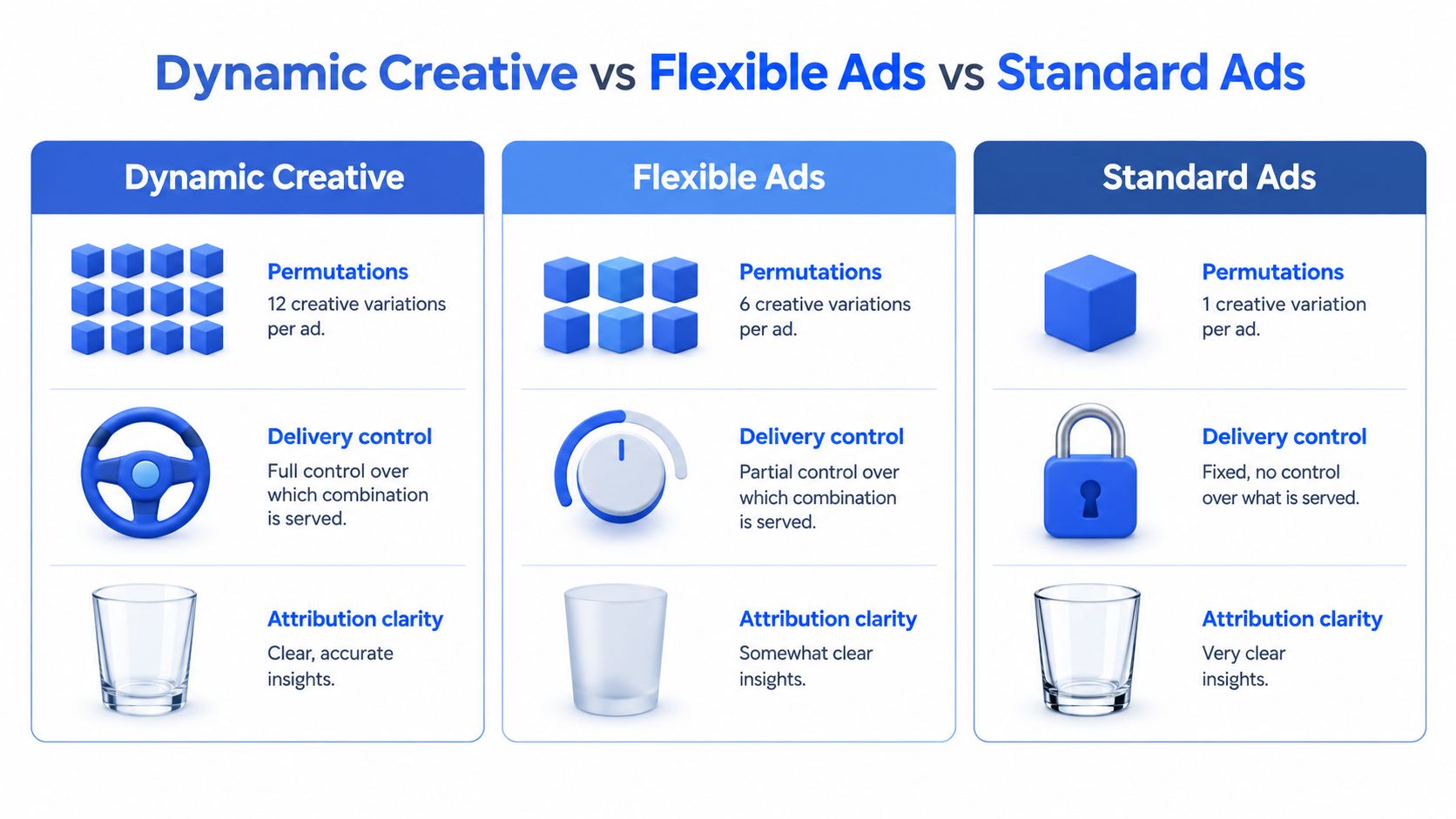
| Format | Permutation volume | Delivery control | Attribution clarity | Best use |
|---|---|---|---|---|
| Dynamic Creative | Multiple images, videos, text options, and CTAs within one ad, subject to the 10-asset cap | Medium to low, because Meta allocates delivery across combinations | Moderate, especially when combination-level reporting is limited | Broad prospecting and asset-rich discovery |
| Flexible Ads | Meta selects from uploaded assets and may determine format presentation | Lower, because format choice is part of the automation | Moderate to low | Placement flexibility and automated format selection |
| Standard Ads | One manually defined creative configuration per ad | High | High, because the uploaded configuration is explicit | Diagnosis, compliance, and controlled iteration |
Dynamic Creative and Flexible Ads also differ in what the buyer is asking Meta to control. Dynamic Creative asks Meta to combine supplied components. Flexible Ads gives Meta more discretion over how supplied media is presented across placements. Advantage+ Creative enhancements sit alongside these choices and can alter crops, brightness, backgrounds, or text treatments.
Match the format to the operating problem
| Scenario | Preferred format | Reason |
|---|---|---|
| Single-market prospecting with several compatible concepts | Dynamic Creative | Explore complete combinations without building every permutation manually. |
| Multi-market launch with strict localisation | Standard Ads or carefully separated Dynamic Creative batches | Protect language, claims, and market-specific layouts. |
| Retargeting with one clear product message | Standard Ads or catalog-driven setup | Keep the message and product context explicit. |
| Testing a winning product's opening hook | Standard Ads | Isolate the hook while holding the rest constant. |
| Broad placement exploration with adaptable media | Flexible Ads | Let Meta decide more of the presentation layer. |
Run two formats in parallel only when the comparison answers a real business question, such as whether greater automation beats a controlled standard-ad structure under the same audience and optimisation conditions. Otherwise, parallel formats add spend and interpretation problems without producing a useful conclusion.
Choose Dynamic Creative for combination discovery, Flexible Ads for presentation flexibility, and Standard Ads when you need to know exactly what changed.
Running a Dynamic Creative Test You Can Trust
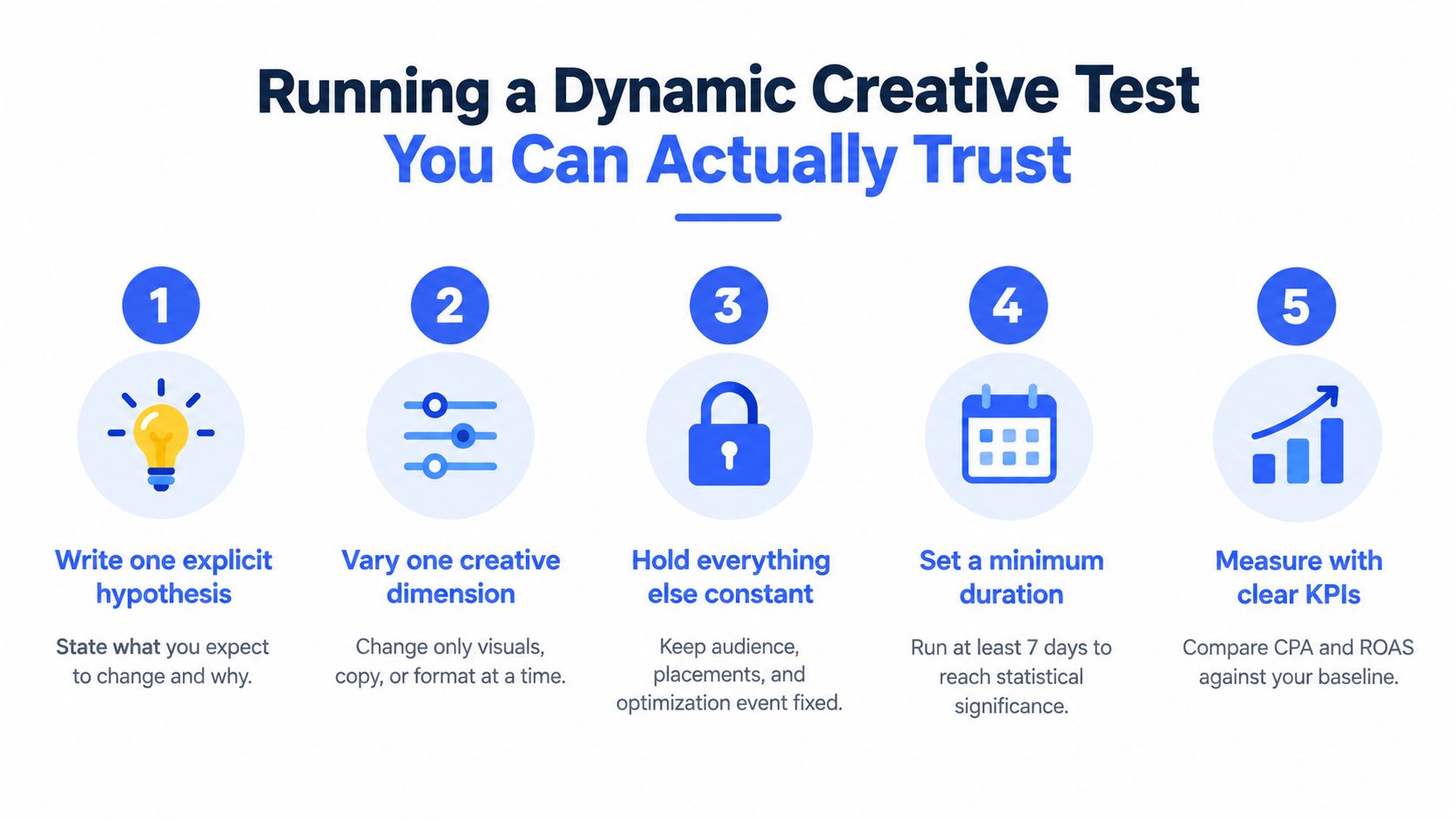
A trustworthy test starts with one hypothesis. “We need fresh creative” is too broad. “A problem-first opening hook will improve purchase efficiency versus the current product-first opening” gives you a clear asset brief and decision rule.
Lock the test design
Change one major creative dimension. If the video concept, headline, offer, audience, and placement all change together, the result may help the business, but it will not show which decision caused the difference.
Hold these conditions constant:
- Audience: Keep the prospecting, LAL, or retargeting definition unchanged.
- Placements: Use the same placement set.
- Optimisation event: Do not compare purchase optimisation with landing-page-view optimisation.
- Attribution settings: Apply identical settings to every variant.
- Budget allocation: Give comparable ad sets equal budgets when fair delivery is part of the test design.
- Schedule: Launch and assess variants on the same timetable.
Use CPA or ROAS as the primary decision metric for acquisition. CTR works as a diagnostic, but a strong click-through rate does not show that the traffic converts or generates acceptable revenue.
Run the test for at least 3 to 7 days, following this Dynamic Creative testing guidance. Day-of-week effects, auction volatility, and learning-phase noise can distort early delivery. A variant with the strongest first-day CTR has not earned a win yet.
Set an evidence threshold
For conversion campaigns, plan around 50 conversions per variant. Traffic-oriented tests may need roughly 1,000 clicks per variant. Some purchase-optimisation guides extend the planning range to 100 conversions per variant, while a 20% performance difference may require about 50 conversions per variant at 95% confidence and a 10% difference may require closer to 200. Treat these figures as planning inputs, not universal significance thresholds, because the appropriate sample depends on baseline conversion rate, expected lift, and event volume. The creative-testing benchmark guidance provides the wider benchmark range.
Keep a test log with:
- Hypothesis: What should change and why?
- Variable: Which creative dimension changed?
- Exposure: Spend, impressions, clicks, and conversions by variant.
- Primary KPI: CPA, ROAS, or the defined business outcome.
- Confidence result: Conclusive, inconclusive, or ready for another test.
- Next action: Promote, retain for learning, or retire.
Dynamic Creative works well when the question is which complete combination performs best. It gives Meta discretion over delivery, so it is weaker for causal diagnosis. Uneven spend across combinations can make a result look decisive before each asset has had a comparable opportunity.
When a combination wins, rebuild its winning elements in a controlled iteration. Keep the next hypothesis narrow rather than changing several components in the same campaign. That process separates genuine performance gains from creative drift caused by changing assets, enhancements, and delivery conditions together.
Scaling Dynamic Creative Without Losing Creative Intent
Scaling fails when production shortcuts erase the decisions approved during staging. A compliant 9:16 asset can be named correctly, then enter a batch with an unwanted Advantage+ enhancement enabled or a square visual that crops its key message.
Treat Dynamic Creative as a hypothesis, not a permanent production rule. Its 10-asset cap forces each ad to represent a coherent concept. Its 1,000-ad ceiling also makes uncontrolled duplication expensive to manage. Split larger launches into deliberate batches, preserving the hook, offer, format, and market logic behind each group.
A bulk workflow should protect four layers:
- Asset integrity: Keep files, ratios, copy, and localisation attached to the intended concept.
- Campaign structure: Route assets to the correct ad sets and placements.
- Reporting metadata: Use ad and ad-set names to identify source components.
- Delivery controls: Match Advantage+ enhancements to the approved test design.
Rapid Ads is one operational option for this process. It supports bulk drag-and-drop uploads, custom ad and ad-set naming, automatic UTM tagging, multi-account management, and aspect-ratio detection that routes 1:1 and 9:16 creatives to intended ad sets. Its Advantage+ auto-disable setting addresses cases where manually uploaded creatives regain unwanted enhancements after publication. Rapid Ads also supports Flexible Ads in the same bulk workflow.
A repeatable batch process
Upload approved media and copy together. Map each input to the staging-sheet naming convention, group assets by concept and ratio, attach the UTM template, and review the full ad-set structure rather than only the first preview.
For a batch of 100 ads, the stated workflow is 5 to 13 minutes, compared with a manually described 6 to 8 hours for one-by-one uploads, naming, UTM tagging, and Advantage+ checks. For a 100-ad seasonal launch across two markets, that difference is roughly a working day reclaimed per batch. The platform's published workflow description provides those figures. Treat them as workflow claims, not as a performance guarantee.
Keep the approval step. Open sample ads from every market and placement group, inspect Advantage+ Creative, confirm names and UTMs, and check that disclaimers and subtitles remain intact. Automation should remove repetitive clicks while preserving creative intent and post-publication verification.
Decision Recap and Creative Drift Checklist
Use this decision tree before the next launch:
- Need Meta to explore compatible combinations across a broad audience? Choose Dynamic Creative.
- Need Meta to decide more of the format presentation? Consider Flexible Ads.
- Need to isolate a hook, offer, or visual with clean attribution? Use standard ads.
- Need strict localisation, regulated claims, or exact layouts? Start with manual control.
- Have more than 10 useful assets for one concept? Split the batch into coherent Dynamic Creative ads.
- Approaching 1,000 Dynamic Creative ads? Archive or delete before creating more.
- Expecting a winner quickly? Set the test duration and event threshold before launch.
The most dangerous failure isn't an obviously bad ad. It's creative drift that looks like normal optimisation. Run this checklist before and after publication:
- Enhancements: Record which Advantage+ Creative options are on or off.
- Crops: Inspect Feed, Reels, Stories, and other selected placements for cut-off disclaimers, packaging, subtitles, or logos.
- Backgrounds: Confirm generated backgrounds don't change the product context or perceived claim.
- Text: Check that automated text variations preserve the intended offer and localisation.
- Controls: Compare the published state with the approved pre-publish state.
- Reporting: Make sure names and UTMs identify the concept, format, market, and version.
- Learning: Mark inconclusive combinations as learning, not failures, when delivery or event volume is insufficient.
Meta's automation can improve predicted response while weakening creative fidelity. Treat every enhancement as a hypothesis to validate, not as a default you accept without inspection.
Once Dynamic Creative is under control, the next adjacent problem is usually catalog-driven dynamic product advertising. Ecommerce teams should keep that separate from creative-combination testing, because product-feed logic introduces another layer of asset, price, availability, and product-set governance.
Rapid Ads helps media buyers bulk-upload images, videos, and copy, enforce ad and ad-set naming conventions, apply UTM tags, route 1:1 and 9:16 assets, and disable unwanted Advantage+ Creative enhancements across launches. Visit Rapid Ads to evaluate whether that workflow fits your next Dynamic Creative batch.