Facebook Ads Manager, now generally called Meta Ads Manager, is Meta's central campaign-building, delivery, and measurement interface, organized into 3 levels: campaign, ad set, and ad. For performance marketers, the core issue is how much configuration, creative handling, and quality control that hierarchy leaves you managing manually at scale.
You've got approved assets, an agreed offer, and a launch deadline. Yet the work still includes matching copy to creatives, checking destinations, selecting the right account, and confirming that yesterday's defaults still match today's plan. That's where understanding Ads Manager becomes more useful than knowing where its buttons sit.
Table of Contents
- What Facebook Ads Manager Actually Does for a Media Buyer
- The Campaign, Ad Set, and Ad Hierarchy Explained with a Real Launch
- A Standard Launch Workflow Inside Ads Manager
- Attribution, Optimization, and Budget Rules That Shape Every Report
- Where Ads Manager Breaks Down at 100+ Ads
- Comparing Ads Manager With Purpose-Built Bulk Workflow Tools
- Quick Troubleshooting for the Most Common Ads Manager Failures
- Choosing the Right Setup for Your Account
What Facebook Ads Manager Actually Does for a Media Buyer
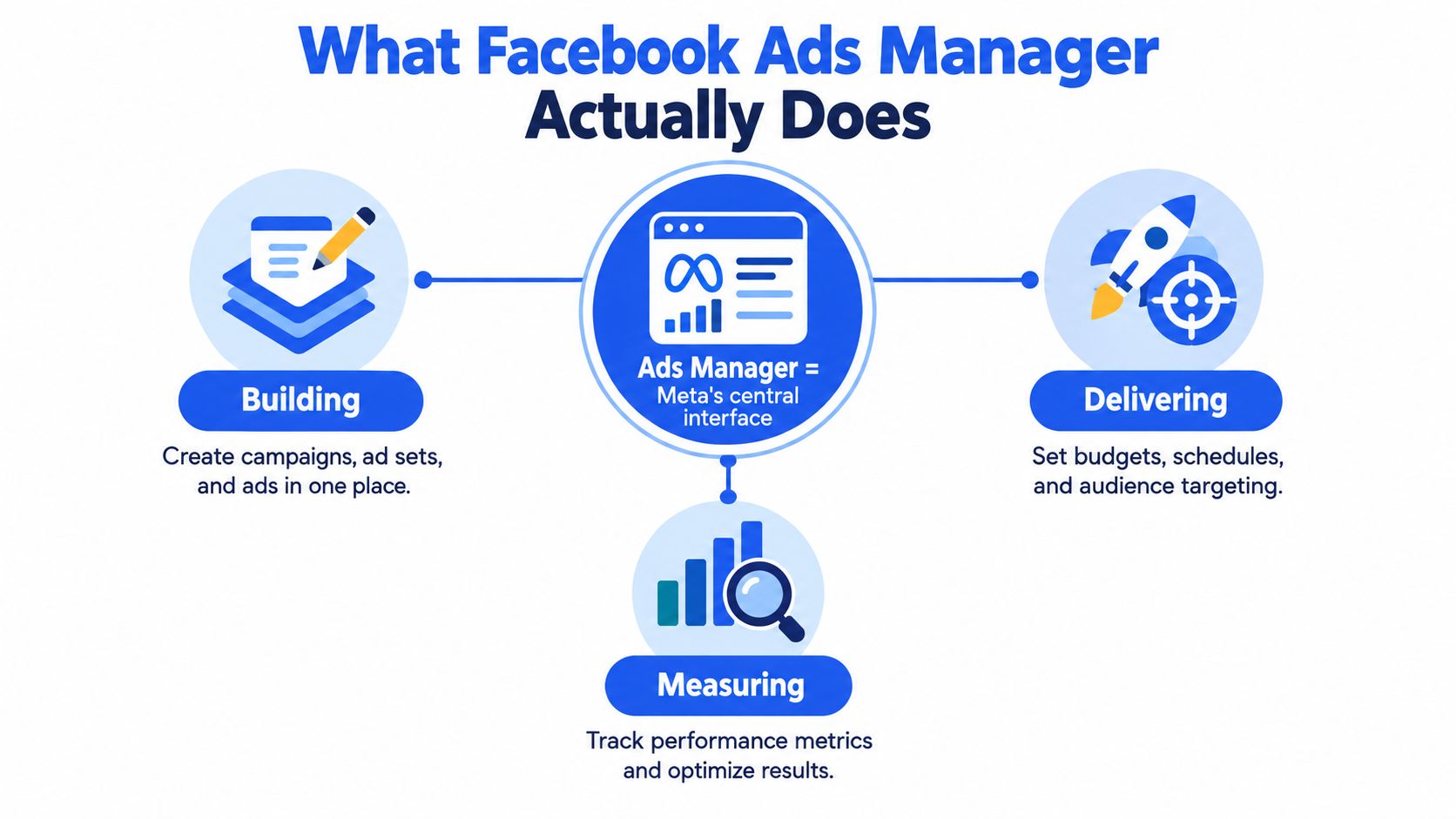
Give a new operator this working definition: Ads Manager is where the media plan becomes executable settings, and where Meta reports what happened after delivery. It isn't just a creative uploader or a reporting dashboard. It connects the commercial decision to the configuration that governs spend.
For an agency or ecommerce team, that means coordinating paid campaigns across Facebook, Instagram, Messenger, and other Meta placements. The practical responsibilities fall into building campaigns, controlling delivery, and interpreting results.
The relationship looks like this:
The commercial scale behind the interface
Meta reported $196.175 billion in advertising revenue in 2025, compared with $160.633 billion in 2024, approximately 22% growth; Family of Apps ad impressions rose 12%, while average price per ad rose 9%, according to Meta's annual financial filing. The same filing reports 3.58 billion average daily active people in December 2025, up 7% from 3.35 billion a year earlier.
Those are ecosystem figures, not Ads Manager usage figures. They establish the scale of the inventory buyers are accessing, not a promise that any particular campaign will reach an appropriate audience economically.
Central control isn't automatic coordination
A useful account-management model separates responsibilities:
- Commercial decisions: Objective, offer, audience hypothesis, and acceptable economics.
- Execution controls: Account selection, assets, destinations, schedules, permissions, and billing readiness.
- Measurement decisions: Which result matters and which reporting definition the team will use.
Competitive research belongs upstream of those controls. AdLibrarySpy's guides for analyzing Meta ads can sit alongside creative research, but another advertiser's visible execution isn't a substitute for your own launch hypothesis.
For anyone asking “what is Facebook Ads Manager?”, the useful answer is therefore operational: it centralizes campaign decisions without removing the need to coordinate them. Any tool layered above it should be judged against that distinction.
The Campaign, Ad Set, and Ad Hierarchy Explained with a Real Launch
Consider a DTC footwear launch with approved product photography, demonstration video, and customer-led creative. This is a worked example, not a performance case study: the team wants to evaluate creative concepts while keeping prospecting and retargeting decisions separate.
The structure should follow those questions, not the folder structure in which the designer delivered the assets.
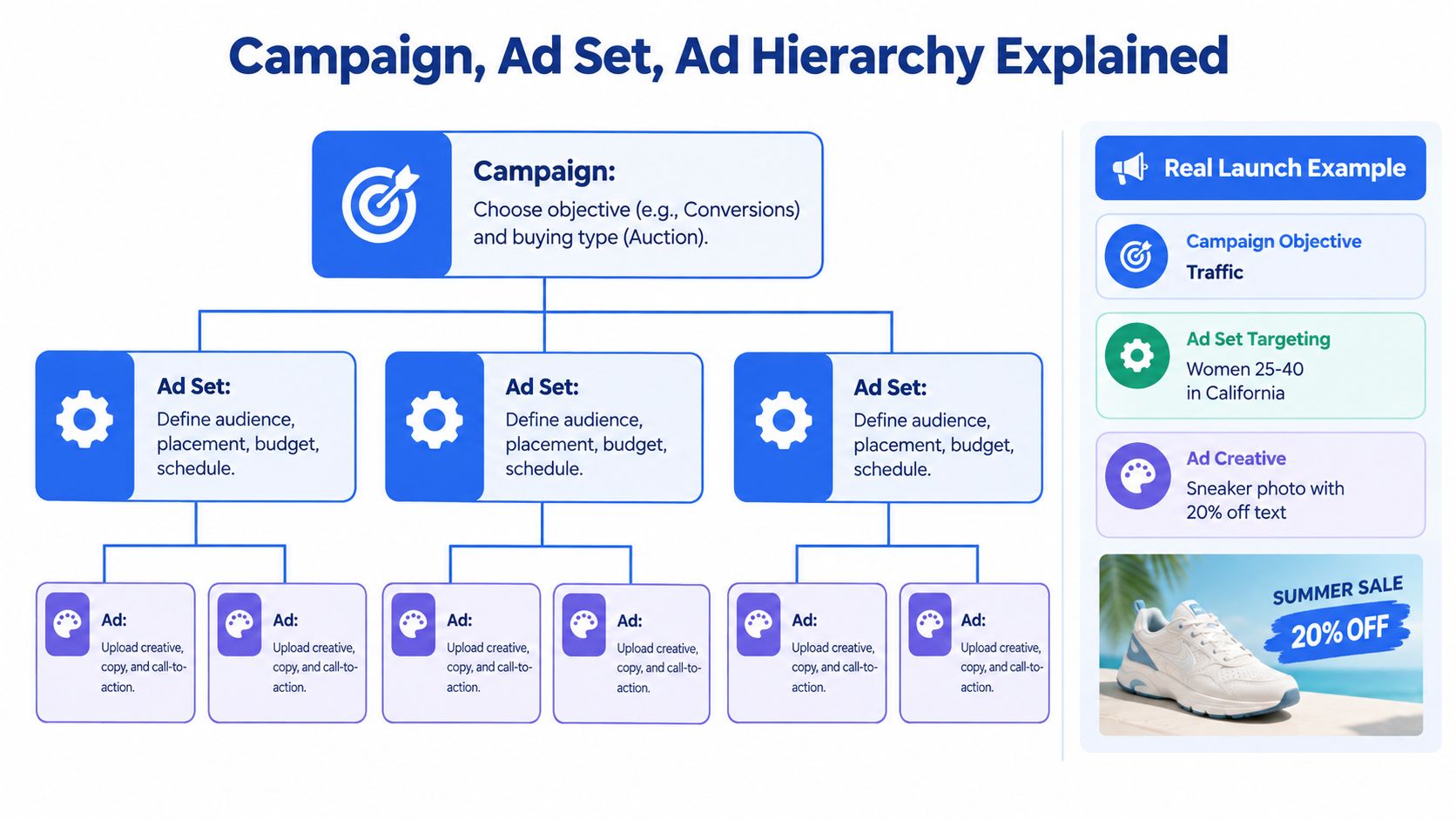
Put each decision at the right level
| Level | Launch decision | What to avoid |
|---|---|---|
| Campaign | Business objective and buying approach | Mixing incompatible business questions |
| Ad set | Audience, placements, schedule, optimization, attribution, and applicable budget controls | Changing delivery conditions during a creative comparison |
| Ad | Identity, image or video, copy, destination, format, and CTA | Treating different offers as equivalent creative variations |
Meta documents this separation in its campaign, ad set, and ad structure guidance, including bulk editing, duplication, and reporting across levels.
Buying type and budget allocation aren't interchangeable. Auction describes the buying approach; Advantage+ campaign budget describes how campaign spend is allocated. Treating them as equivalent choices creates confusion before launch even starts.
Separate audience hypotheses from creative hypotheses
For the footwear example, broad prospecting and LAL prospecting belong to distinct audience hypotheses. Retargeting is another hypothesis, not a synonym for LAL. A more detailed treatment of ad sets in Facebook campaigns helps clarify where those delivery decisions belong.
Keep the creative concepts inside the relevant audience structure. If you change audience, optimization event, budget logic, and attribution while changing the creative, you can't confidently isolate the creative's contribution.
Practical rule: Decide which variable you're trying to learn about before deciding what to duplicate.
Multiple ads sharing an ad set don't automatically constitute a controlled experiment. They share delivery conditions, but the operator still needs a clear comparison method and a consistent reporting definition. The hierarchy makes disciplined testing possible; it doesn't supply the discipline.
A Standard Launch Workflow Inside Ads Manager
A repeatable launch starts before anyone clicks Create. The strategist should hand over a launch specification that resolves commercial choices, while the operator translates that specification into account settings without improvising.
Keep the specification beside the interface. Don't make the operator reconstruct the plan from chat messages, asset filenames, and an old campaign.
Move from specification to publication
Confirm the account and campaign destination. Check the selected ad account, intended identity, and whether you're creating a new structure or extending an existing one. Account context deserves an explicit check before assets are uploaded.
Create the campaign. Select the agreed objective and buying approach. Record the budget arrangement rather than copying it from an unrelated launch.
Configure the ad set. Apply audience, placements, schedule, optimization event, attribution, and bid settings from the specification. Review the whole configuration after duplication, not just the field you intended to change.
Assemble the ads. Match each creative to its approved copy, destination, identity, and CTA. Apply the naming convention and UTM template before publication so reporting doesn't depend on later repairs.
Review and publish. Read available policy, delivery, and audience warnings. Distinguish a configuration warning that requires action from an intentional choice that only needs documenting.
Assign ownership before the handoff
| Responsibility | Strategist | Operator |
|---|---|---|
| Objective and audience hypothesis | Approves | Implements |
| Asset-to-copy mapping | Resolves ambiguity | Checks completeness |
| Naming and tracking template | Agrees reporting requirements | Applies consistently |
| Publication readiness | Signs off commercial choices | Verifies configuration |
Duplication is useful when the source is trustworthy. It's dangerous when an operator assumes that an old ad set contains the current defaults.
The least productive work is repeated inspection: waiting for screens to load, reopening edited fields, checking destinations again, and establishing whether a saved change persisted. Build those checks into a launch checklist instead of relying on memory.
A good handoff reduces re-decisions. A good review catches execution errors without reopening settled strategy.
Attribution, Optimization, and Budget Rules That Shape Every Report
Reported performance depends on measurement settings, not just creative and audience. Before reallocating spend, establish whether the compared rows use the same event, attribution definition, and tracking implementation.
Meta documents 1-day or 7-day click-through and 1-day view-through attribution, alongside engage-through attribution for qualifying non-link interactions and incremental attribution models intended to estimate advertising-caused conversions, in its attribution settings guidance.
Make the comparison definition explicit
Attribution is selected at the ad-set level. Different windows can therefore produce different reported conversion volumes even when ad sets optimize for the same event.
Treat the Facebook attribution window as part of the experiment specification, not a reporting preference someone can change without annotation. Record the active setting with the results, and verify what's available in the account rather than assuming an older tutorial still applies.
A ROAS comparison is only useful when the team agrees on what counts as an attributed conversion.
Reconcile platform reporting with first-party revenue and analytics before making consequential budget decisions. Menza's true marketing ROI formula is relevant to that commercial review, which shouldn't be reduced to copying the platform's ROAS column.
Distinguish allocation from spending commitments
Advantage+ campaign budget distributes a central budget across ad sets in real time, rather than promising equal allocation; Meta recommends assessing performance at campaign level, while ad-set budgets suit situations requiring fixed audience-level control, as explained in its campaign budget guidance.
That distinction matters when stakeholders expect every audience hypothesis to receive comparable spend. Automated allocation and a deliberately balanced comparison answer different questions.
Meta's budget requirements state that the campaign and all ad sets must be published, a setting change can take up to 15 minutes, and advertisers must wait two hours before turning it off again; for cost-per-result-goal bidding, Meta recommends a daily budget of at least five times the goal, such as $25 daily for a $5 goal.
These are operational constraints, not performance guarantees. Document changes, allow the relevant settings to apply, and don't interpret an incomplete configuration change as evidence that the audience or creative has failed.
Where Ads Manager Breaks Down at 100+ Ads
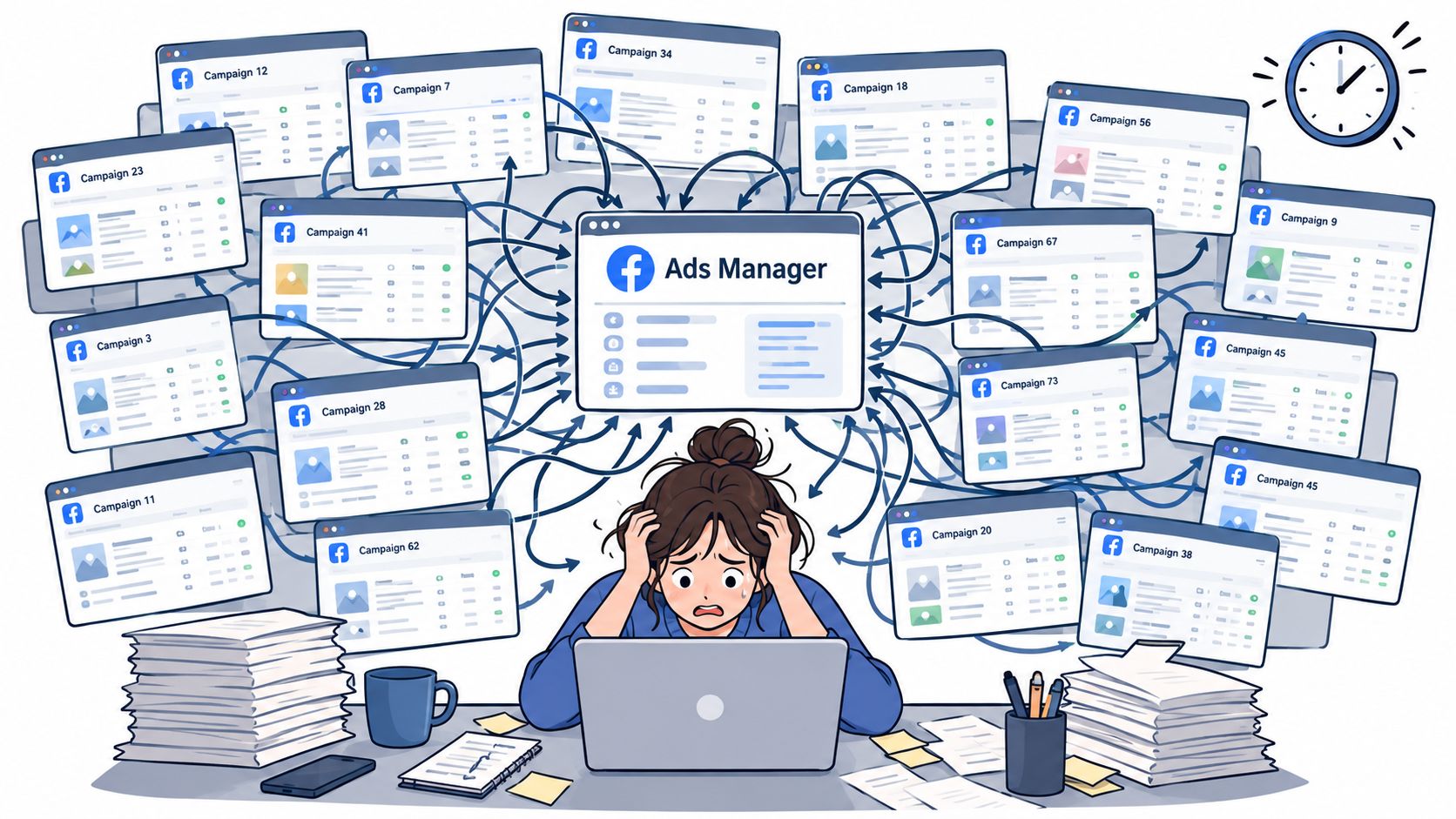
A large creative launch rarely fails because uploading an individual image is difficult. It becomes difficult because an operator must preserve the relationship between every asset, audience, destination, naming field, and setting across the whole batch.
The operational pressure looks less like campaign strategy and more like managing a crowded production queue:
A launch scenario that exposes the problem
Consider an ecommerce team adapting a creative batch across markets. Each market needs the appropriate landing page and tracking parameters, while the reporting taxonomy must remain comparable across the account.
The operator duplicates the intended structure, uploads the localized assets, and replaces copy. A reviewer then has to establish whether the changes affected only the intended fields. That inspection is the hidden workload: publication is the final action, not the entire job.
Common quality-control risks include:
- Naming drift: Operators abbreviate the same concept differently, making later grouping unreliable.
- Configuration drift: A reused structure carries settings that no longer match the approved launch specification.
- Creative handling: Placement-specific assets or enhancement choices need checking after upload.
- Preview uncertainty: A preview problem sends the operator back through asset and placement checks.
- Account context: A correct configuration in the wrong account is still a failed launch.
The underlying issue is coordination burden, not a proven universal time penalty. Don't budget launch capacity using an unsourced claim that every batch takes the same number of hours.
Inspect persistence, not just selection
When creative fidelity matters, verify the published enhancement settings rather than assuming the initial selection is enough. Treat suspected defaults reverting or unexpected Advantage+ behavior as something to reproduce and inspect in the affected account, not as an explanation for every performance change.
For a visual companion to the workflow discussion, use this walkthrough:
The useful threshold isn't a universal ad count. It's the point where reviewers spend more effort proving configuration consistency than evaluating the launch itself.
Comparing Ads Manager With Purpose-Built Bulk Workflow Tools
Ads Manager remains the execution and measurement reference point. A bulk workflow tool should reduce preparation and repetitive configuration, not become an alternative version of campaign truth.
Rapid Ads is one option for bulk uploads, naming conventions, UTM tagging, multi-account workflows, and control over unwanted Advantage+ creative enhancements. Evaluate those capabilities against a representative launch, not a polished demonstration.
The distinction is between working directly in the native interface and preparing repeatable launches through an additional execution layer:
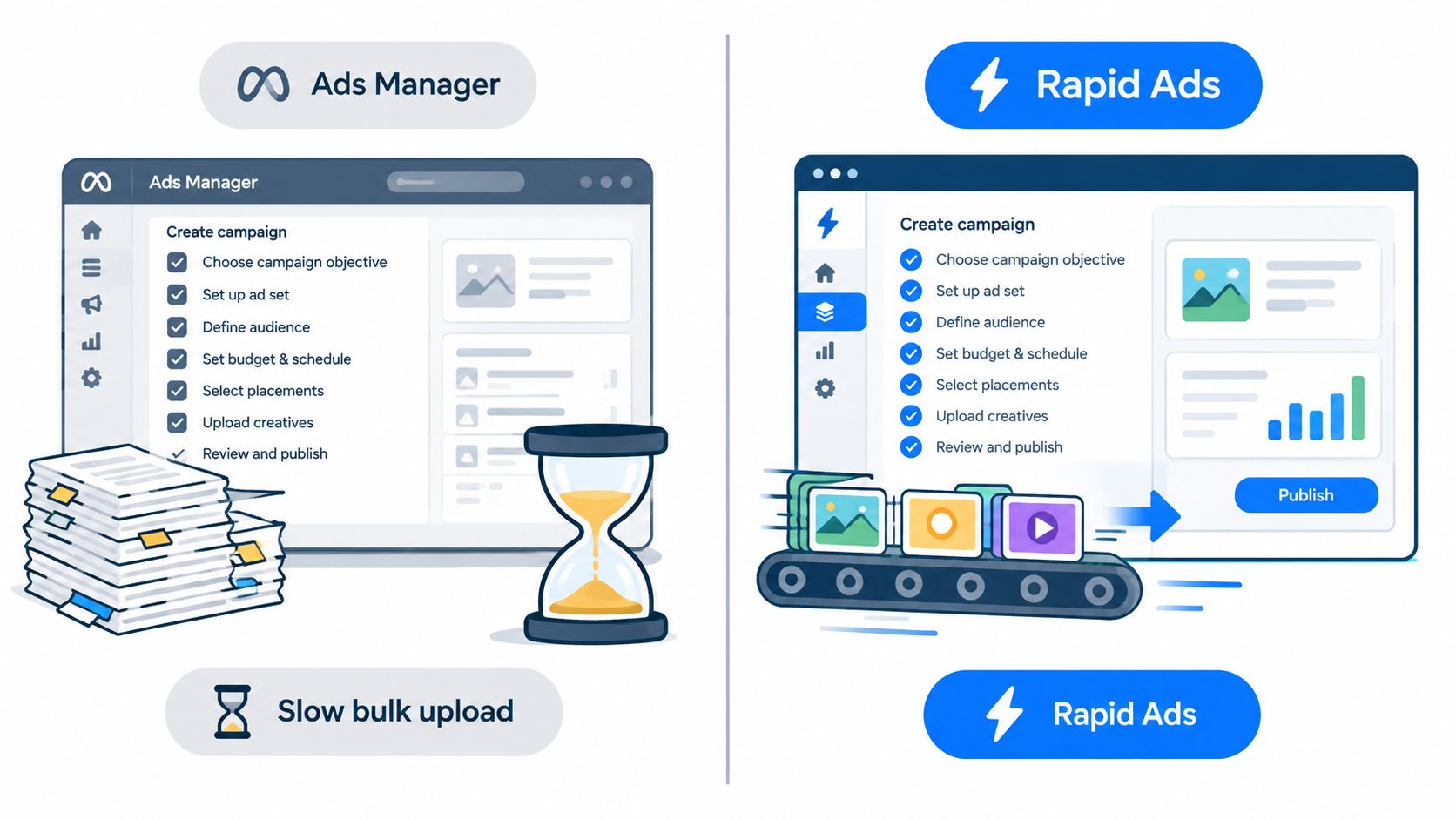
Ads Manager vs a bulk Meta workflow tool
| Criterion | Ads Manager (native) | Bulk workflow tool (e.g. Rapid Ads) |
|---|---|---|
| Upload time per batch | Measure preparation, upload, review, and correction together | Benchmark the same complete workflow; don't accept upload-only timing |
| Ad and ad-set naming | Operator applies the agreed taxonomy | Look for reusable convention enforcement |
| UTM tagging | Verify parameters on each destination | Look for automatic application with editable templates |
| Advantage+ creative controls | Inspect the selected settings after publication | Test auto-disable behavior and persistence |
| Aspect-ratio routing | Operator checks placement suitability | Verify routing for square and vertical assets |
| Flexible Ads | Configure through the native creative workflow | Confirm format support and successful published output |
| Multiple accounts | Verify account context when switching | Assess dashboard switching and account-level safeguards |
| Team access | Manage appropriate account permissions | Check separate team seats and permission boundaries |
| Copy and targeting assistance | Buyer retains approval responsibility | Review AI-generated copy and applied targeting before launch |
| Delivery reporting | Native reference for campaign delivery | Reconcile published objects and results with the native account |
Test the workflow, not the promise
A useful ads uploader evaluation includes exceptions. Try a mixed asset batch, an unusual destination, a revised naming rule, and a launch that requires correction before publication.
Check whether the tool makes those exceptions visible. An automation that applies an incorrect template consistently creates a different problem from manual inconsistency, not necessarily a smaller one.
Buying test: Measure the work from approved assets to verified published ads, including corrections.
Keep the native workflow when launches are straightforward and review effort is low. Consider a bulk layer when repeated entry, account switching, or configuration checks consume operator attention.
Neither choice removes strategic accountability. The buyer still owns audience logic, budget decisions, creative intent, and the interpretation of results. Automation is useful when it makes those decisions easier to execute accurately, not when it conceals them behind a faster publish button.
Quick Troubleshooting for the Most Common Ads Manager Failures
Start with visibility, then delivery, then measurement. Rebuilding a campaign before checking the account and filters can create duplicate work without resolving the original problem.
Meta's Ads Manager troubleshooting guidance identifies account selection, filters, date ranges, delivery restrictions, and tracking configuration as relevant checks. Use the sequence below as an inspection order, not a statistical ranking of causes.
Follow the failure to the right layer
Campaign appears missing: Confirm the selected ad account first. Clear active filters and widen the date range before assuming the campaign disappeared or rebuilding it.
Ad isn't spending: Check schedule and review status, then budget and audience configuration. Inspect auction-related delivery messages and account restrictions before making speculative creative changes.
Conversions are missing: Establish whether the ad delivered before investigating attribution. Then inspect Pixel, Conversions API, and event configuration to distinguish an event-collection problem from a delivery problem.
Creative looks wrong: Compare the published ad with the approved asset mapping. Inspect placement previews and enhancement settings rather than relying only on the upload screen.
Preserve useful evidence before escalating
Record the account, affected object, observed status, and last intentional change. A screenshot without account context or a written description of the expected behavior leaves the next operator repeating your investigation.
For performance discrepancies, confirm that compared ad sets still match the intended attribution and optimization configuration. For suspected setting drift, reopen the saved configuration and document what persisted.
Crank 11's discussion of what Meta audits reveal is a relevant companion when isolated fixes aren't enough and the team needs a broader account review.
Don't change audience, budget, creative, and tracking together during diagnosis. You'll lose the ability to identify which intervention resolved the problem.
Choosing the Right Setup for Your Account
Choose based on operational complexity, not enthusiasm for automation. A small account portfolio with occasional launches may run perfectly well through Ads Manager and a disciplined launch specification.
The case for an additional workflow layer becomes stronger when an operator handles frequent creative batches, several client accounts, localized destinations, and repeated configuration requirements. Even then, judge the tool by verified publishing accuracy and review effort, not the number of clicks removed.
Use a practical decision rule
- Stay native when: Launches are infrequent, the asset mix is manageable, and naming and tracking checks don't create a review backlog.
- Evaluate a bulk layer when: Operators repeatedly enter the same information, switch account contexts, or repair preventable configuration inconsistencies.
- Fix the process first when: The team hasn't agreed who approves settings, how assets map to copy, or what counts as launch-ready.
Standardize the essentials regardless of tool choice. Maintain a naming dictionary, reusable UTM template, documented attribution choice, and clear ownership of optimization decisions.
Attach the account, date range, optimization event, and reporting definition to every performance review. Keep a change record so the analyst can distinguish a changed campaign from a changed measurement setup.
The practical objective isn't to eliminate every manual action. It's to reserve operator attention for exceptions and buyer attention for decisions that affect commercial outcomes.
Before the next launch, run a representative batch through your current process and record where review stalls. That gives you a defensible starting point for deciding whether better documentation, a different handoff, or a bulk execution tool will solve the actual problem.
Rapid Ads offers bulk creative uploads, reusable naming conventions, automatic UTM tagging, and multi-account launch management alongside Meta Ads Manager. Visit Rapid Ads to evaluate it against your next representative creative batch, then verify the published settings in the native account before expanding the workflow.