For ecommerce media buyers, the Facebook Ad Library API is practical for creative inspiration and transparency monitoring, but non-political ads are programmatically available mainly in the EU and UK, while global commercial performance data is intentionally restricted. It's useful for studying creative, delivery dates, Page identity, placements, and selected transparency fields, not for retrieving competitors' CPA, ROAS, or conversion rate.
You've probably seen the problem firsthand. A competitor's ad is visible in the browser, your team wants a weekly dashboard, and the first API pull returns far less inventory than the interface suggested. The issue usually isn't the token or the query syntax. It's a mismatch between browser visibility, API availability, ad category, and market coverage.
That distinction determines whether the Facebook Ad Library API becomes a useful research layer or an expensive dashboard that produces false conclusions. Used carefully, it can turn manual competitor checks into repeatable creative research, election monitoring, and market-level transparency analysis. Used casually, an empty response can look like a competitor stopped advertising when Meta doesn't expose that commercial inventory through the endpoint.
Table of Contents
- Why the Facebook Ad Library API Matters for Scaling Campaigns
- Getting Developer Access and Authenticating Requests
- What the API Returns by Ad Category and Market
- Browser Library Versus Programmatic Access
- Query Patterns for Political Research, EU Monitoring, and Creative Inspiration
- Pagination, Limits, and Rate-Handling Realities
- The Hidden Gap Between Global Commercial Expectations and Actual Coverage
- Applying Archive Insights to Rapid Ads Workflows
- When the Facebook Ad Library API Is Worth Building
- Common Pitfalls From Real Ad Library Research Pipelines
Why the Facebook Ad Library API Matters for Scaling Campaigns
You spot a competitor in the browser, the team asks for a weekly tracker, and the first export comes back thin. That usually is not an authentication failure. It is a coverage problem. The useful question is whether the ads you can see are available through the API for your category and market.
For teams scaling research across brands, countries, and reporting cycles, that distinction changes the whole workflow. Manual checks break fast. You need stable Page IDs, saved query logic, historical snapshots, and a way to tell whether a creative changed or Meta exposed a different slice of archive data.
The Facebook Ad Library API matters because it turns one-off browsing into repeatable research. Meta introduced the Ad Library as a transparency product, and authorized users can query it programmatically through Meta's official Ad Library API documentation. In practice, that gives analysts and media buyers a structured way to pull records, store them, and compare results over time instead of relying on screenshots and memory.
Used properly, it supports competitive monitoring. It does not replace performance reporting. You can inspect creative variants, delivery timing, Page identity, placement clues, and, for records that qualify, additional transparency fields such as spend or impressions. You cannot pull a rival's CPA, ROAS, conversion rate, or incremental lift, so any dashboard built as a proxy for competitor performance will mislead the team.
Where the API earns its keep is in repeatable research tasks:
- Creative discovery: query Page IDs, brands, and keywords to surface recurring hooks, offers, formats, and calls to action.
- Market comparison: run the same advertiser across selected markets and compare what is exposed by country.
- Change detection: save text, media references, and delivery dates so new launches are separated from old inventory.
- Transparency monitoring: track issue and political advertising over time, where archive coverage is broader.
- Testing input: turn observed patterns into original hypotheses for your own ad account.
One rule avoids a lot of bad analysis. Treat archive presence as evidence that Meta exposed a record, not proof that the ad was a winner.
That trade-off matters most for EU and UK commercial monitoring. While non-political ads are programmatically available mainly in those markets, many buyers assume the browser view and the API should match globally. They do not. The practical value of the endpoint comes from knowing exactly what it covers, what it omits, and where automation saves time without creating false confidence.
Getting Developer Access and Authenticating Requests
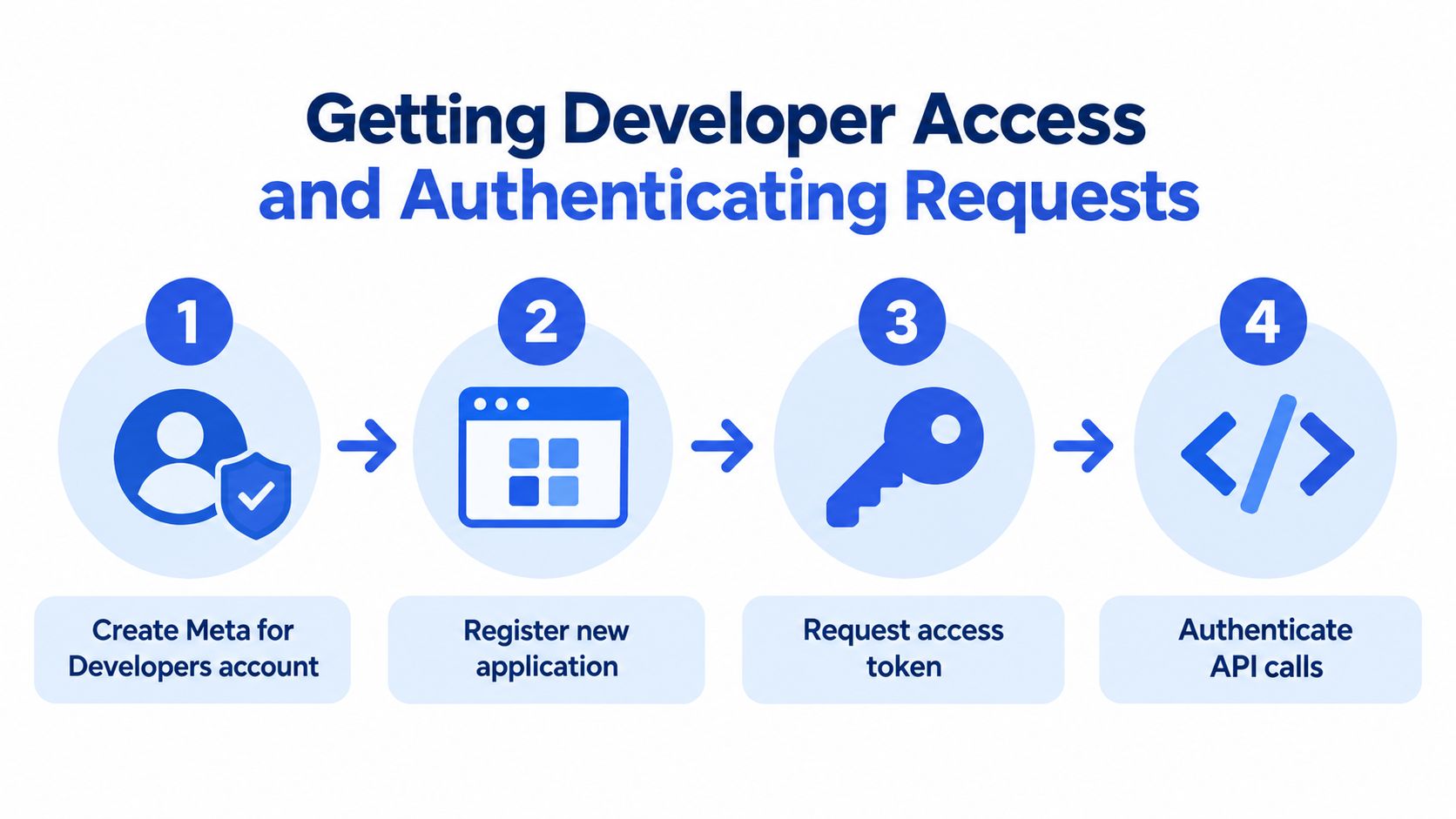
A lot of Ad Library API projects fail before the first useful query. The blocker usually is not code. It is access setup, ownership, and token handling. If you want a pipeline that survives staff changes and routine permission reviews, treat authentication as an operating requirement, not a quick one-time step. Meta outlines the access path in its Ad Library API access materials.
Set up access in the right order
Use a stable Facebook account. Put the integration under an account the business will still control in a year. Building around a temporary personal login is how monitoring jobs break without warning.
Create a Meta for Developers account. This is the admin layer for the app, permissions, and token flow. Keep access with the people who will maintain the collector.
Register an application. Name it for use case, such as competitor creative tracking or transparency research. Clear ownership saves time later when permissions need to be reviewed.
Request the relevant access. Be specific about what you plan to collect, why the data is needed, how it will be stored, and who will use it. For political ad research, identity and location confirmation are part of the process.
Generate and validate a user access token. Start with a narrow request and confirm the basics first: token validity, Page identifier, country filter, ad type, and requested fields. I do this before writing pagination logic, because a bad parameter set can look like a data problem when it is really an auth problem.
Move secrets out of scripts. Store tokens in a secret manager or protected environment variable. Do not leave them in notebooks, repositories, or shared docs.
Design for access failure
Authentication breaks in ordinary ways. Permissions change. Tokens expire. An app status changes and the collector starts returning errors or thin results. Your logging needs to separate access failures from true empty responses, because those states lead to very different decisions.
A simple preflight check helps. Run a small request before the full collection job. If it fails, stop the batch and alert the owner. That prevents a bad token from producing an empty daily export that a media buyer later reads as competitor inactivity.
The API supplies archive access. Your own process determines whether that access stays reliable enough for scheduled research.
What the API Returns by Ad Category and Market
The API's fields make sense once you separate transparency metadata from performance intelligence. Meta says political and issue ads delivered anywhere in the world can be searched for the previous seven years, while ads of any type delivered in the UK or European Union can be searched for the previous year. The ads archive reference describes the endpoint and its available record structure.
Common fields for archive analysis
Depending on the record and request, you can work with:
- Library ID: The identifier assigned to the archived ad.
- Creative content: Text from the ad, including copy that may appear in images, video audio, or call-to-action buttons for search purposes.
- Page identity: The associated Page name and Page ID.
- Delivery dates: When Meta reports delivery activity.
- Publisher surfaces: The Meta surfaces where the ad appeared, including Facebook and Instagram.
- Snapshot or creative references: Enough context to inspect the archived presentation, subject to Meta's policies and availability.
These fields support creative taxonomy work. You can tag offer language, product promises, objections, format, placement, and lifecycle stage. You can also compare whether a Page repeatedly adapts the same message across Facebook and Instagram.
Where qualifying records get richer
For political and issue ads, Meta can provide spend and impressions as ranges, plus estimated demographic reach by age, gender, and location. For ads delivered in the EU and UK, Meta provides estimated impressions and targeting or reach demographics. EU records also include advertiser and payer information.
Those fields are useful for directional analysis. A range can help you identify whether a record belongs in a higher-attention monitoring queue, but it shouldn't be treated as a precise finance input. You're observing transparency buckets, not the advertiser's internal ledger.
The boundary is equally important. The documented dataset doesn't provide ordinary advertisers' conversion rate, CPA, or ROAS. It also doesn't reveal the optimization events, attribution settings, creative fatigue thresholds, or account-level learning status that determine campaign performance.
Performance marketers should pair archive signals with their own Ads Manager data. A long delivery period can justify a hypothesis, but it doesn't prove profitability.
That boundary changes the dashboard brief. Build columns for creative, Page, market, dates, surfaces, available transparency ranges, and confidence status. Don't build a “competitor ROAS” tile from fields the endpoint never exposes.
Browser Library Versus Programmatic Access
The public Ad Library interface and the API are related, but they aren't interchangeable. A browser search can show an ordinary retail ad that your API query can't retrieve, particularly when the ad wasn't delivered in the EU or UK and isn't political or issue-related.
The browser is better for human inspection. You can open a result, review the rendered presentation, and decide whether the creative is strategically relevant. The API is better for repeatability. It can feed a database, apply the same Page and country filters on a schedule, and preserve the query context for later comparison.
Coverage comparison
| Feature | Ad Library Browser | Facebook Ad Library API |
|---|---|---|
| One-off creative inspection | Strong, suited to manual review | Possible, but requires a structured query |
| Repeatable scheduled collection | Weak without additional automation | Strong within documented coverage |
| Global political and issue archive | Searchable | Searchable programmatically for the previous seven years |
| Ordinary commercial ads | Visibility depends on market and record scope | Broadest documented commercial coverage is the EU and UK for the previous year |
| Page-level research | Convenient for browsing | Requires Page IDs and query construction |
| Creative and Page metadata | Available in the interface | Returned through requested fields when available |
| Spend and impression transparency | Available for qualifying records | Returned as ranges for qualifying records |
| CPA, ROAS, and conversion rate | Not provided | Not provided |
| Research reproducibility | Depends on saved notes and screenshots | Stronger when queries and retrieval dates are logged |
The practical choice isn't “browser or API.” Most mature workflows use both. Start in the browser to validate that the Page and market are relevant. Then use the API only where the documented scope supports the question.
A browser result can inspire a creative brief even when programmatic retrieval is unavailable. Conversely, an API record can support longitudinal analysis that would be tedious to reconstruct manually. Don't promise stakeholders that the API will reproduce every visible browser result. Test the same Page, country, ad type, and status combination before committing to a monitoring product.
Query Patterns for Political Research, EU Monitoring, and Creative Inspiration
Query quality determines whether your dataset is useful or noisy. Meta's archive supports filters such as search_page_ids, ad_active_status, ad_type, ad_reached_countries, and search_terms. Mozilla's EU Ad Transparency Report documented daily collection beginning on March 29, 2019, and showed why researchers had to adapt collection methods as API behavior changed.
The patterns below are deliberately narrow. Each one answers a different research question.
Political and issue research
Use this pattern when you're studying an election, advocacy topic, or political advertiser:
endpoint: ads_archive
search_page_ids: [target Page IDs]
ad_reached_countries: [market codes or documented global scope]
ad_type: political and issue ads
ad_active_status: all
search_terms: topic, candidate, policy, or campaign phrase
Start with search_page_ids when you know the advertiser. Add search_terms when the Page runs multiple initiatives and you need a topic slice. Use ad_active_status=ALL for historical work. If you leave the status filter at active, you'll miss the records that explain how messaging evolved.
Record the retrieval date, query parameters, and API version with every export. A result set is only reproducible if another analyst can understand what was requested and when.
EU and UK commercial monitoring
For ordinary ecommerce research, anchor the query to the market:
endpoint: ads_archive
search_page_ids: [competitor Page IDs]
ad_reached_countries: [EU or UK country codes]
ad_type: all
ad_active_status: active or all
search_terms: product category, offer, or branded phrase
Use the Page ID as the primary filter. Keyword-only searches tend to mix direct competitors, affiliates, publishers, and unrelated advertisers using the same language. Add a date constraint where your implementation supports it, then store the returned delivery dates rather than relying on the day you downloaded the record.
For creative benchmarking, pull both active and inactive records. Active-only monitoring is useful for launch alerts, but it biases your swipe file toward what is live now.
Global inspiration with an explicit caveat
A global research request should be split by market and record type:
political research:
search_page_ids: [Pages]
ad_reached_countries: [country]
ad_type: political and issue ads
ad_active_status: all

commercial EU or UK research:
search_page_ids: [Pages]
ad_reached_countries: [EU or UK market]
ad_type: all
ad_active_status: all

non-EU/UK commercial check:
search_page_ids: [Pages]
ad_reached_countries: [target market]
ad_type: all
ad_active_status: active
The third query is a coverage test, not proof that the market is fully represented. An empty response may mean the commercial inventory isn't in the API scope. Keep that status in your data model as coverage unavailable, not zero ads.
Pagination, Limits, and Rate-Handling Realities
An archive collector fails when it assumes one response equals one dataset. Results can be paginated, responses can be incomplete, and endpoint behavior can change without your business logic changing. The production goal is not merely to retrieve records. It's to prove what you retrieved and identify what you couldn't.
Build the collector around cursors
Use the response cursor, commonly exposed through the paging structure, to request the next page. Persist the following with each batch:
- Query fingerprint: A normalized representation of filters and requested fields.
- Collection timestamp: When the request was made.
- Page cursor: The cursor used to retrieve that batch.
- Record count: How many records were received.
- Response status: Success, authentication failure, throttling, timeout, or validation error.
- API version: The version used by the request.
Don't sort only after a partial crawl and assume the order proves completeness. If a request fails after several pages, mark the run incomplete and retain the successful pages separately. A later retry can reconcile by Library ID.
Treat throttling as a normal state
Use exponential backoff for transient errors, add jitter so multiple workers don't retry simultaneously, and cap concurrency. A retry loop without a maximum can turn one platform error into a request storm.
The collector should also distinguish:
- Empty data: The query completed and returned no matching records.
- Partial data: Some pages succeeded, but the crawl stopped early.
- Unavailable coverage: The market or ad category isn't documented as available for the intended use.
- Access failure: The token, app, or permission was rejected.
- Throttled request: Meta temporarily limited the request volume.
This classification matters more than a perfect dashboard interface. If every failure becomes an empty array, your analysts will make confident decisions from missing data.
The Hidden Gap Between Global Commercial Expectations and Actual Coverage
The Facebook Ad Library API is not a complete global feed of ordinary commercial advertising. Meta documents global historical access for political and issue ads, plus wider ad-type coverage for the EU and UK during the previous year. It doesn't present the endpoint as a universal commercial inventory for every country.
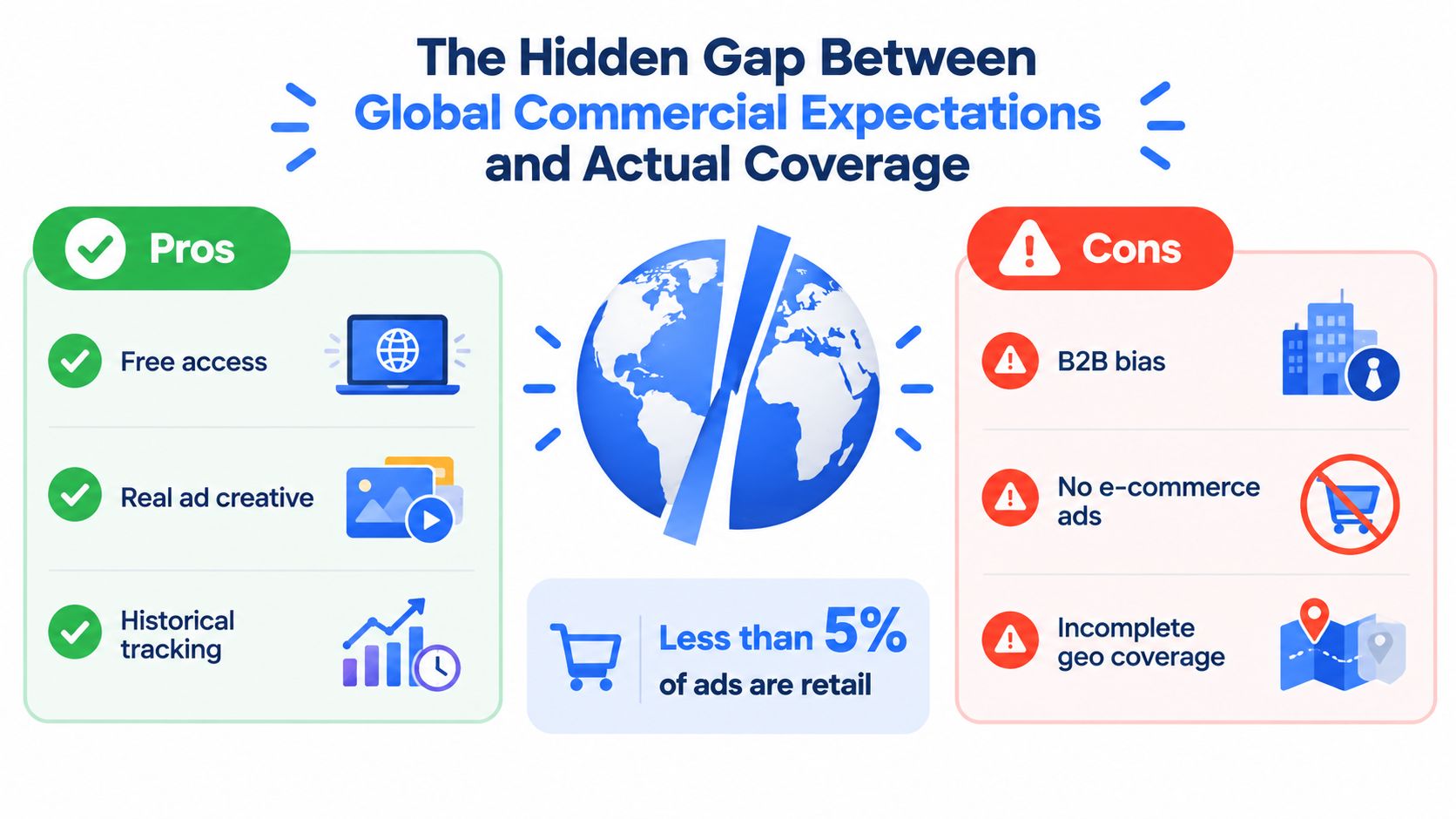
That creates a trap for ecommerce teams. You search a competitor's Page in the browser and see an active retail ad. Your automated request targets the advertiser's non-EU market, returns no matching records, and the dashboard labels the competitor inactive. The dashboard is wrong because it confused no returned record with no campaign.
Make coverage a testable property
Before building alerts, test each market and category separately:
- Choose a Page with a known presence in the target market.
- Run a browser search for the market and ad type.
- Run the equivalent API query with the correct Page ID and country filter.
- Record whether the result is visible in the browser, available through the API, or unavailable programmatically.
- Repeat the test over time before treating the market as monitorable.
Store coverage at the combination level, such as Page, country, ad type, and date. “API coverage: yes” is too broad to be useful.
The API can support creative inspiration from EU and UK commercial records, but it cannot establish that a US-only retail advertiser has no active campaigns. It also won't provide the performance intelligence that media buyers normally use to judge scaling decisions. There is no documented ordinary-advertiser CPA, ROAS, or conversion-rate field to fill that gap.
A missing competitor record is a data-quality event until coverage has been verified.
Meta's release notes add another complication. The Ad Library API release notes state that combining the political-and-issue ad type with EU reached countries is no longer available. Historical political records with at least one impression can remain useful for longitudinal research, but current EU political monitoring and historical archive analysis are different capabilities.
Applying Archive Insights to Rapid Ads Workflows
Archive research only earns its keep when it improves the next test. A useful output isn't a screenshot folder. It's a structured creative brief with hypotheses that your team can launch, name, review, and measure without losing the original intent.
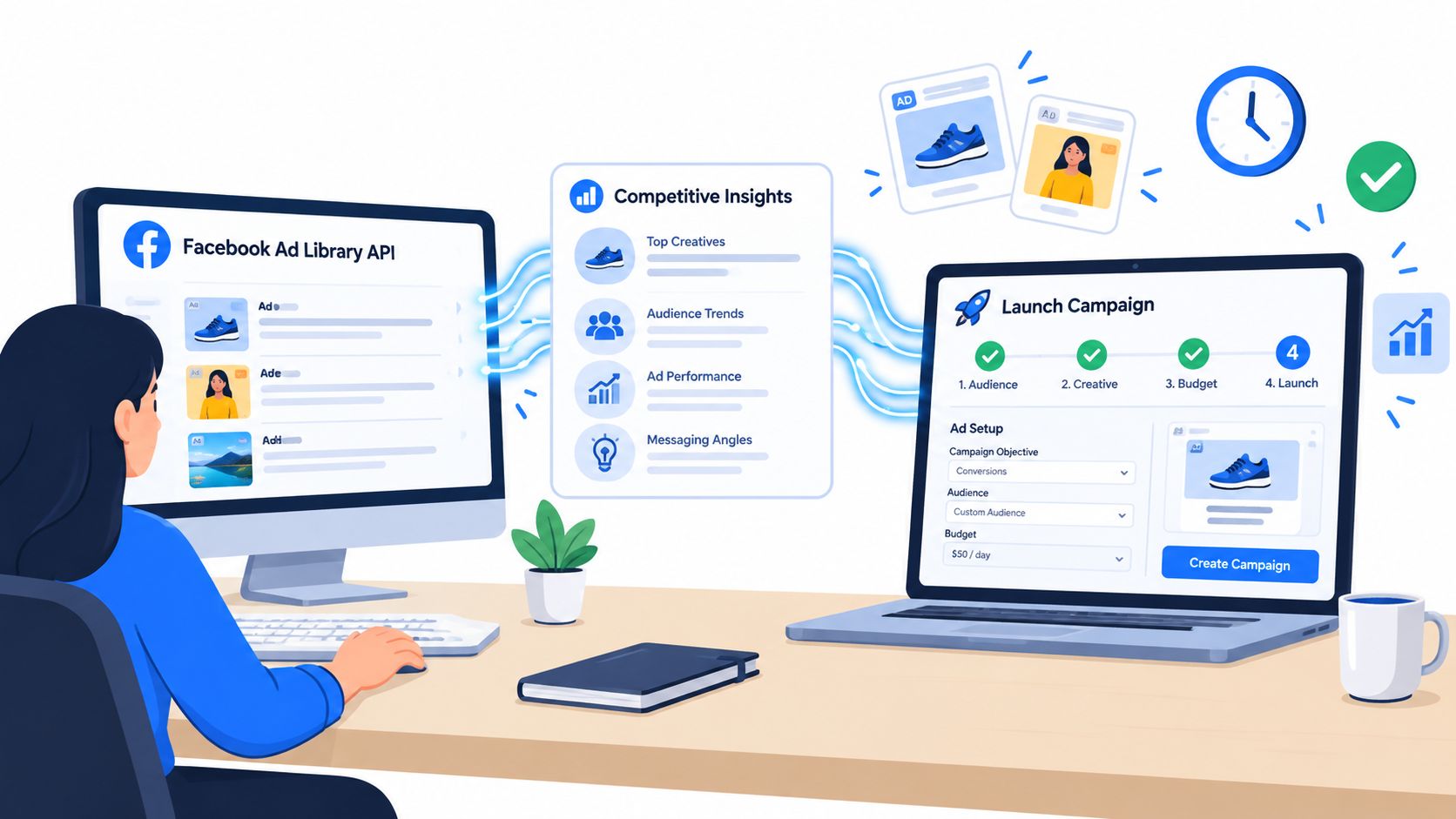
Start by translating records into attributes rather than copies. Tag the observed angle, offer framing, opening hook, format, product proof, urgency device, CTA, market, and delivery status. Then write original variants that test one strategic idea at a time.
From research to launch structure
A clean handoff might look like this:
- Research signal: Several competitors frame the product around speed.
- Test hypothesis: Speed-led hooks may deserve a dedicated prospecting concept.
- Creative matrix: Create distinct static, video, feed, and vertical variants.
- Ad set logic: Keep audience, budget, and placement assumptions explicit.
- Naming convention: Encode market, concept, format, offer, and iteration.
- Measurement: Judge the test with your own CTR, CPA, conversion rate, and ROAS.
Bulk uploading and naming discipline matter here. If a research sprint produces many assets, manual Ads Manager creation can introduce inconsistent names, mismatched UTM tags, and accidental setting changes. A launch tool such as Rapid Ads can help media teams group assets into ad sets, enforce naming conventions, manage multiple accounts, and preserve the intended campaign structure.
Advantage+ settings deserve special attention. If your test depends on a specific creative treatment, automatic enhancements can change the delivered presentation and muddy the comparison. An Advantage+ auto-disable control is useful when the team needs the uploaded creative to remain aligned with the approved test brief.
Use the API to influence the matrix, not to dictate the winner. Competitor delivery duration may suggest that an angle deserves testing, but only your account data can establish whether it improves the business outcome.
The operational loop is straightforward:
- Collect eligible archive records.
- Classify patterns without copying protected creative.
- Convert patterns into original concepts.
- Bulk upload assets and copy.
- Apply naming, UTM, placement, and enhancement controls.
- Launch a controlled test.
- Compare results with your existing account benchmarks.
- Feed learnings back into the next brief.
When the Facebook Ad Library API Is Worth Building
Build a custom pipeline when the research question is stable, the covered markets are important, and the output will influence recurring decisions. Political transparency monitoring and structured EU or UK commercial research are credible candidates. A scheduled Page-level snapshot can also be worthwhile when manual checks repeatedly consume analyst time.
Avoid building first and validating coverage later. Run a small proof of concept across the exact Pages, countries, ad categories, and status filters your team cares about. Compare browser observations with API results, then estimate how much of the intended inventory is available programmatically.
A practical decision test
The API is a reasonable fit when:
- The question is descriptive: You need creative, Page, delivery, placement, or transparency metadata.
- The market is covered: Your test confirms that the desired commercial or political records are available through the endpoint.
- The cadence is manageable: Daily or periodic collection is sufficient.
- The team can maintain credentials: Someone owns token, app, and policy changes.
- Missing data is labeled: Analysts can distinguish zero activity from unavailable coverage.
Use manual audits instead when the research is occasional, the market is outside documented commercial coverage, or the expected output is performance intelligence. Don't build a custom dashboard that promises competitor ROAS when the source cannot return it.
Record query timestamps, API versions, filters, and coverage states from the first run. That metadata costs little and protects comparisons when Meta changes archive behavior.
Common Pitfalls From Real Ad Library Research Pipelines
A media buyer can build a technically valid collector and still produce strategically bad data. The most damaging failures happen when the pipeline returns something plausible. An empty competitor row looks tidy. A shortened history looks comparable. Neither may be true.
Mozilla's documented political-ad collection showed that the API state could be inconsistent, with collection methods needing adaptation daily and sometimes hourly. Its query parameters included ad_active_status, ad_reached_countries, ad_type, search_page_ids, and search_terms, which is a useful reminder that reliable research depends on the full query context, not just a Page name.
Four failure patterns to catch
Regional archive differences: A Page may have visible browser inventory in one market and no programmatic commercial records in another. Store market-level coverage rather than applying one global status to the advertiser.
Retention boundary confusion: Political and issue ads can be searchable globally for the previous seven years, while general ads in the EU and UK are searchable for the previous year. Don't compare a long political history with a short commercial window as if they were equivalent.
Policy-driven gaps: If a filter combination is no longer available for EU political research, a lack of new records may reflect the policy boundary rather than declining activity. Label the state as unavailable or structurally changed.
Stale creative references: Snapshot or creative links can become less useful as records change, expire, or require browser access. Preserve the returned metadata and retrieval date instead of treating a link as a permanent media archive.
The fix is disciplined provenance. Every stored record should carry the Page ID, country filter, ad type, status filter, search terms, collection timestamp, API version, and retrieval outcome. When a stakeholder asks why a competitor's activity fell, you can inspect the collection conditions before turning the result into a budget recommendation.
Research standard: Never convert an API limitation into a market conclusion without recording the limitation itself.
Rapid Ads helps turn eligible Ad Library insights into structured Meta execution with bulk uploading, enforced naming conventions, multi-account management, and Advantage+ auto-disable controls. Build your next creative test from verified market signals, then visit Rapid Ads to launch and manage the campaign without rebuilding every asset manually in Ads Manager.