The popular advice is wrong: FB Dynamic Creative isn't a default best practice for every Meta campaign in 2026. Meta has moved much of creative selection and enhancement toward Advantage+ systems, while account-level availability for Dynamic Creative has narrowed. Treating the older format as universally available or automatically superior creates avoidable launch and measurement problems.
Dynamic Creative still earns a place when you need deliberate control over the asset pool, controlled recombination, and element-level analysis. It also remains useful as a diagnostic format, particularly when you want to learn whether the image, copy, headline, description, or CTA is doing the work. The trade-off is operational. You'll manage more constraints, more reporting caveats, and more situations where Ads Manager changes what you selected.
Meta launched Dynamic Creative in 2017, initially bringing the feature into the Marketing API with a phased Ads Manager rollout, as documented in Meta's launch announcement. That launch established the familiar model: submit a pool of components and let Meta assemble combinations rather than forcing buyers to build every full ad manually.
Table of Contents
- Why FB Dynamic Creative Still Matters in 2026
- Asset Limits, Supported Objectives, and Reporting Rules
- Building Your First Dynamic Creative Ad in Ads Manager
- Dynamic Creative vs Advantage+ vs Flexible Ads
- Budget, Test Duration, and Combination Math
- Reading Dynamic Creative Element Reports
- When to Use It, When to Switch, and a Launch Checklist
Why FB Dynamic Creative Still Matters in 2026
Dynamic Creative is no longer the broadest or most convenient option, but it remains the only format in this comparison that gives a buyer such explicit control over which creative elements enter the recombination pool. That distinction matters when the test itself is the product. You're not merely asking Meta to find an efficient ad. You're asking a defined set of images, videos, texts, headlines, descriptions, and CTAs to compete inside a controlled structure.
The first strong use case is low-funnel prospecting with a curated asset pool. If you've separated product proof, offer-led imagery, demonstrations, and objections into distinct concepts, Dynamic Creative lets you test those components without turning every hypothesis into a manually built campaign. Meta's original supported objectives, conversions, app installs, and traffic, show that the feature was designed around measurable direct-response activity rather than purely broad brand exposure, as the historical 2017 recap documentation records.
Retargeting is another sensible application. A tight pool can enforce creative rules around viewed products, abandoned carts, offer language, or customer status. The format won't magically create a coherent retargeting strategy, but it can help you test controlled messages without giving an enhancement system unlimited discretion.
Where control has real value
The third use case is element-level holdout reporting. Dynamic Creative's separate element breakdown can help answer questions that blended ad reporting leaves unresolved. Did the product image win, or did the headline carry the result? Did the CTA fit one message better than another? Those answers aren't perfect, but they're actionable when you're building the next production batch.
Advantage+ Creative takes a different path. It can apply platform-level enhancements and variations that the buyer can't always explain cleanly, and it shifts the emphasis from explicit test design toward delivery automation. That can be the right trade for purchase and lead campaigns that need distribution and scale, but it reduces the usefulness of a strict creative holdout.
Working position: Dynamic Creative is a legacy format that survives in niche use cases. Use it when control and diagnosis matter more than maximum automation, not because every Meta account should still default to it.
Asset Limits, Supported Objectives, and Reporting Rules
Dynamic Creative's apparent scale can mislead. The format accepts up to 10 images or videos combined, 5 primary text options, 5 headlines, 5 descriptions, and 5 CTA buttons, for a maximum of 30 submitted assets in one ad set, according to this Dynamic Creative asset limit reference. These are input pools, not 30 separately built ads. Meta selects elements from those pools and serves combinations as variations.
Objective availability is now the larger constraint. An independent 2026 availability explainer reports that, as of August 2026, Meta had not published a platform-wide sunset notice. However, the toggle was generally no longer selectable for new Sales and App promotion ad sets since June 2024. Access remained concentrated in Awareness, Traffic, Engagement, and Leads, subject to account rollout.
Historical documentation therefore needs careful handling. Older workflows may describe Dynamic Creative for conversions, app installs, Traffic, Catalog Sales, or lead generation. Your account can still hide the control based on the objective, campaign configuration, placement, or rollout state. Confirm availability in the actual Ads Manager account before committing the format to a launch plan.
Reporting rules that change the analysis
Dynamic Creative ads do not use Meta's standard Creative Breakdown. They require the separate Dynamic Creative Element breakdown for campaigns that ran after 1 July 2017, as explained in Meta's Creative Breakdown guidance.
If that view is missing, the campaign may still have usable evidence. Check the selected breakdown first, then confirm that the campaign meets the historical reporting condition and that its current objective exposes the feature. Objective changes can also remove the Dynamic Creative toggle, so recheck the build after every structural edit. This validation step matters more than preserving an old setup template, because Meta can change the available controls without changing the campaign's broader workflow.
Building Your First Dynamic Creative Ad in Ads Manager
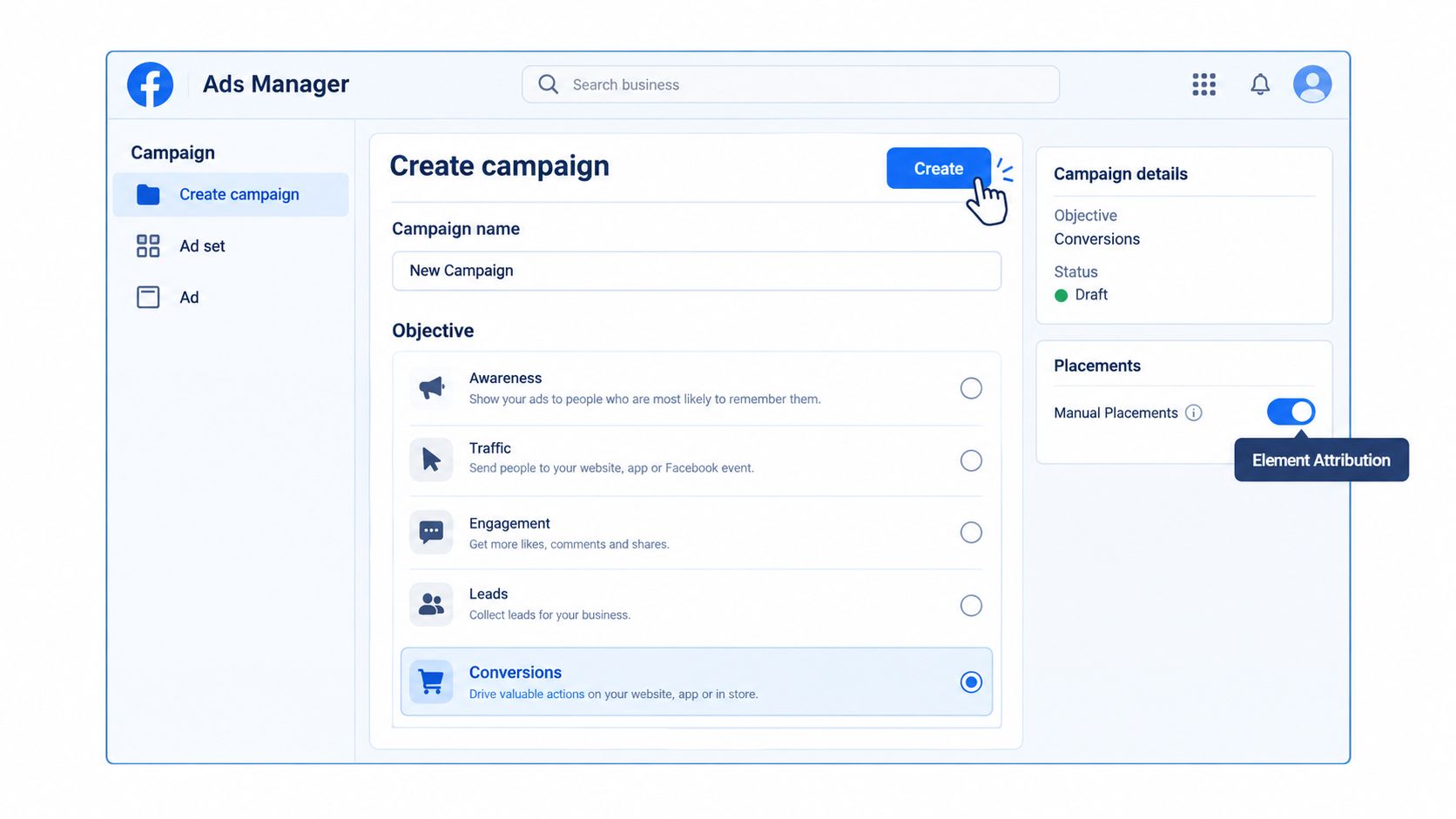
Start at the Campaign creation screen, not the ad level. Choose an objective that your account currently permits, then confirm Dynamic Creative remains available as you move through the setup. If the option disappears after an objective change, treat that as a product constraint, not a temporary interface glitch.
At the ad set level, decide whether you need manual placements. Automatic placements are efficient for delivery, but controlled creative tests become harder to interpret when the same asset is rendered across very different surfaces. If element attribution matters, use manual placements deliberately and keep the placement set narrow enough that formatting and context don't become hidden variables.
A controlled build sequence
Enable the dynamic option at ad set level. Depending on the current interface, select the multiple image or multiple video creative option. Meta's published model is one ad containing a pool of elements, rather than separate full ads, as described in this Dynamic Creative setup explanation.
Upload the pool by role. Keep images and videos conceptually grouped. Don't mix a product demonstration with an unrelated lifestyle angle and then call the resulting readout a clean image test. The system can combine components, but it can't repair a badly designed hypothesis.
Name assets before upload. Use a convention such as
DC_001_HeadlineA,DC_002_HeadlineB, and equivalent labels for images, descriptions, and CTAs. Include the concept, not just the file number, if your reporting process needs to identify the message behind the asset.Set the budget at ad set level for the first test. Start with equal-weight exposure through ABO, rather than CBO, when the purpose is learning. CBO can find an efficient path, but it can also starve combinations before you've collected enough evidence to compare them.
Preview every relevant placement. Check cropping, text truncation, video framing, destination URLs, and CTA rendering before publishing.
This is also where Meta's defaults cause expensive confusion. Switching objectives can turn Dynamic Creative off. Changing placements can drop cards or alter available creative choices. Headlines can also collapse past 30 characters without warning, so inspect the final preview rather than trusting the text field alone.
The video walkthrough below shows the interface flow, but the controls in your account may differ as Meta continues to change objective-specific availability.
Dynamic Creative vs Advantage+ vs Flexible Ads
The choice isn't about which format is newer. It's about whether you need a controlled experiment, automated distribution, or broader placement flexibility.
| Feature | Dynamic Creative | Advantage+ Creative | Flexible Ads |
|---|---|---|---|
| Objective fit | Strongest where the account still exposes the feature, especially controlled direct-response testing | Suited to Meta's newer automated purchase and lead workflows | Useful for expanding dynamic assets across placements such as Reels and Stories |
| Creative control | Buyer defines the component pool and can manually swap assets | Meta can apply enhancements, text variations, and music additions | Simpler dynamic asset structure with fewer manual controls |
| Audience targeting | Works inside the audience and ad set structure you define | Built for broader platform-led delivery and optimization | Designed to support cross-placement distribution |
| Reporting granularity | Separate Dynamic Creative Element breakdown supports asset-level analysis | More opaque at individual asset level because enhancements and variations are platform-managed | Reporting is generally oriented toward the delivered flexible ad rather than a strict element test |
| Best campaign stage | Retention, controlled prospecting, and feed or Stories testing | High-volume prospecting and campaigns where delivery automation matters most | Cross-placement expansion and creative bundles for Reels and Stories |
Dynamic Creative's strength is manual asset discipline. You can decide which headlines belong to which testing question and identify performance at the element level when reporting is available. Its weakness is availability, plus the fact that element performance still doesn't tell you the complete winning combination without manual analysis.
Advantage+ Creative makes the opposite bargain. Meta can enhance images, expand formats, vary text, and add music at the platform level. That's attractive when you want the system to search broadly across purchase or lead outcomes, but it can make brand-safe testing and causal interpretation harder.
Flexible Ads sit between those approaches operationally. They extend the dynamic asset idea into Reels and Stories with simpler controls. Choose them when your priority is getting a suitable creative variation into more placements, not isolating the contribution of each component.
The buyer's question should be, “Do I need to know why this worked?” If the answer is yes, Dynamic Creative has a case. If the answer is “I need Meta to find efficient delivery quickly,” Advantage+ is usually the more natural fit.
Budget, Test Duration, and Combination Math
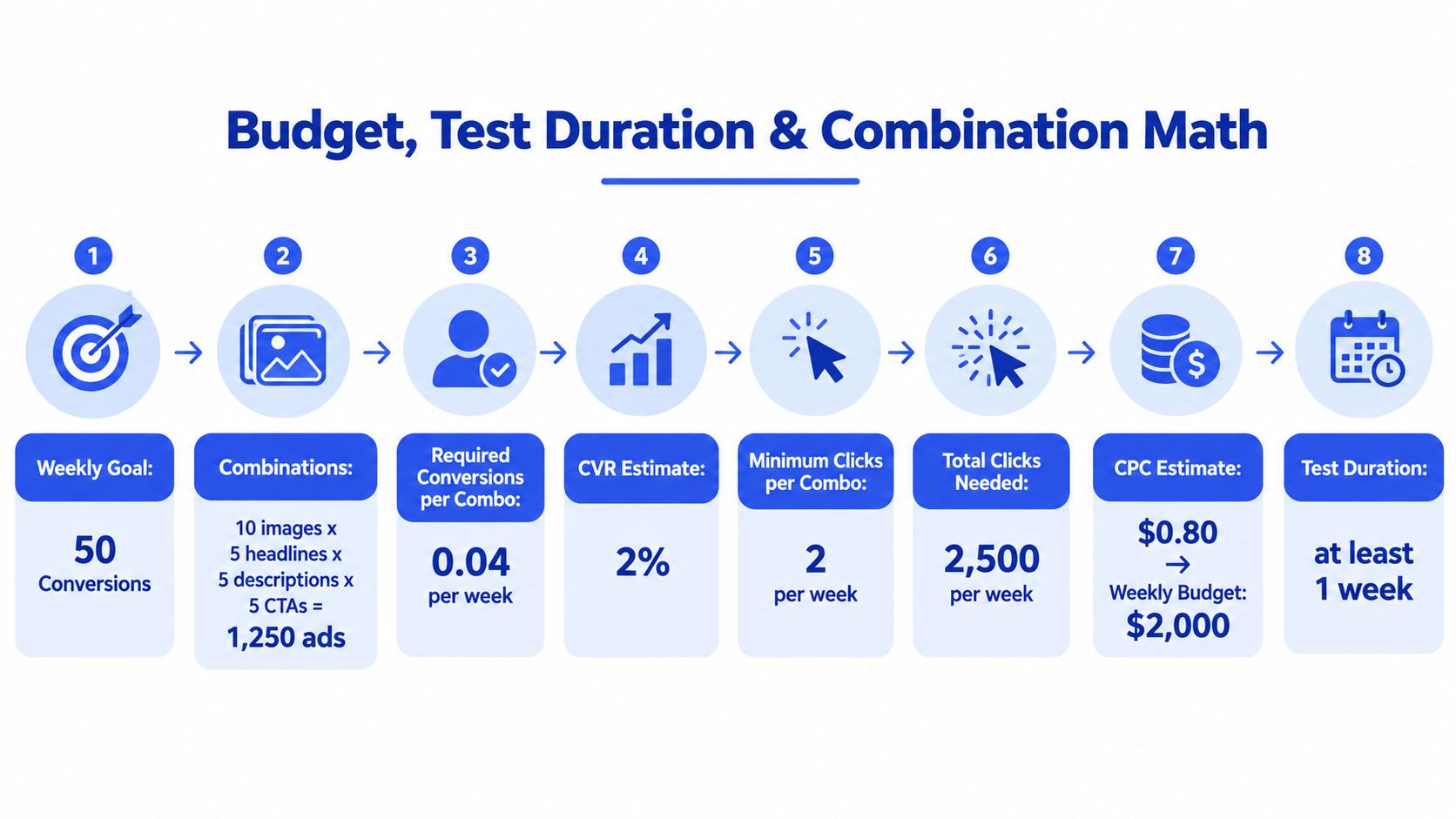
Combination math is where Dynamic Creative gets oversold. A large input pool can produce broad theoretical coverage, but it doesn't guarantee useful learning. With 10 images or videos, 5 headlines, 5 descriptions, and 5 CTAs, the full matrix contains 1,250 theoretical combinations, as shown in the 2026 creative testing framework. Most accounts shouldn't attempt to fund that matrix as a single clean experiment.
A better starting structure is 3:2:2, meaning 3 images or videos, 2 headlines, and 2 text variants, producing 12 combinations. The same framework recommends testing for 7 to 14 days with ABO so each variation receives more even exposure, while warning that too many variants dilute spend.
Use the weekly event threshold as a filter
The framework recommends at least 50 optimization events per week for Dynamic Creative to work with a sufficiently rich signal, and it gives a minimum viable weekly budget of roughly 20 times target CPA. Those figures are not a promise of statistical certainty. They're a practical filter for deciding whether your proposed matrix is funded well enough to generate a useful read.
For a $50 daily budget, use a small matrix and accept that the campaign may struggle to produce a decisive conversion-level result. At $200 daily, you can support a broader initial test if your target CPA and conversion rate make the weekly event threshold realistic. At $1,000 daily, the constraint shifts from raw budget to test design. A full matrix may still create noise if most combinations are structurally similar.
The arithmetic is useful because it exposes the mismatch between asset volume and evidence. If you need 50 weekly conversions and your campaign can't plausibly reach that event level, adding more combinations won't fix the problem. It divides delivery across more possible paths.
Budget rule: Start with fewer, genuinely distinct concepts. Expand the matrix only after a winner gives you a reason to explore adjacent variations.
A minimum 7-day test window can prevent premature decisions, but duration doesn't rescue an underfunded campaign. The 2026 benchmark coverage reports that only 5% to 8% of Meta ads become real winners and roughly half are turned off before 28 days of spend. The implication is uncomfortable but useful: creative testing should identify durable concepts, not reward the largest permutation count.
Reading Dynamic Creative Element Reports
Ads Manager's Dynamic Creative Element breakdown remains useful, but it is not a clean multivariate test report. Open Breakdown, choose the dynamic creative element view, and review delivery and outcomes by image, video, primary text, headline, description, and CTA. The report shows which components received distribution and what happened after they entered delivery.
Use CTR, CPC, CPM, and ROAS as diagnostic signals, not as complete-ad scores. An image can run beside several headlines, audiences, placements, and auction conditions. Its row represents attributed performance for that element within Meta's delivery system. It does not prove that the element would produce the same result in an isolated ad with every other variable controlled.
Three ways to avoid false winners
Start with delivery. A high ROAS row with minimal spend is a promising signal, not a winner. Check impressions, spend, and conversion volume before carrying the element into the next production batch. Low-delivery variants can appear as zero instead of disappearing, so zero may indicate insufficient distribution rather than a confirmed failure.
Separate fatigue from message mismatch. A headline with rising CPM and falling CTR may be losing relevance. Audience composition, placement mix, and auction conditions can create the same pattern. Compare that headline with the same image and nearby copy before removing it based on one row.
Rebuild combinations manually. Meta's element report does not automatically identify the complete winning image, headline, primary text, and CTA combination. Export the breakdown, retain the asset names, and reconstruct pairings from delivery and outcome data. This manual step is where the format shows its age, especially compared with newer automated creative workflows.
Reporting eligibility also affects what you can see. Meta's creative-level breakdown covers campaigns that ran after 1 July 2017, and Dynamic Creative depends on its dedicated element view, as noted earlier. If the asset grid is empty, check the breakdown selection, date eligibility, objective, attribution settings, and delivery volume before deciding that the campaign produced no useful signal.
Use a conservative optimization loop. Promote elements with efficient outcomes and meaningful delivery, retire concepts that repeatedly fail across pairings, and record the exact combination that generated the result. Dynamic Creative supplies ingredients and partial evidence. It does not supply a finished creative strategy, and in 2026 that limitation matters as Advantage+ absorbs more of the automated testing job.
When to Use It, When to Switch, and a Launch Checklist
Keep Dynamic Creative in rotation when manual asset-level control is essential. That includes multivariate copy testing where you don't want algorithmic rebalancing to decide the test before you've observed enough delivery, brand-safety environments that restrict Advantage+ enhancements or placements, and accounts where iOS reporting transparency matters more than maximum automation.
It's particularly defensible for a curated retargeting pool, controlled feed and Stories tests, or a prospecting ad set where each asset represents a distinct commercial hypothesis. The format also makes sense when your team has the operational discipline to export element data, reconcile combinations, and turn the findings into new creative concepts rather than endlessly uploading permutations.
The switch signals
Advantage+ deserves priority when the account generates more than 200 conversion events per week, according to the practical crossover guidance in the supplied framework. At that volume, Meta's distribution automation can have enough signal to search efficiently across a broader delivery environment, and the cost of enforcing a tightly controlled matrix may outweigh the diagnostic value.
Switch when catalog-driven personalization is the main requirement. Dynamic Creative can recombine submitted components, but it isn't a substitute for product-feed logic and automated catalog delivery. Flexible Ads are also a better fit when the campaign needs broad Reels and Stories expansion with simplified creative controls.
The 2026 reality check is operational rather than ideological. Meta hasn't published a platform-wide sunset notice, but objective-level availability has already changed in many accounts. Build a fallback path, and don't assume a previously available toggle will survive the next objective edit.
Launch checklist
- Verify Pixel and Conversions API events. Confirm that the optimization event fires correctly before judging creative.
- Name assets consistently. Add asset-count tags and concept labels, such as
DC_3IMG_2HL_2TXT. - Scrub duplicate assets. Near-identical images and copy create the appearance of choice without adding a meaningful hypothesis.
- Set minimum spend per combination. Use the weekly event target and target CPA to decide whether the matrix is fundable.
- Create a holdout ad set. Keep a control structure available so the dynamic test has a reference point.
- Check attribution and breakdown settings. Use Dynamic Creative Element reporting, and confirm the selected view supports the analysis you need.
- Run a 72-hour rendering QA check. Review feed, Stories, and Reels previews for cropping, text truncation, missing cards, CTA errors, and destination mismatches.
- Prepare a fallback format. If Meta disables the toggle after an objective or placement change, move the tested concepts into Advantage+ Creative or Flexible Ads without losing the naming map.
Rapid Ads fits the operational part of this workflow when Ads Manager becomes the bottleneck. It supports bulk image, video, and copy uploads, naming conventions at ad and ad set level, Advantage+ auto-disable, multi-account management, and Flexible Ads workflows, so teams can preserve their creative structure while launching across accounts. Visit Rapid Ads to test whether its bulk publishing and setting controls can reduce the manual work around your next Dynamic Creative build.