It's 9am on the day a scaling budget was due to go live. Ads Manager opens with the red banner already in place, Facebook Ads account disabled, last night's campaigns paused mid-flight and the CBO you rebuilt at midnight now unreachable. The first instinct is predictable: duplicate the ads into a fresh campaign and republish.
That instinct is the most expensive move available. A disabled account isn't a rejected ad wearing a different hat, and republishing inside a restricted asset doesn't route around the restriction. It adds activity to the exact signal Meta's enforcement system is already reading.
What follows is the sequence that works: identify the restricted asset, freeze the account before it gets worse, build one evidence-backed review request, and hold a continuity plan for the outcome where the appeal is refused. This is procedural work. Nobody at Meta is negotiating with you.
Table of Contents
- Triage the Restricted Asset Before You Act
- Contain the Damage in the First 48 Hours
- Build an Evidence Packet Meta Will Read
- Submit One Review Request Without Burning It
- Plan the Fallback If the Appeal Fails
- Set Up Your Account Hygiene Routine This Week
Triage the Restricted Asset Before You Act
The banner in Ads Manager gives you one word and no target. Meta's Advertising Standards describe a review process that runs automated checks, and in some cases manual review, against advertiser behavior and the associated Business Account, ad accounts, Pages and user accounts, not just the ad in front of you. That's why a restriction can land while the creative you uploaded an hour ago is fully compliant.
Republishing inside a restricted asset changes nothing about that. It just gives the system more activity to score while you lose hours.
Find the flagged asset, not the flagged campaign
Work Business Support Home in this order, and write each answer down as you go.
- Open Account status overview and note which asset carries the flag: the ad account, your user account, a Page, or the Business Account itself. Record the asset ID.
- Read the restriction reason and sort it into one of four buckets: Advertising Standards, Community Standards, unusual activity, or payment.
- Open Account Quality for the affected ad account and read the rejected ad history, not only the newest rejection. A pattern across campaigns changes the diagnosis.
- Check the linked assets. If a Page or the Business Account is also restricted, your appeal target changes, and a request filed against the ad account alone won't resolve it.
Meta's help center entry on restricted ad accounts is explicit that a restriction covers the account, its ads and some associated advertising assets, and it names policy non-compliance, unusual payment or account activity, and high rates of failed or disputed payments as possible triggers.
| Trigger | Where it shows | First check |
|---|---|---|
| Ad or landing page policy violation | Account Quality and Account status overview | Rejected ad history and landing page claims versus ad copy |
| Failed or disputed payment | Billing & payments, then Payment methods | Outstanding balance, card status and billing country match |
| Unusual account activity | Business Support Home security and login events | Recent admin additions, new logins and changed business details |
| Asset-level restriction on Page or Business Account | Account status overview, per asset | Whether the restricted asset is the ad account or a linked asset |
| Persistent or cumulative violations | Account Quality history | Pattern of flagged ads across campaigns, not one creative |
Scale is worth keeping in view while you triage. Meta's December 2024 EU digital services transparency report for Facebook records 1,231,865 removals of advertising and commerce content across the listed policy categories, alongside 35,849 monetary restrictions on partners. Content removals and account restrictions are reported separately, which is the practical point: a stack of rejected ads tells you nothing reliable about whether the account itself is in good standing.
Agencies inherit other clients' risk
For an agency, a restriction is rarely confined to the client who triggered it. A shared Business Manager, a card used across accounts, or an admin with access to several portfolios all fold into the same risk picture. The structural choices made at setup determine how much of the book one restriction can reach, and this guide to creating a Facebook Business Manager account covers the ownership model that keeps client assets separate.
Triage output: one line naming the restricted asset and its ID, the trigger category, and the person who owns the first remediation. Everything after that is execution.
Contain the Damage in the First 48 Hours
An agency admin opens Ads Manager and the restricted-account banner is already up. Three ad sets are still scheduled to spend, a shared card failed overnight, and someone is about to open a replacement account "just to keep the client live." That replacement is how a billing hold turns into an integrity problem. Every edit after the restriction timestamp is something you may have to explain in a review request you only get to file once. Stop the account. Then fix it.
Two failures sit under the same banner, and they do not clear on the same clock. A failed payment is a billing hold. A policy or integrity restriction waits on Meta's review, not on a new card. Sort the case in the first ten minutes. The sequence below is the same either way. The wait is not.
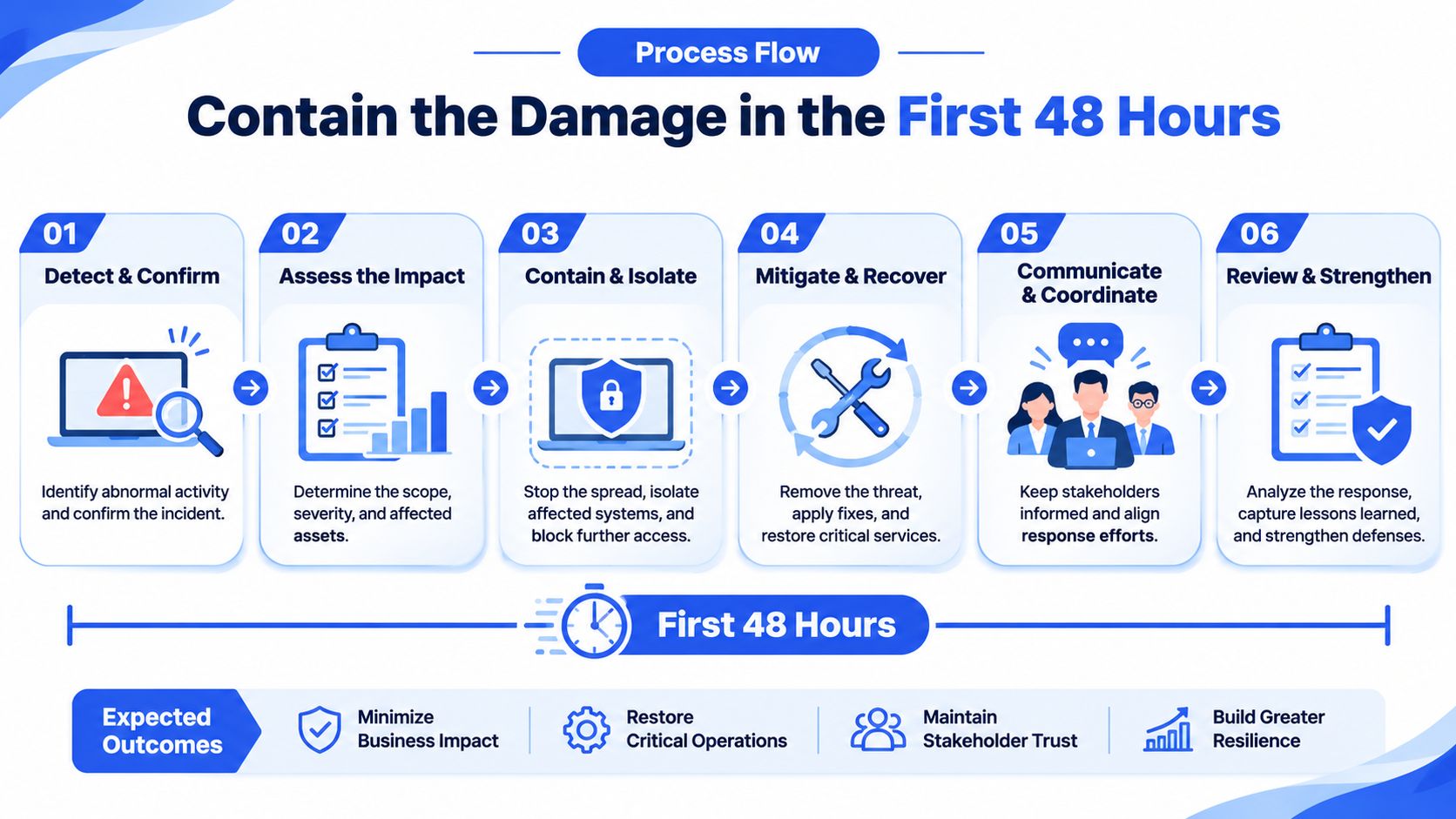
Work the restricted account in this order. Do not jump to a review request until the account has stopped moving.
- Pause every active campaign and ad set in the restricted account. Disabled accounts can still hold pending changes that fire later. You want zero new spend attached to the account while you diagnose.
- Freeze creative and targeting edits and log the timestamp of the last change made before the restriction. That timestamp is the line between pre-restriction activity and anything done after the banner appeared.
- Clear the payment position first. If a payment method fails, Meta says ads are paused and the ad account is disabled until the outstanding amount is paid, with no further charges made until payment completes (Meta Business Help on payment methods). The documented route is Ads Manager or Billing & payments, the affected ad account, Payment methods, then Pay now with an existing or new method.
- Export reporting and invoices while access still exists: campaign-level CSVs, billing history, and proof of any creative approvals you will need later.
- Do not open a replacement ad account. It reads as evasion, and it splits the record across assets Meta can already link together.
The payment trap that catches agencies
One payment method can be linked to several ad accounts. A card that failed on one client's account can put every other account sharing that instrument in the same position, so audit those accounts before you treat the damage as contained. Repeatedly adding and removing cards during a fix makes the billing profile look unstable. A reviewer looking at Payment methods wants one settled method, not a trail of swaps.
If you want the walkthrough in video form before touching the account, this covers the sequence end to end.
A payment-driven disablement stays in place until the outstanding balance is paid. Meta's position is that ads remain paused and the ad account remains disabled until that payment completes. A policy or integrity restriction does not move because a card was updated. It waits on Meta's review, which is why the checklist below separates the two.
- Assets paused: every campaign and ad set in the restricted account is off, with pause timestamps logged.
- Payment cleared or confirmed: balance paid, or the method verified as valid and matched to the billing country.
- Data exported: reporting and invoices saved outside the restricted asset.
- One owner named: a single person files the appeal, with a named backup holding full control of the Business Account.
Build an Evidence Packet Meta Will Read
The diagnostic that decides most cases is separating policy risk from account-integrity risk before a single word of appeal gets written. Meta's Advertising Standards allow restrictions for deceptive or dangerous business practices and for persistent Advertising Standards violations, so the fact that your latest ad passes review proves nothing about whether the advertiser stays eligible.
| Evidence item | Where to pull it | What it proves |
|---|---|---|
| Restriction timestamp and asset ID | Account status overview | Which asset was restricted and when |
| Account Quality screenshots | Account Quality for the ad account | The policy category Meta flagged |
| Exact ad copy, creative, offer and landing URL | Ads Manager ad preview and creative library | Claims match the destination page |
| Business registration and domain ownership | Business Settings, business info and domain verification | Legal identity and domain control |
| Payment-method ownership | Billing & payments, Payment methods | Billing identity matches the business |
| Administrator access log | Business Settings, People | No unauthorized or recent admin access |
| Change log after the restriction | Internal change record | No edits made during review |
Assemble the packet before drafting anything. An appeal that cites exact timestamps and asset IDs reads as an operation run by adults; an appeal written from memory reads as improvisation.
The failure points that sink most appeals
- Business names that don't match. The name in Business Settings, the name on the payment profile and the registered entity on the domain should be the same legal business. Three variants look like three businesses.
- Recently added admins. New admin access in the days before a restriction reads as a takeover or a purchased account, even when it's a new hire.
- Failed or disputed payments. A chargeback is a trust event, not just a billing event, and it stays visible after the balance is settled.
- Billing country drift. A card issued in one country, a business registered in another and a market targeted in a third invites a verification request you won't win quickly.
- Redirects between ad and landing page. Any hop, tracker or geo-swap that hides the final destination is treated as cloaking.
- Claims the page doesn't support. Health, income, weight-loss and financial promises are the most heavily enforced categories, and the destination page has to carry the same substantiation the ad implies.
- Landing page mismatch. If the ad offers one thing and the page sells another, the reviewer sees a bait pattern regardless of intent.
Rule for the change log: every edit after the restriction timestamp gets a line, a date and a reason. Nothing gets deleted, including the creative you'd rather not show anyone.
Run the 15-minute audit
Three checks cover most of the risk. Confirm the business identity matches across Business Settings, the payment profile and the domain registration. Confirm the admin list contains only current, known people with two-factor authentication enabled. Confirm the payment method is valid, undisputed and billed in the country the business operates from. Record each result as pass, fix or escalate, and keep the note with the packet.
Claims are the part advertisers skip. Run the specific offer against the Meta advertising policies list before filing, and rewrite or remove anything that depends on a promise the landing page can't evidence.
Submit One Review Request Without Burning It
A Facebook Ads account disabled notice arrives with a Request review button sitting under it. That button is the whole budget for this event. Meta states that there is a limited number of review requests and that once a review is completed the decision is final (Meta Business Help on account restrictions). File once, after the fix is live, not after a better sentence comes to mind.
The restriction may sit on the ad account, a user account, a Page, the Business Account or a related asset. Stated causes run from Advertising Standards and Community Standards violations to unusual activity and perceived high-risk behavior. A request aimed at the wrong asset spends the review and leaves the restriction in place.
The submission path
- Confirm the root cause is fixed and the corrective action is live, not planned.
- An admin with full control of the asset opens Business Support Home.
- Select Account status overview and choose the restricted asset.
- Select Request review and complete the on-screen steps.
Review timelines vary, and complex cases take longer, so treat the expected window as a planning estimate rather than a promise. Use that estimate to decide who watches Account status overview, and when a second person may check status without filing again.
Four blocks, stated once
Keep the request narrow and factual. State the restricted asset and restriction timestamp. State the specific issue you corrected and the date you corrected it. State the controls now in place that stop it recurring. Close with a request for manual reassessment.
Everything else belongs in the evidence packet, not the message.
Restricted asset: ad account [ID], restriction timestamp [date, time]. Corrected: unsupported landing page claims removed on [date]. Controls: named policy owner and approved claims list in place. Request: manual reassessment of the ad account and its linked assets.
What to leave out
Changing several variables during review makes the account look unstable, even when every individual change is an improvement. Opening replacement accounts while a restriction is active is read as evasion and can extend the restriction to linked assets. Two admins sending different explanations of the same event is worse than one admin sending a thin explanation.
Meta publishes no official appeal-success rate. Any percentage you see quoted is anecdotal, and planning a budget around it is guesswork.
Watch the planning window you set, and escalate through official Business Support channels only after that window has passed without a decision. The same one-shot discipline applies on other marketplaces; if you also sell on Amazon, the process to recover a deactivated Amazon seller account follows a comparable evidence-then-appeal order, and the plan-of-action structure is worth reading before you need it.
Plan the Fallback If the Appeal Fails
A refused review leaves the restricted ad account closed. Restricted advertisers get a limited number of advertising-restriction reviews, the decision after review is final, and an account disabled for policy violations that remains ineligible for reinstatement for six months cannot be reinstated, with unused prepaid services potentially forfeited where legally permitted (Meta Business Help on advertising restrictions).
Build the continuity file before the restriction lands, not the week the notice arrives.
| Continuity asset | What to preserve | Why it matters |
|---|---|---|
| Campaign performance data | Monthly CSV or spreadsheet exports of reporting | Reporting access can disappear with the restricted account |
| Invoices and payment receipts | Downloads from Billing & payments | Needed for refund, dispute and forfeiture questions |
| Business verification and domains | Current registration documents and domain records | Shows legal identity and domain control in each market |
| Administrator access | At least two verified admins with documented roles | Keeps access continuous and auditable |
| Unused prepaid spend | Running balance per account | Forfeiture may apply after six months of ineligibility where legally permitted |
Track the unused prepaid balance per account before you file, not after. The forfeiture exposure only starts once the six-month ineligibility period applies, and an advertiser who can quote the exact balance settles the question faster than one who has to reconstruct it from Billing & payments after access is gone.
Global accounts need identity, domain and payment ownership aligned in every market where ads run, so a refusal in one country does not leave the business without documents for another. Automated enforcement can still restrict legitimate advertisers. Keep the continuity file current: exports, invoices, domain records and admin roles that already exist when the decision comes back. Pulling those together after the review is final is slower, and often incomplete.
The decision rule when the answer is no
If the review is refused, document the decision with its timestamp, stop every attempt on the restricted asset, and move compliant campaigns only through approved processes with verified identity, domain and billing. Buying or renting an established ad account puts the next account at the same risk. It does not replace verified identity, domain ownership or billing.
Set Up Your Account Hygiene Routine This Week
The evidence audit finds failures after a restriction. This routine stops them recurring, and it puts a name on each piece of work. Give it 30 minutes now and 15 minutes a week.
- Name one owner for Business Support Home alerts, plus a named backup, so a restriction notice is never first seen by someone who can't act on it.
- Run a weekly check of Account status overview and Account Quality across every ad account you manage. Fifteen minutes catches a Page-level restriction before it reaches the ad account.
- Export reporting and invoices monthly into a shared folder, following the continuity list rather than an improvised one when a crisis hits.
- Enforce a naming convention that puts client, market, offer and date into every campaign and ad set name. When a restriction lands, the change log can be filtered by asset in seconds instead of read line by line. Rapid Ads enforces naming conventions at ad and ad set level across multi-account setups and publishes creatives in bulk, which shortens the audit considerably. It doesn't fix non-compliant claims, landing pages or billing details, and no publishing tool does.
- Check every API connection. Compliance with Facebook's terms of service and policies is mandatory when using the Facebook API through any service, including ours, and an integration that ignores them puts your whole asset group at risk.
Access changes deserve the same discipline as publishing. When you add an admin, a freelancer or a tool, follow a documented model rather than sharing logins, as set out in this guide to sharing Facebook ad account access.
Put a date on it: complete the five steps this week, diarize a review 30 days out, and record who owns the routine. A restriction is survivable. A restriction you can't diagnose, evidence or contain is the one that costs the quarter.
Rapid Ads exists to take the click-heavy part of Meta out of the way, publishing hundreds of creatives in a single pass, enforcing naming conventions at ad and ad set level, auto-disabling Advantage+ creative enhancements that flip back on, and managing unlimited ad accounts from one dashboard. When a restriction lands, that structure is what makes an evidence packet fast to assemble, because every campaign, asset and change is already named and traceable. Start on the free plan with 10 uploads at Rapid Ads and see how much of your launch week comes back.
