The standard advice for creating a Facebook Business Manager account is to create the account, add your assets, invite the team, and verify the business immediately. That sequence skips the decisions that are hardest to fix: who owns the assets, who controls access, and whose legal details support verification.
For an agency or multi-brand advertiser, the signup form isn't the main job. The main job is building an ownership structure that still works when a buyer leaves, a client changes agencies, or finance needs to investigate a payment without getting campaign-editing permissions.
Table of Contents
- Why Portfolio Structure Decides Everything Later
- Creating the Portfolio in Meta Business Suite
- Linking Pages, Ad Accounts and Pixels
- Assigning People Without Handing Over the Keys
- Business Verification and When to Actually Do It
- Manual Ads Manager Setup vs Bulk Launch Tooling
- Your Pre-Launch Checklist and First Move
Why Portfolio Structure Decides Everything Later
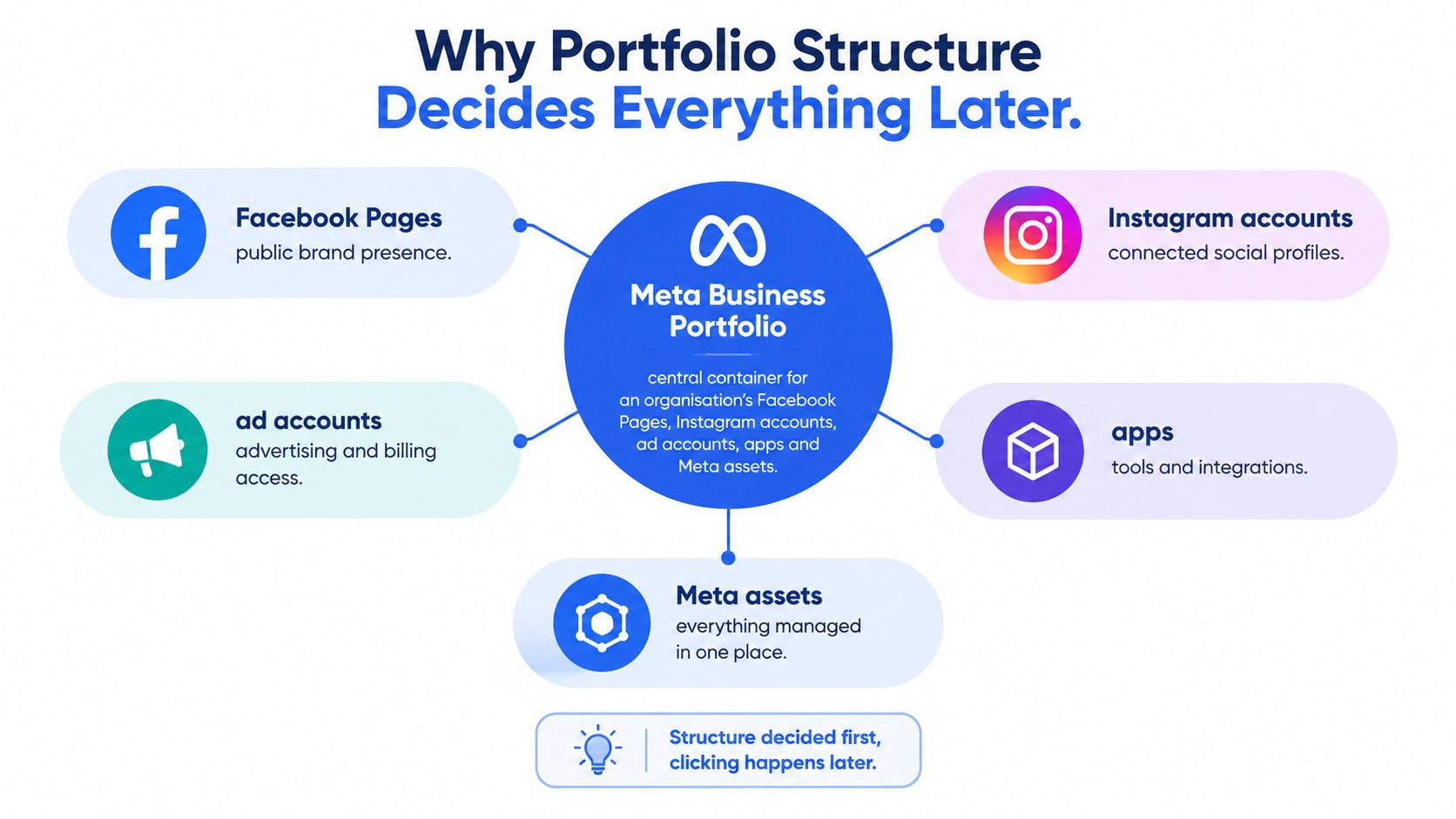
“Just create it under the agency and sort ownership out later” is bad onboarding advice. A Meta Business Portfolio is the central container for Pages, Instagram accounts, ad accounts, apps, and Meta Pixels, and each business asset can belong to only one portfolio. An agency should request partner access to client-owned assets rather than claim them into its own portfolio, as explained in Meta's business portfolio guidance.
The ownership map should be agreed before anyone starts connecting assets.
Build around the business, not the operator
An individual can create a maximum of two business portfolios, while still joining or managing additional portfolios created by other businesses, according to Meta's account-creation limit guidance. That makes a portfolio-per-client strategy under an agency employee's profile the wrong default.
The cleaner model is client ownership with agency access. The client retains its business infrastructure; the agency receives permission to do the work. Ending the relationship should require removing a partner, not negotiating control over the client's advertising identity.
Ownership rule: The person operating campaigns doesn't need to own the infrastructure those campaigns depend on.
Don't assume every brand requires a separate ownership container either. Start with the legal owner and operational responsibilities, then decide how assets should be grouped. Campaign segmentation and business ownership are different decisions.
Resolve the operating model before signup
Write down these decisions before creating anything:
- Portfolio owner: Identify the business that should retain the assets after an agency or employee leaves.
- Internal control: Name the people accountable for administration and recovery.
- Asset scope: List the Pages, Instagram accounts, ad accounts, and data assets involved.
- Payment responsibility: Agree who supplies the payment method and who handles billing questions.
Include customer-facing work in that map. If another team needs to manage Facebook buyer conversations, Million Dollar Sellers' resource is useful context for separating that workflow from paid-media responsibilities. A buyer managing acquisition shouldn't automatically become the administrator for every commercial activity attached to the Page.
The practical test is simple: if the agency relationship ended tomorrow, could the client keep operating without borrowing an employee's login? If not, fix the ownership model before launch.
Creating the Portfolio in Meta Business Suite
The naming is confusing because Meta has changed its management surfaces. Business Manager launched in 2014, Business Suite followed in 2020, and Business Manager is now commonly presented as a business portfolio within Business Suite; creating the account is free, while advertising incurs separate media costs, as summarized in Zapier's Business Manager overview.
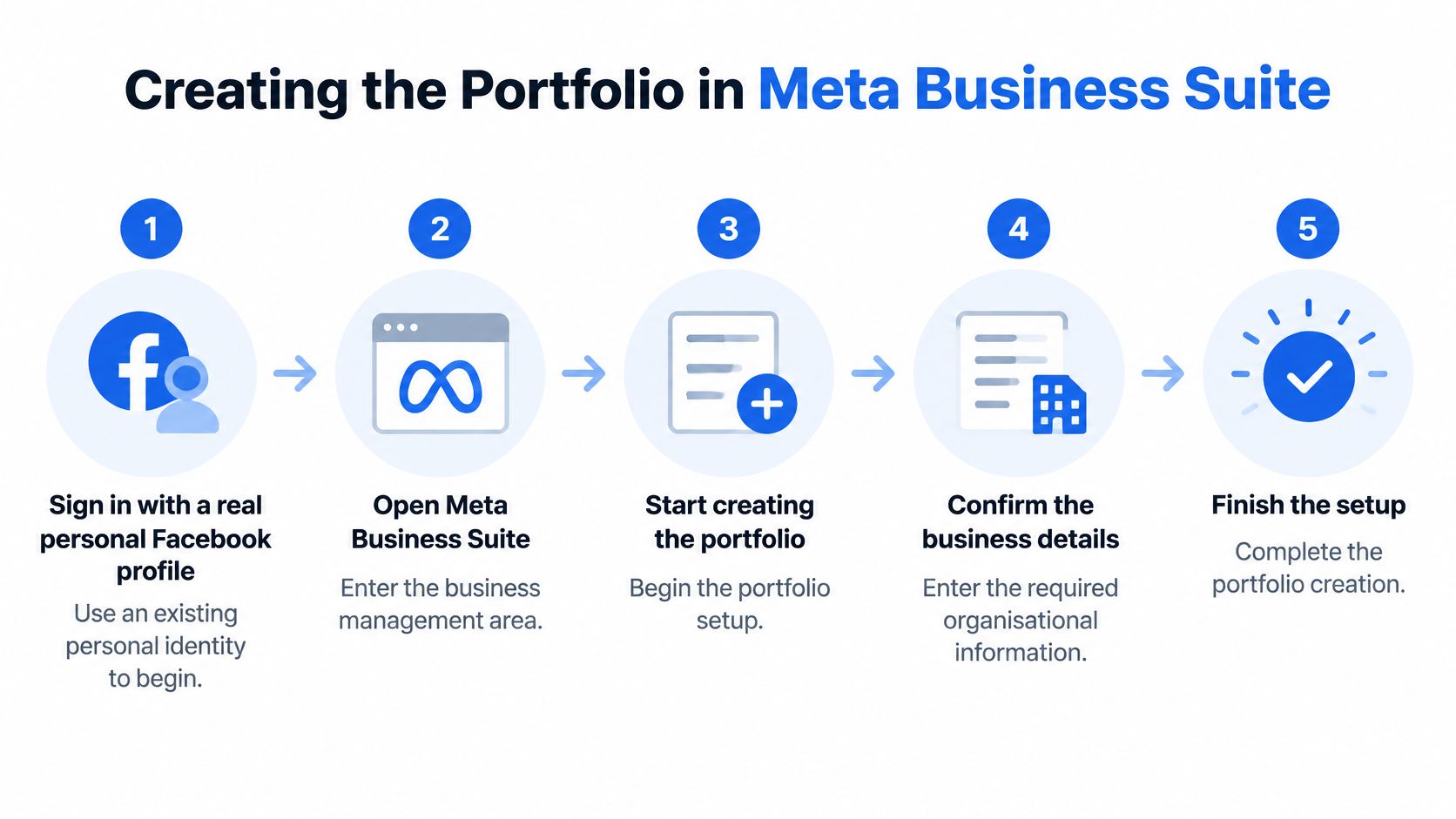
Use this flow as the setup sequence, not as a substitute for the ownership decisions above.
Complete the creation sequence
- Sign in with a real personal Facebook profile. Use the individual identity of an authorized business representative, not a shared persona created for the marketing department.
- Open Meta Business Suite or the business-management area. Check which business context you're in before creating another portfolio.
- Select Create a business portfolio. Don't confuse creating a portfolio with creating a Page or an ad account.
- Enter the organization's details. Prepare the legal business name, business email, country, and the administrator's personal details where requested.
- Complete creation and inspect access. Confirm the creator has full control, then record the exact details submitted.
Meta's portfolio setup and permissions guidance supports this workflow and distinguishes administrative control from asset and finance access.
Use a business email that the company can continue to administer. Before submitting the business name, compare it with the entity's records rather than copying a shortened brand name from a campaign naming sheet. Keep the submitted details in the onboarding record so later configurations don't depend on memory.
Keep the interfaces and identities separate
Business Suite is the management surface; the portfolio is the organizational container. Ads Manager is where buyers work on campaign delivery. The practical distinction is covered in this Facebook Ads Manager overview.
For distributed teams evaluating browser and network arrangements, Evoproxy's proxy guidance for social media teams is supplementary reading, not a replacement for legitimate identities or properly assigned permissions. Treat infrastructure decisions and access authorization as separate workstreams.
For a visual walkthrough of the setup interface, use this accompanying video.
Linking Pages, Ad Accounts and Pixels
A portfolio that exists isn't necessarily launch-ready. The useful question is whether the intended operator can access the correct assets, with the correct permissions, in the correct business context.
Start with an asset register containing the asset name, identifier, current owner, intended owner, and required users. Don't work from display names alone when a client has similarly named Pages or historical ad accounts.
Portfolio Asset Types and What Each One Controls
| Asset | What it governs | Access implication |
|---|---|---|
| Facebook Page | Public brand presence | Assign Page tasks independently of campaign work |
| Instagram professional account | Connected social identity | Confirm the intended account is available to the operator |
| Ad account | Campaign operations and advertising billing | Validate campaign access and finance access separately |
| Meta Pixel or dataset | Advertising data assets | Check that the buyer can access the intended data source |
| Catalog | Product assets | Test catalog access rather than assuming Page access includes it |
| App | Business application asset | Limit access to the people responsible for its operation |
Connect assets in a controlled sequence
Add or connect the business's own Page and Instagram professional account, then handle the ad account and required data sources. For an existing asset, establish its current ownership before selecting an ownership-related action. If it belongs in a different portfolio, resolve that relationship rather than creating a duplicate to get past onboarding.
The launch constraint is explicit: new portfolios initially have capacity to create one ad account. Meta says that can increase to three after a campaign delivers and a payment is made, while the broader limit depends on advertising spend, according to Meta's ad-account limit guidance.
Don't promise a regional account stack before checking available capacity. Build the client's portfolio and payment arrangements first, then design the account structure around what can be provisioned.
An account architecture drawn in a spreadsheet isn't a provisioned account architecture.
For tracking preparation, use Rebus Facebook Pixel advertising insights alongside a technical pixel implementation workflow. Keep ownership, implementation, and operator access as separate checks.
Finish by testing as the person who will launch campaigns. Confirm the intended Page and ad account appear, inspect pixel or dataset access, open the catalog where relevant, and have the responsible finance user verify billing separately. An administrator seeing everything doesn't prove the media buyer has what they need.
Assigning People Without Handing Over the Keys
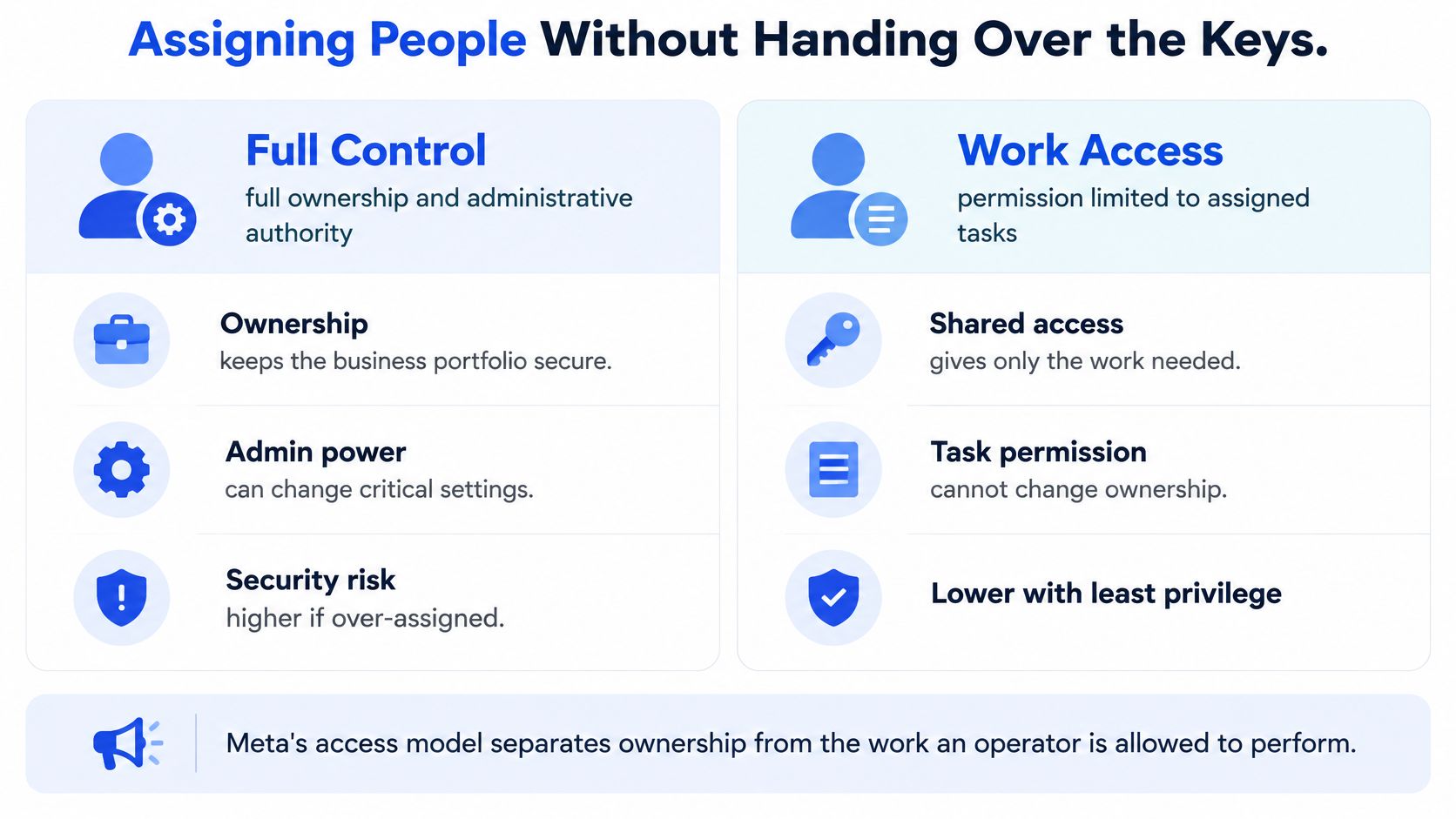
A buyer needs permission to operate campaigns, not permission to redesign the client's ownership structure. Full control and partial access aren't interchangeable labels for seniority.
Meta separates ownership from assigned work: full control includes all permissions for the asset, including deletion, while partial access limits the person to assigned assets or tasks. Its documented assignment sequence is to select the asset, choose Assign people, select the person, choose permissions, and click Assign, as described in Meta's asset-access instructions.
Use the distinction below when deciding who gets administrative authority.
Match permissions to the actual job
| Role | Recommended operating scope | Avoid granting by default |
|---|---|---|
| Business owner | Internal administrative authority | Access through an agency-controlled identity |
| Media buyer | Assigned advertising assets and campaign tasks | Portfolio-wide control or unrelated finance permissions |
| Creative contractor | Required content tasks | Billing, partner administration, or unrelated data assets |
| Finance user | Required invoices, payments, and transaction work | Campaign-editing permissions without a business need |
| Agency partner | Explicitly shared client assets | Ownership of the client's portfolio |
Adding a person to the portfolio isn't the final access test. Have them accept the invitation and perform the intended task. Use this ad-account access-sharing walkthrough when documenting the handoff.
Design recovery and offboarding together
Adopt a two-admin recovery rule as an operating policy, with named internal administrators rather than agency contractors. Individual accounts, a backup administrator, two-factor authentication, and permission reviews are recommended in this business continuity and access guide.
Require authentication safeguards before invitations or partner sharing. More administrators aren't automatically safer: redundancy helps recovery, but excessive full control gives a compromised user more authority.
Run an offboarding checklist whenever responsibilities change:
- Remove the departing user: Review their portfolio and asset assignments.
- Inspect partner access: Remove obsolete agency or contractor relationships.
- Reassign responsibilities: Transfer operational and finance duties before removing the only person handling them.
- Test continuity: Confirm remaining staff can complete essential work.
Schedule a quarterly access audit as an internal policy. Ask whether each person still needs each permission, not merely whether you recognize their name.
Business Verification and When to Actually Do It
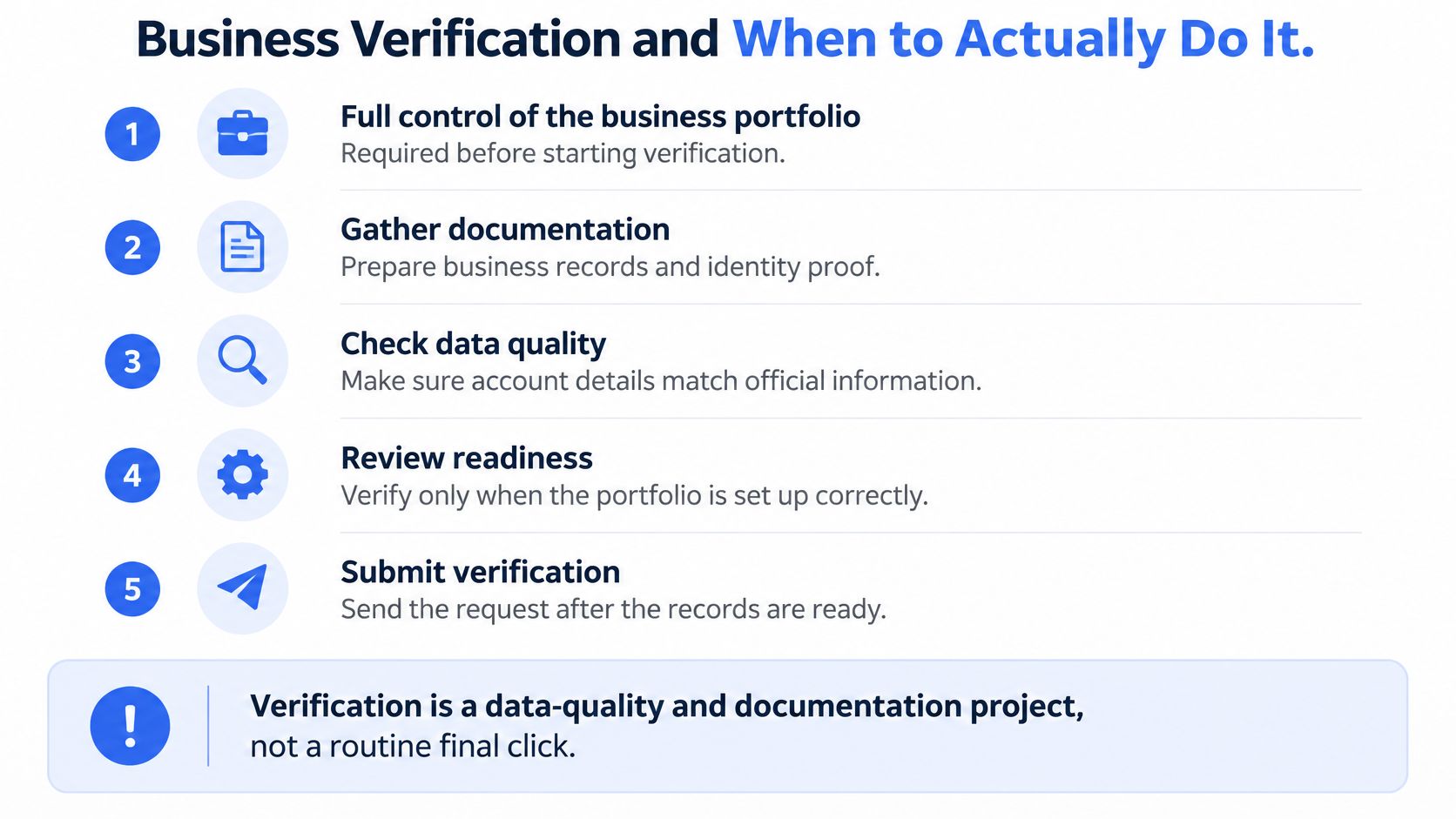
Portfolio creation, email confirmation, and business verification are different events. A working portfolio doesn't mean the business has completed legal verification, and a missing verification option doesn't necessarily mean creation failed.
Verification may only appear for eligible businesses, and some businesses can create a portfolio without being able to complete verification immediately. The distinction is discussed in Adplay's Business Manager setup guidance.
Prepare the evidence before treating verification as the next button to click.
Match the entity before submitting documents
Verification requires full control and may be needed for selected advertising, developer, billing, or spending capabilities. Meta may confirm the business relationship through email, phone, SMS, WhatsApp, or domain verification.
Prepare the legal name, address, phone number, and website exactly as they appear in authoritative records. If automated matching fails, accepted evidence can include an unexpired incorporation certificate, business license, tax-registration record, or equivalent government document.
Uploads generally support PDF, PNG, JPG, and JPEG files up to 10 MB; US examples include EIN confirmation or state registration, while UK entities may use Companies House documentation, according to Meta's business-verification requirements.
Use a readiness decision rather than a blanket rule
- Incorporated business: Compare the application against current legal records. Resolve address discrepancies and abbreviations before submitting.
- Trading-name brand: Identify the legal entity behind the brand. Don't assume branded website copy establishes the registered business identity.
- Sole proprietor or freelancer: Check the evidence available for the relevant country and business form. Don't invent company details to make the application resemble an incorporated business.
- Unregistered seller: Check eligibility and accepted documentation before assuming verification is available.
- Agency: Coordinate the submission with the client's authorized administrator and legal records, not the agency's details.
International businesses should check country-specific evidence rather than reusing another market's document checklist. Ensure the website loads over HTTPS and that displayed company and contact details don't contradict the application.
Submit when the identity, records, and required capability align, not simply because the portfolio is new.
Should an advertiser wait before launching? Check whether the intended capability requires verification and whether Meta presents a requirement or restriction. Don't delay solely because another onboarding checklist says verification always comes next, and don't assume verification can be ignored when the interface requires it.
Manual Ads Manager Setup vs Bulk Launch Tooling
Once ownership and permissions are correct, campaign production becomes a separate operating decision. Manual Ads Manager setup offers direct control over individual builds; bulk tooling is more useful when repetition, naming, and configuration checks dominate the workload.
Neither approach repairs a badly structured portfolio. A publishing interface can't turn an agency-owned client asset into a properly governed client asset.
Compare the work, not just the upload button
| Workflow concern | Manual Ads Manager setup | Bulk launch tooling |
|---|---|---|
| Creative uploads | Upload and inspect creatives during individual builds | Prepare and submit assets in batches |
| Naming conventions | Apply the convention during each build | Use supported rules or templates consistently |
| UTM tagging | Enter and inspect parameters during setup | Reuse configured tagging where supported |
| Creative enhancements | Inspect the selected settings during QA | Evaluate whether the tool can enforce the intended defaults |
| Multiple accounts | Confirm account context for each operation | Evaluate consolidated account selection and permissions |
| Format handling | Configure the intended format directly | Check support before committing the launch workflow |
Manual work is reasonable when the batch is small, the build is unusual, or the buyer needs close inspection of every configuration. It becomes less attractive when the same naming, copy, tagging, and structural decisions must be repeated across accounts and markets.
That doesn't make automation safer. A bad default applied consistently is still a bad default.
Validate the production workflow before scaling it
Run a representative launch through the proposed workflow. Include mixed creative formats, the naming convention used in reporting, required URL parameters, and the exact enhancement settings the creative team approved.
- Naming: Check both ad and ad-set names after publishing, not just in the upload interface.
- Creative intent: Review Advantage+ creative enhancements explicitly. Don't assume the intended settings survived because the asset uploaded successfully.
- Formats: Test aspect-ratio handling and Flexible Ads support where the campaign requires them.
- Account context: Confirm the destination ad account, identity, and required data assets before publishing.
- Handoff: Make sure another authorized buyer can understand and repeat the process.
Judge tooling by the operations it removes and the controls it preserves. A fast upload isn't useful if the team has to rename everything afterward or investigate which account received the batch.
The correct order is ownership, access, billing, then publishing workflow. Choose the production method before the launch queue becomes urgent, while there's still room to test its output properly.
Your Pre-Launch Checklist and First Move
Treat go-live as an acceptance test, not a celebration of finishing signup. The responsible owner, buyer, and finance user should each confirm their part of the setup.
Run the final acceptance check
- Ownership: Confirm the portfolio belongs to the intended business and the submitted identity is recorded.
- Control and security: Check recovery coverage and authentication requirements.
- Assets: Validate the Page, Instagram account, ad account, pixel or dataset, and catalog required for launch.
- Capacity: Compare available ad-account creation capacity with the proposed account structure.
- Permissions: Test the buyer's access and the finance user's access independently.
- Verification: Decide whether a required capability makes verification necessary now.
- Publishing: Complete a representative build and inspect its final settings.
Restrictions can affect the portfolio or an individual ad account. Meta can impose daily spending limits, lower payment thresholds, and payment-feature restrictions; a restricted portfolio cannot advertise, according to Meta's advertising-restriction guidance.
Create the portfolio with the correct legal identity and ownership model today. Then choose and test the launch workflow before committing the campaign batch, not after the creatives are waiting to publish.
Rapid Ads offers bulk creative uploads, reusable naming conventions, Advantage+ enhancement controls, and multi-account launch management once your portfolio is ready. Visit Rapid Ads to test your next campaign batch against the ownership, permissions, and publishing checks above.

