You can feel client account management falling apart before anyone says it out loud. The Slack pings never stop, a buyer is juggling twenty-plus Meta Ads accounts, naming conventions drift from client to client, permissions are all over the place, and reporting takes longer than the actual optimisation work. The campaigns are live, the numbers are moving, but the operating system behind them is held together with tabs, screenshots, and memory.
That's why this job stops being admin the moment you scale. Meta Ads Manager punishes inconsistency, and agencies that treat client management like a loose handoff process usually end up spending their best hours fixing avoidable mistakes. The teams that win build a structure around the work, not just inside the work.
Table of Contents
- Why Client Account Management Is the Hidden Revenue Engine
- Building an Account Hierarchy That Scales Without Breaking
- Onboarding Clients Without Sacrificing Access Control
- Automating Creative Launches at Agency Scale
- Setting Reporting Cadences and Client SLAs
- Scaling Multi-Account Operations and Avoiding Pitfalls
- Bringing It All Together
Why Client Account Management Is the Hidden Revenue Engine
A lot of agencies call this “ops” because it sounds smaller than what it is. In practice, client account management is the layer that keeps Meta budgets from leaking through bad handovers, messy access, inconsistent naming, and stale reporting. If the account owner can't tell what launched, who changed it, or which audience tier it belongs to, the account is already harder to grow.
The shift to centralised systems is not theory. By the mid-2010s, 74% of U.S. businesses had implemented a CRM system, 91% of businesses with more than 11 employees were using CRM, and that compared with 50% of firms with 10 or fewer employees (Salesgenie CRM statistics). For media buying teams, the lesson is straightforward, centralised data, task tracking, and renewal forecasting beat manual relationship tracking once a portfolio gets busy.
Practical rule: if an account can't be explained from its structure, permissions, and last three launches in under a minute, the account management system is too loose.
The same source reports 27% higher customer retention, 42% better sales forecasting accuracy, and an average 29% increase in sales revenue after CRM implementation (Salesgenie CRM statistics). You don't need to treat Meta Ads Manager like a CRM to see the parallel. Centralisation creates continuity, and continuity is what lets account managers protect performance while still finding room to expand.
For agencies, the breakpoint usually shows up the same way. One buyer can keep five accounts clean with manual habits. Fifty accounts need a system that survives holidays, staff changes, client calls, and launch pressure. Once the work gets that spread out, the hidden revenue engine isn't media buying skill alone. It's the operating discipline that keeps every account legible.
Building an Account Hierarchy That Scales Without Breaking
Start with the hierarchy, not the launch
A Meta account falls apart fast when the structure is improvised during a live build. The account holds the commercial relationship, the campaign carries the objective and budget decision, the ad set controls audience and delivery, and the ad holds the creative. Keep those layers separate, because once the team starts mixing them, reporting gets noisy and every handoff turns into cleanup work.
A naming system should tell you three things at a glance, who the client is, what the object is, and where it sits in the plan. Enforced naming is what keeps that readable. Rapid Ads supports custom naming conventions at both the ad and ad set level, which matters when you are launching 100 to 200+ ads across markets and need the account to stay legible under pressure. This is not decoration, it is how a multi-buyer team avoids losing track of what changed.
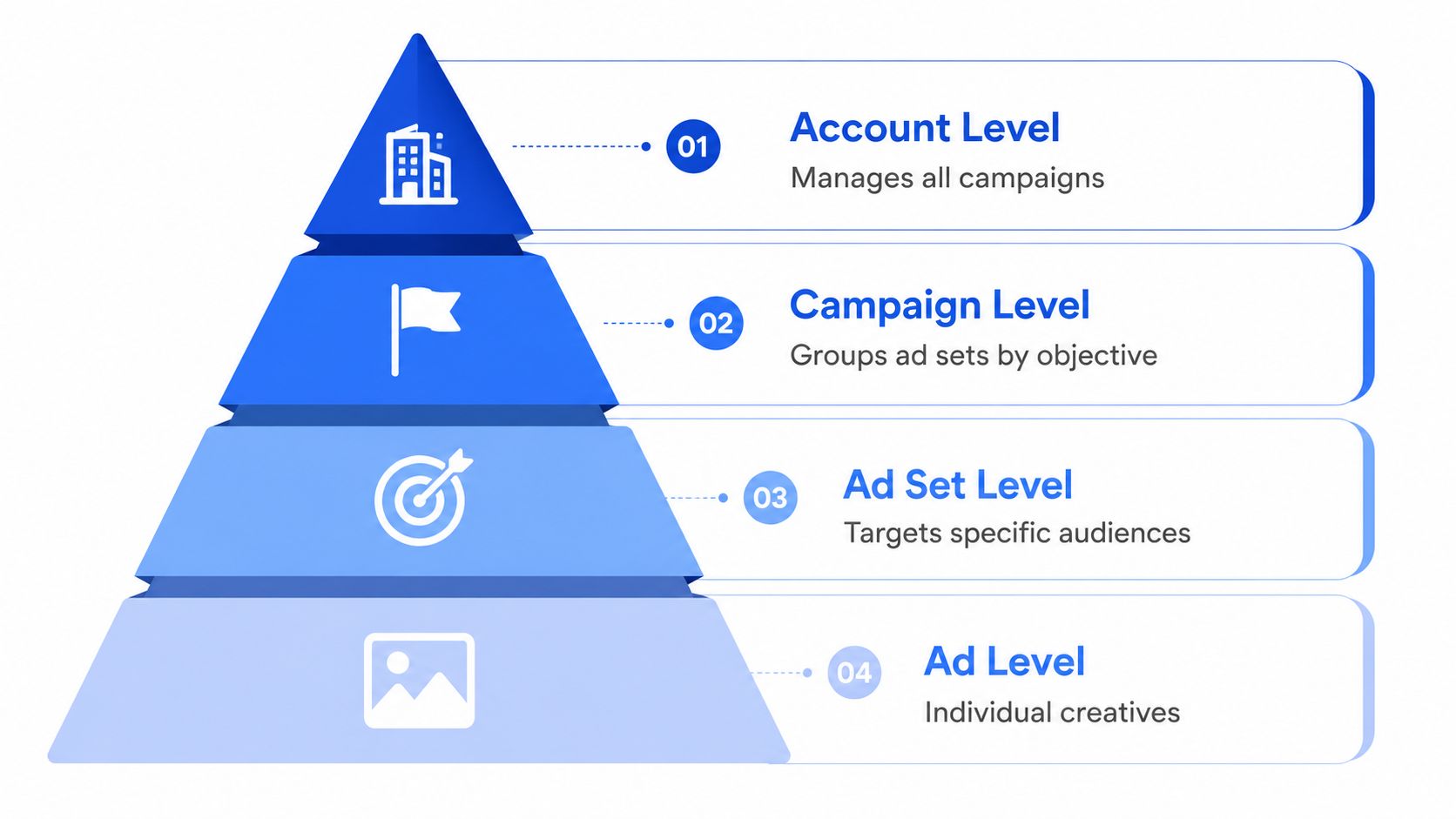
A structure that holds up in practice looks like this:
- Account level: client name plus market or business unit.
- Campaign level: objective plus funnel stage.
- Ad set level: audience type, placement mix, or geo.
- Ad level: creative concept, format, and version.
Tie the hierarchy to a tiering model, not to whoever built it first. Prospeo's framework scores accounts on revenue or size, industry fit, tech stack, buying signals, relationship depth, and competitive field, then places the strongest accounts into the highest-touch tier (Prospeo account management best practices). That maps cleanly to Meta work. Tier 1 accounts deserve stricter naming discipline, cleaner testing logs, and tighter campaign ownership because they carry the most risk if the structure gets messy.
Make the structure work for handoffs
A hierarchy that only makes sense to the person who built it will fail the moment someone else inherits it. A new buyer should be able to open Campaigns, Ad Sets, and Ads and see what changed last week without asking for a walkthrough. Keep the taxonomy boring, repeatable, and short enough that nobody feels the need to invent a personal version.
Keep the naming system dull on purpose. Creative should be interesting. Account structure should be obvious.
Tiering also saves time when the portfolio grows. A Tier 1 account should have a full strategic plan, a lighter-touch Tier 2 account can run on a cleaner but less detailed cadence, and Tier 3 can be monitored without the same level of attention (Prospeo account management best practices). In Meta terms, that means you do not give every account the same launch depth, the same build intensity, or the same review burden. The heavier process belongs where retention and expansion matter.
Onboarding Clients Without Sacrificing Access Control
Access should be controlled, not shared casually
The fastest way to lose control of a Meta account is to hand out access like it belongs in a team chat invite. Clients want visibility, internal specialists need access, and everyone wants speed. If you solve that by sharing admin credentials or leaving permissions vague, the first missing person or agency handoff turns into a cleanup job.
Use roles deliberately. Keep sensitive ownership with the smallest possible group, give operational users the access they need to build and edit, and give client stakeholders visibility without letting them rewrite the account structure. Shared ownership, centralised communication, and documented roles keep account drift from creeping in, which is the practical lesson from SalesMotion account management best practices.
A practical matrix looks like this:
- Admin: only the account owner or a small internal lead group.
- Employee: media buyers who need to build and edit campaigns.
- Finance: whoever handles billing or spend oversight.
- Analyst: client-side stakeholders who need reporting visibility without control.
That role separation works best when it sits inside a real onboarding checklist. Adobe's guidance is straightforward: research the client's history and competitive environment before the first meeting, create a feedback loop that records and acts on reactions, and keep training going after onboarding instead of treating launch as the finish line (Adobe account management guide). For Meta accounts, that means learning the brand's offer stack, seasonality, disallowed claims, and creative approval pain points before the first build even starts.
Use tools that reduce login sprawl
If you're scaling across multiple buyers, contractors, and specialists, one useful option is the Rapid Ads Team add-on, which lets colleagues launch ads on your behalf without sharing logins or Business Manager access. That matters less as a feature line and more as an operational safeguard. Fewer shared credentials means fewer accidental changes, and cleaner accountability when something breaks. It also keeps access reviews simpler when you are rotating freelancers in and out of a portfolio.
A good onboarding sequence is short and repeatable:
- Map stakeholders first. Know who approves creative, who checks spend, and who wants reporting.
- Confirm access boundaries. Decide who can build, who can review, and who only needs visibility.
- Document the first feedback loop. Make sure comments from launch feed back into the next build.
- Train past onboarding. Keep the client updated on how changes are made, not just what changed.
Practical rule: if two people can change the same account setting without a clear owner, it isn't a process, it's a gamble.
The biggest payoff here is continuity. Strong onboarding stops the account from becoming dependent on one buyer's memory. It also makes client communication calmer, because the client can see who owns what instead of asking three people the same question.
Automating Creative Launches at Agency Scale
Manual uploads break down fast
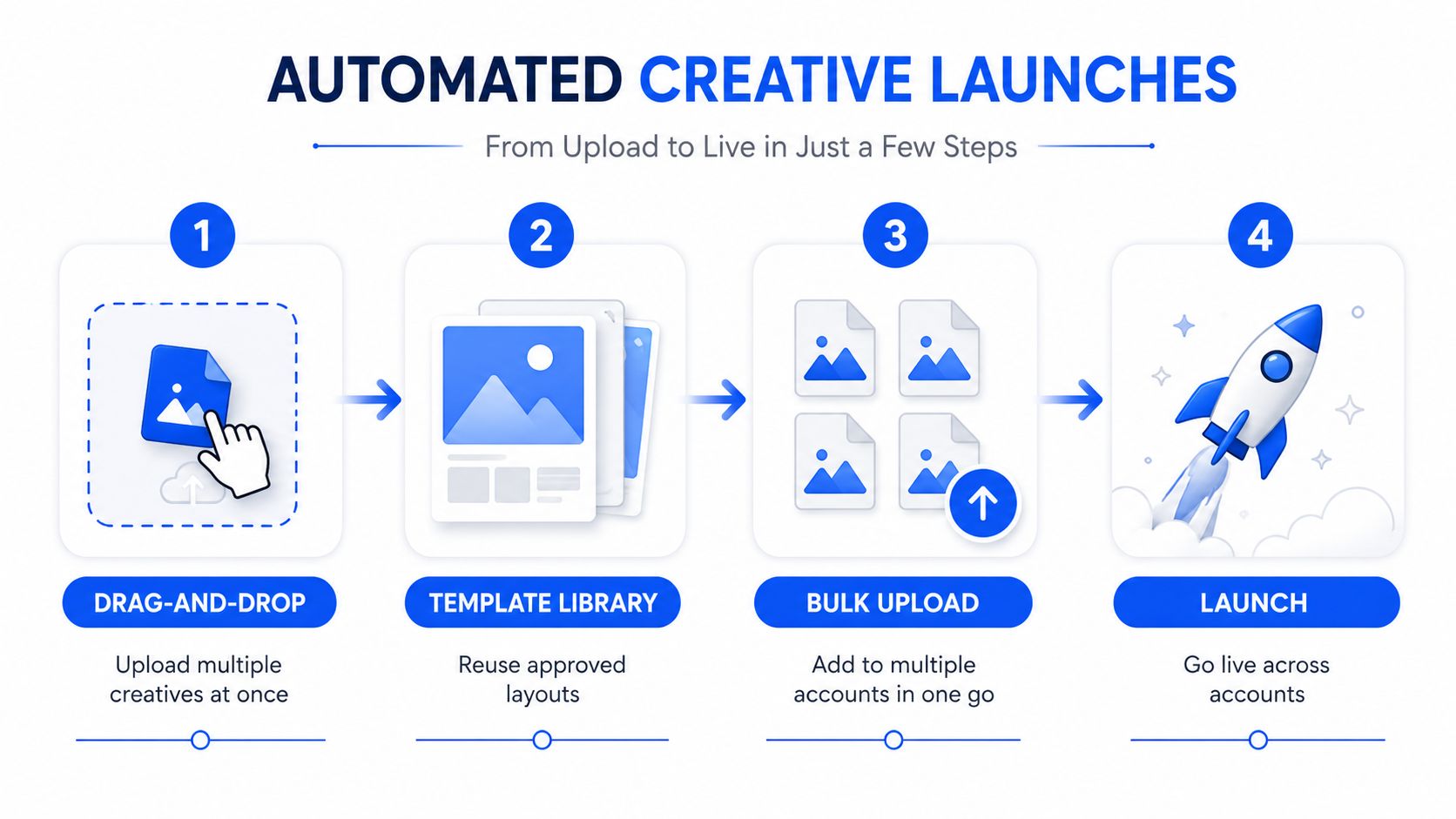
The old Ads Manager workflow is where time disappears. One-by-one creative uploads, repeated naming, copy pasting UTMs, checking aspect ratios, and babysitting Advantage+ settings can eat a day when the batch is big enough. In Rapid Ads, that same type of batch work becomes a bulk launch flow, with drag-and-drop upload, automatic aspect-ratio detection, Flexible Ads support, UTM tagging, and one-click publishing all in the same workflow.
The operational difference is obvious when you're launching volume. Manual Ads Manager work typically takes 6 to 8 hours for 100 ads, while Rapid Ads reduces that to 5 to 13 minutes per 100 ads. Those numbers matter because they change the shape of the job. Instead of spending the day on mechanical setup, the buyer can spend that time on creative review, audience logic, and post-launch analysis.
Use the workflow in the right order
A clean bulk launch process usually runs like this:
- Drag and drop the assets. Get images, videos, and copy into the system together.
- Let the platform sort format. Rapid Ads auto-detects 1:1 and 9:16 assets and routes them into the right ad sets.
- Lock the settings you don't want changed. Its Advantage+ auto-disable helps keep unwanted creative enhancements from reactivating.
- Bundle and publish. Flexible Ads let you package multiple creatives in a single ad setup, then launch in one go.
That last point is useful because creative testing in Meta isn't just about volume, it's about reducing configuration mistakes. When feeds and Reels assets are mixed in a batch, manual sorting gets ugly fast. Auto-detection removes a layer of sorting before the launch even reaches the platform.
A lot of teams still overuse individual build logic when bulk ops would be cleaner. Use individual ad configuration for edge-case placements, special approvals, or accounts with unusual compliance rules. Use bulk operations for the common path, especially when the creative system is already approved and the variables are the audience, hook, and format.
The moment a launch checklist has more copy-and-paste steps than judgment steps, it's ready for automation.
Rapid Ads also supports AI-applied targeting, ad copy generation, copy templates, CSV import, and quick actions like Duplicate Ad Set and Copy-From / Copy-To, which is useful when a team is building the same framework across multiple accounts. The point isn't that every workflow should be automated. The point is that the repetitive parts should stop stealing the time that should go into testing and optimisation.
Setting Reporting Cadences and Client SLAs
Stop reporting everything and start reporting what can be acted on
A client does not need another deck full of screenshots from Meta Ads Manager. They need a reporting rhythm that shows what changed, why it changed, and what the next move is. Strong account management guidance points to a closed-loop feedback system, with baseline metrics before launch, regular relationship surveys, and transactional surveys after specific touchpoints, as outlined by Statisfy account management best practices. For performance marketers, that translates into reporting that confirms the starting point, flags drift early, and ties a bad week in account performance back to the underlying cause, whether that is creative fatigue, audience saturation, or a delay in approvals.
The same guidance also pushes driver questions and follow-up probing, including asking why a client scored a touchpoint the way they did and using techniques like the Five Whys to get to the root issue, as noted in Statisfy account management best practices. That matters because a bad CPA readout is often a symptom, not the problem itself. I have seen clients blame media buying when the issue was slow creative sign-off, a broken naming convention, or no clear owner for budget changes between the buyer and the account lead.
Kapta's account management stats also help set the pace. Their research says only 29% of B2B customers are fully engaged, that 40% of customers who are very satisfied with their account manager are fully engaged versus 13% when they are not, and that companies delivering strong customer impact have 72% more engaged customers (Kapta account management stats). Those benchmarks are useful because they show why reporting cadence is not a style choice. It affects whether a client stays attentive, or drifts until the next performance drop forces an awkward call.
Match the SLA to the tier
| Account Tier | Response SLA | Review Cadence | Primary Contact |
|---|---|---|---|
| Tier 1 | Same business day | Weekly check-in, monthly performance review | Lead buyer or account director |
| Tier 2 | Next business day | Fortnightly check-in, monthly or bi-monthly review | Buyer or strategist |
| Tier 3 | Two business days | Monthly review or issue-based check-in | Account manager or support lead |
The table is not about polish. It makes the service level visible before a client assumes a different level of access than the team can support. A Tier 3 account that gets treated like a Tier 1 account will burn time you need for accounts that are actively scaling. A Tier 1 account treated like a passive monitoring account will start to feel neglected, even if delivery is technically fine.
Practical rule: if the client asks for the same update every week, your reporting still does not answer the questions they care about.
A strong SLA also needs internal ownership. SalesMotion recommends a RACI chart, a central issues log, and severity levels like Critical, High, Medium, and Low so teams prioritise and resolve problems consistently (SalesMotion account management best practices). That works in agency media buying because the failure is rarely the report itself. The failure is usually unclear accountability when an issue moves across buyer, strategist, and creative. One person owns the client update, another owns the fix in Ads Manager, and a third owns creative turnaround. If that split is not written down, the client ends up waiting while the team argues about who should answer first.
Scaling Multi-Account Operations and Avoiding Pitfalls
Don't treat every dormant account like a future winner
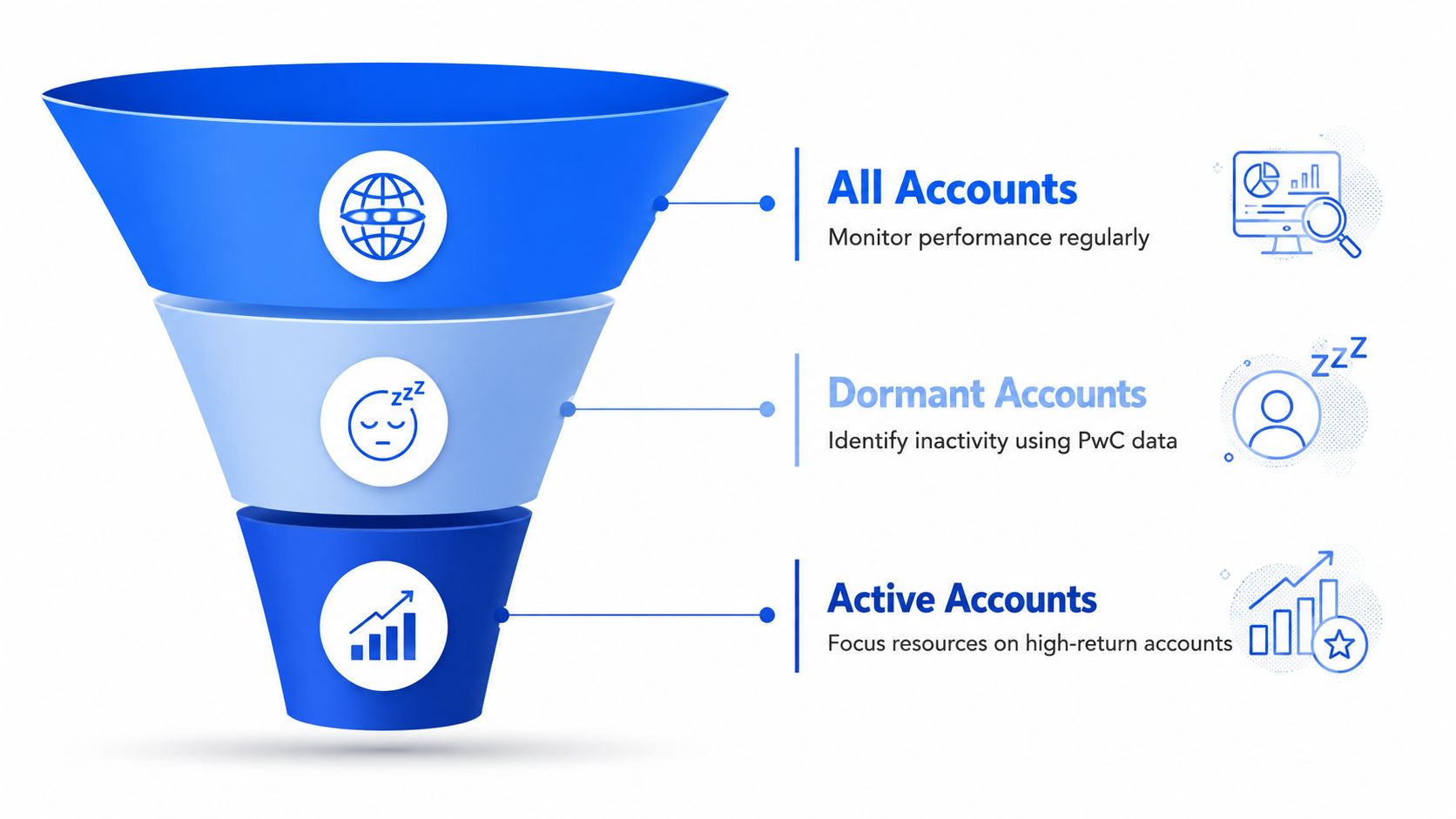
A quiet account still takes time. It still needs checking in Ads Manager, still needs someone to notice when approvals slow, and still needs a call when performance goes flat. PwC's analysis of under-engaged client accounts points to a common problem, teams leave value on the table when they do not identify which accounts are drifting or plan a way to bring them back into motion (PwC under-engaged client accounts).
In agency work, that usually shows up as an account with weak communication and very little change velocity. It keeps pulling attention away from accounts that are scaling. The fix is to triage before you expand. Segment accounts by risk, stabilise the relationship first, then decide whether it makes sense to rebuild a testing roadmap or keep the scope tight. PwC's guidance also supports A/B/C style risk segmentation and a 30/60/90-day stabilization plan before any expansion work starts (PwC under-engaged client accounts). That is a cleaner use of team time than piling more campaigns onto an account that is already drifting.
Use multi-threading to reduce single-point failure
A Tier 1 Meta account should never rely on one champion inside the client team. Build relationships across at least 3 to 5 contacts across functions and seniority levels so the work does not stop when the original contact leaves or an internal reorg hits (Prospeo account management best practices). In practice, that usually means one marketing lead, one operator, one finance or approvals contact, and one senior stakeholder who can unblock problems.
The signs of drift show up before churn. Response times slow down, creative approvals stall, reporting gets skimmed instead of discussed, and the client starts asking basic questions that used to be covered on regular calls. That does not always mean the account is gone. It does mean the account needs intervention, not just more optimisations.
A useful decision framework is simple:
- Consolidate when two accounts serve the same brand and create duplicate reporting or duplicated audiences.
- Retain but reset when the account is viable but the communication rhythm has collapsed.
- Sunset when the relationship is unmanaged, the economics are poor, and the client will not engage in a recovery plan.
The worst mistake is pretending every account deserves the same energy. It does not. Tier 1 deserves deep coverage, Tier 2 deserves disciplined maintenance, and Tier 3 should be watched without being over-served. That is how agencies protect team capacity without letting revenue quality slip.
Bringing It All Together
The playbook is straightforward. Structure the account so everyone can read it, control access so ownership stays clear, automate launches so buyers stop wasting hours on repetition, and set SLAs so clients know what to expect. If one of those pillars is weak, fix that first instead of trying to redesign the entire agency at once.
The fastest wins usually come from auditing naming conventions, tightening permissions, or removing manual launch steps that don't need human attention. Once that's stable, the account manager can spend more time on what moves performance, creative judgment, client trust, and re-engagement.
If you're trying to scale Meta work without losing control, Rapid Ads gives you a way to bulk launch creatives, enforce naming conventions, and keep Advantage+ settings from drifting on you. Visit Rapid Ads if you want a cleaner launch workflow that fits the way agency media buying works.