Most advice on how to scale Facebook ads starts with the wrong signal: a green day. One day of efficient delivery can be a cheap pocket of traffic, delayed attribution, or ordinary variance. It doesn't prove the campaign can absorb more spend.
Treat scaling as a sequence of small, reversible moves. Hold the structure still, compare results with a stable baseline, and decide in advance what would make you stop. The point isn't to avoid volatility. It's to keep a volatile account readable enough to act on.
Table of Contents
- When a Facebook Ad Set Is Ready to Scale
- Budget Moves That Hold CPA
- How to Raise Spend Without Resetting Learning
- Audience Expansion After the Winner Saturates
- KPIs That Say Scale or Pull Back
- Creative Rotation and This Week's Cycle
When a Facebook Ad Set Is Ready to Scale
A $150-a-day ad set with a $28 CPA against a $30 target, 62 purchases in seven days, and stable results across the last three full days is eligible to scale. The same $28 CPA on just $40 of spend isn't: a handful of conversions can make an average look convincing without showing that delivery can sustain it.
Use the three-day window as the decision gate. The chosen optimisation event, whether purchase or lead, should have about 50 events in seven days. On each of the last three full days, CPA should be at or below target, or no more than 15% above it. Spend across the window should reach at least three times target CPA, so the average isn't resting on a tiny amount of spend.
Before deciding, inspect the ad set's delivery status and recent change history. Don't scale during learning, within 48 hours of a major edit, or while billing problems or rejected creatives remain unresolved. Those are not performance signals to work around; they're reasons to wait until delivery and measurement are interpretable.
Check quality alongside cost. Keep cold frequency under 2.5, and make sure link CTR hasn't fallen more than 15% against the prior seven days. If you're still deciding which ads deserve more budget, identify profitable Meta ad creatives by comparing their actual outcomes, not just their best-looking day.
Before every budget edit, ask one question: Has this ad set passed the gate on enough spend and stable results? If the answer isn't yes, don't scale it.
Budget Moves That Hold CPA
Pick one row before opening Ads Manager. Make that move the only change to the relevant campaign or ad set for the next three days.
| Move | Change | Stop if |
|---|---|---|
| Vertical budget raise | Raise the existing daily budget by 15–20% | CPA is 30% worse for two days |
| Horizontal duplicate | Clone the winner at 50–70% of the source's daily spend; leave the source untouched | Audiences overlap or clone CPA is worse than the source |
| CBO campaign raise | Raise campaign budget by 20%; make no ad set edits that day | Spend shifts to a weak ad set |
| ABO winner isolation | Move the winner into its own campaign at its proven daily spend | Learning CPA stays above target |
| Cost or bid cap loosen | Loosen the cap by 5–10% only | Delivery spikes and CPA breaks |
| Advantage+ or ASC | Raise budget by 20%, with minimal structural edits | Blended CPA leaves the account floor |
Choose the move before the edit
Use a vertical raise when cold frequency is still under 2.5, CPA is inside the three-day gate, and you can leave targeting and creative alone. Increase the existing budget by 15–20%, then wait 48–72 hours before the next step. Continue only if CPA stays within 20% of the three-day baseline. If CPA is 30% worse for two consecutive days, return to the last stable budget. Don't try to rescue the result by changing targeting at the same time.
A horizontal duplicate is for adding spend without touching the source ad set. Launch the clone at 50–70% of the source's daily spend, and avoid running two identical audiences against each other on the same day. If overlap or worse CPA makes the clone a poor addition, stop it rather than rewriting the original.
For CBO, raise the campaign budget by 20% only when several ad sets already share that campaign and you won't edit any of them that day. Watch where delivery goes: a bigger campaign budget isn't a win if spend shifts toward an ad set that can't meet the account's economics. For a mixed ABO campaign, isolate the winner in its own campaign at the spend it has already proved. This makes the budget decision easier to read, though the isolated ad set still needs to perform after the move. For a comparison of the trade-offs, see this guide to CBO versus ABO campaign structure.
A looser cost or bid cap isn't a budget increase. Loosen it by 5–10% only after delivery is healthy and the budget steps are already delivering. Advantage+ and ASC get the same 20% budget ceiling and almost no structural edits on the day of the change.
Each new step carries a short learning risk. Keep to one change per ad set per 72 hours. Pick one row, not a mix, for the next three days.
How to Raise Spend Without Resetting Learning
Run one cycle on a winning purchase campaign. The objective isn't to make every edit risk-free. It's to make the result attributable: if CPA moves, you should know which change preceded it.
Export the last seven days at ad-set level. Confirm the chosen event has about 50 events, the three-day results are stable, and the spend is substantial enough to read. Compare the same reporting window and attribution settings you use for your baseline.
Duplicate or select the object you intend to change, then name it clearly. Include date, geo, objective, and budget so the new version doesn't disappear into an account full of near-identical rows. For example:
US_PUR_CBO_2026-04-02_150.Make one budget move. For a vertical scale, change only the daily budget by 15–20%. For a horizontal scale, leave the source untouched and launch a clone at 50–70% of its spend, using the same optimisation event.
Hold the rest of the setup constant. Leave placements, ages, and creative untouched for 72 hours. The common failure is publishing a budget increase, creative swap, and audience change together. That can push delivery back into learning and makes any CPA movement impossible to attribute.
Review at the planned checkpoints. At 48 hours, check for a problem that needs an early stop. At 72 hours, compare CPA, amount spent, and results with the pre-scale three-day baseline, not yesterday's number. A single favorable day isn't a new baseline.
Schedule the next move or revert. If CPA is within 20% of baseline, schedule the next 15–20% step after the hold period. If CPA is 30% worse for two days, revert the budget and don't stack an audience edit onto the same object.
A $200-to-$240 step that holds is a successful cycle. A jump from $200 to $500 isn't a faster version of the same move; it makes a much larger bet before you know how the campaign handles additional spend.
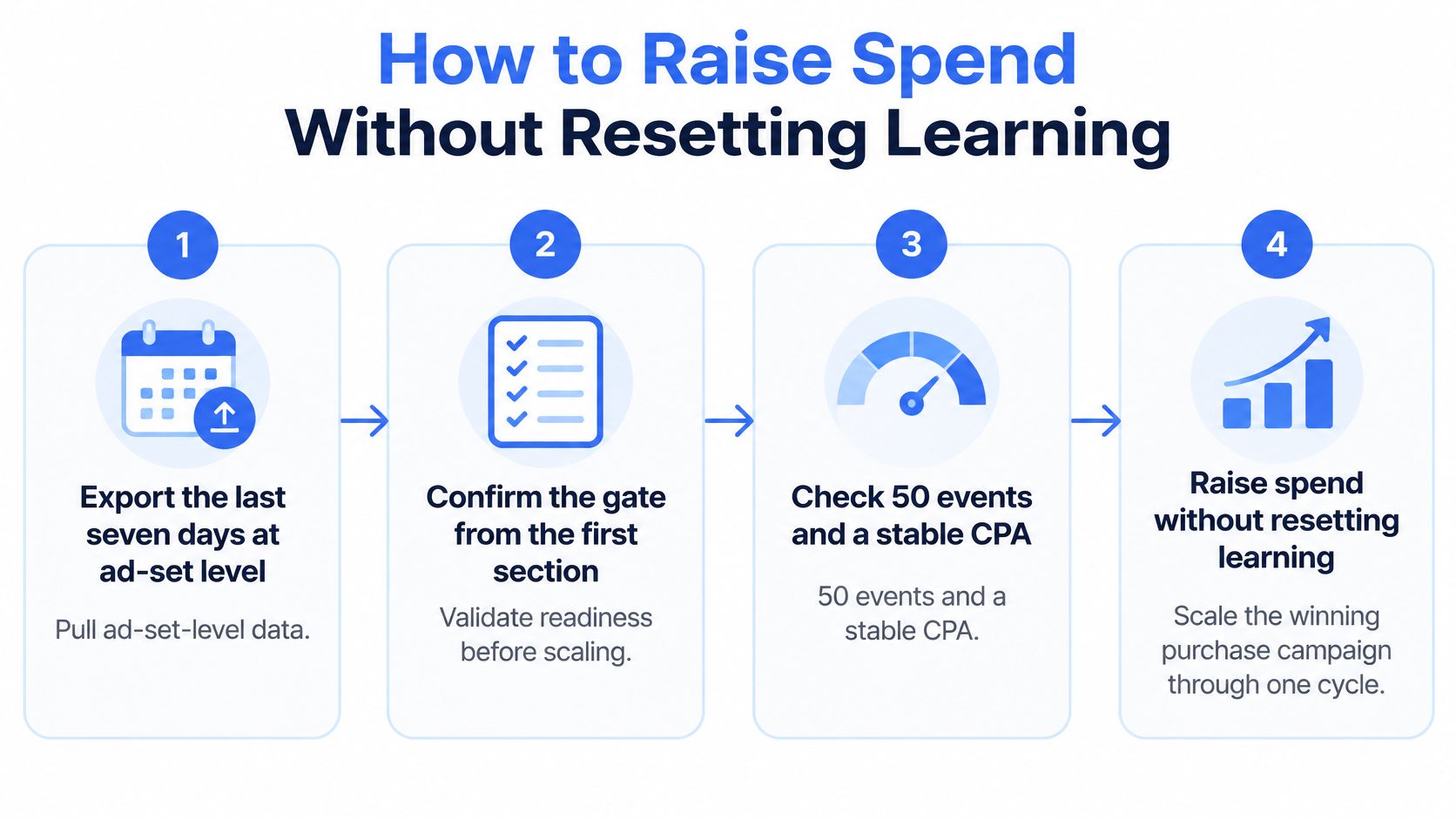
The cycle works only if your event reporting is trustworthy. If Ads Manager shows an abrupt change that doesn't fit spend or delivery, check the event setup before treating it as an auction result.
Audience Expansion After the Winner Saturates
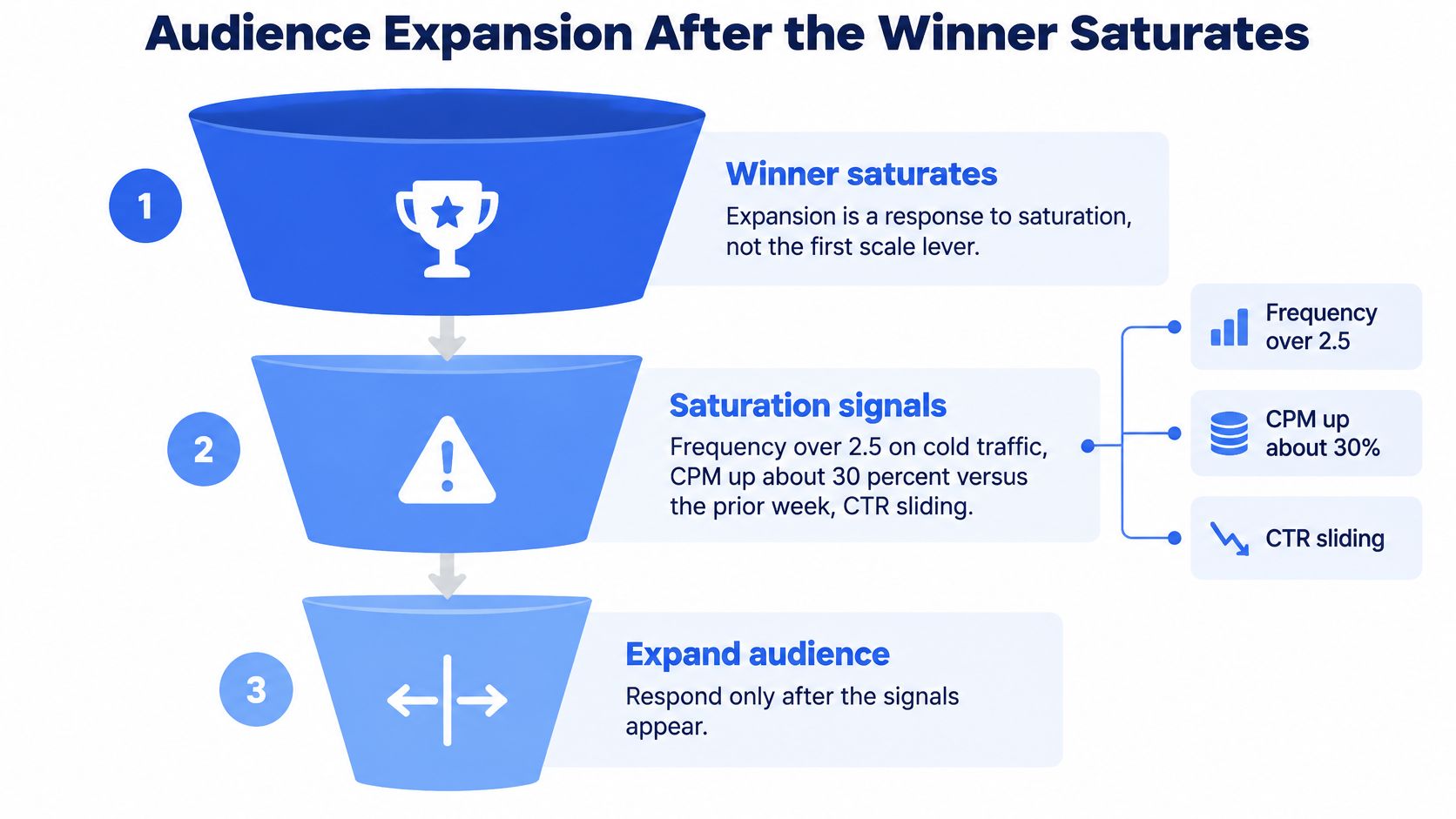
Audience expansion is a response to saturation, not the first scale lever. Look for a cluster of signals: cold frequency above 2.5, CPM up about 30% against the prior week, and CTR sliding while CPA drifts, with no recent change to the ad itself. A single metric moving on its own doesn't prove the audience is exhausted.
Expand in order, and stop when there's room
Start with the least disruptive move: broaden the existing ad set. Relax a tight interest stack or raise the age bands by about five years. Don't introduce a brand-new concept before you've tested whether the existing winner has room to reach more people.
If the audience is still constrained, test a 1% lookalike from purchasers or high-value leads in the same country. Move to 1–3% only after the smaller lookalike holds CPA. Keep the seed audience excluded from the lookalike so you're not paying twice for the same people.
A new geo is another expansion route, but it needs its own test budget. Start near five times target CPA in daily spend, not at the scaled budget the home market has already earned. A new market can differ in delivery costs and response, so don't assume the home-market result transfers.
Keep prospecting exclusions tight by excluding purchasers. Set retargeting its own budget, often 10–20% of prospecting spend, with a separate frequency ceiling near 8. Retargeting shouldn't be used to conceal a cold CPA problem: it reaches people who already know the business, so its results don't answer whether prospecting is healthy.
Don't launch broad, a 1% lookalike, and a heavily overlapping interest set on the same day. Test one new audience per 72 hours and judge its CPA after learning. If you use Advantage+ audience expansion, leave the control ad set running; without a control, cheaper delivery can be hard to distinguish from spending more. For additional setup considerations, consult this guide to Meta Ads targeting.
KPIs That Say Scale or Pull Back
If CPA is about 30% worse for two consecutive days, pull back to the last stable budget. Don't start optimising by changing several settings at once. First identify which metric broke, then make the single response that matches it.
| Metric | Hold if | Pull back when | Action |
|---|---|---|---|
| CPA or cost per result | Within 20% of three-day baseline | About 30% worse for two days | Revert to last stable budget |
| ROAS | At or above account floor | Below floor for two days after learning | Cut the newest step only |
| Cold frequency | Under 3.5, without falling CTR | Over 3.5 with falling CTR | New creative, don't add budget |
| CPM | Near prior-week level | Up about 30% with no seasonality | Narrow geo or audience |
| Outbound CTR | Within 15% of the ad's first seven days | Down 20% or more | Retire the ad, ship a new concept |
| Weekly optimisation events | About 50 per ad set | Learning limited under 50 | Consolidate; don't raise the weak set |
Match the diagnosis to one action
For a budget-only miss, revert to the last stable daily budget and wait 72 hours before deciding on another move. If frequency is high and CTR is falling, replace the creative rather than raising the budget. If CPM jumps in one country while the rest of the account is steady, narrow the geo instead of changing bid strategy.
A sudden zero-result day calls for checks before edits. Inspect billing, rejected ads, and pixel events; a delivery or measurement fault can look like a performance collapse in the reporting view. If an ad set is learning limited and hasn't reached about 50 weekly optimisation events, consolidate spend into fewer ad sets instead of raising the weak one.
Review at 48 hours to catch a serious miss. Make the decision on the next 15–20% step at day 7, once the results can be compared with the baseline. A Meta Ads reporting workflow can help keep the relevant columns and comparisons consistent.
Operating rule: One variable per change, judged against the baseline, or the account becomes unreadable within a week of scaling.
Creative Rotation and This Week's Cycle
More budget exposes the weakness of a thin creative bench: the same few ads absorb additional delivery, and the account has no ready replacement when one starts to fade. Treat creative as a pipeline, not a rescue task after CPA has already broken.
Keep four to six active ads per ad set. Once daily spend passes a few hundred dollars, introduce two to four new concepts each week. Retire an ad if its CTR has fallen 20% or more against its own first seven days, or if frequency is carrying the impressions and performance is softening.
Test concepts, not cosmetic variants
Judge a concept on thumb-stop and CPA after it has spent roughly one to two times target CPA per ad. Day-one CTR can help flag an obvious miss, but it's a weak basis for deciding that a concept can carry scaled spend.
Rotate the argument, not just the colour treatment. Test a different offer, proof point, objection, or demonstration. When a winner has useful social proof, keep its Post ID where the setup allows it, rather than rebuilding the ad and discarding the engagement attached to the original.
Flexible ads can combine assets once you trust the account's ability to test them. They're less useful as a substitute for learning which concept won: a blended result may show that a bundle can deliver, but not which argument deserves the next brief. If you're also streamlining creative production across channels, TikTok ad workflows on RenderIO offer a useful comparison point for organising that work.
Book one move, then protect the read
This week, if the winner fails the three-day gate, don't scale it. If it passes, book one move: a 15–20% vertical raise, or one horizontal duplicate at 50–70% of source spend. Put the revert condition beside the budget change, schedule a 48-hour check and a day-7 decision, then leave the object alone during the hold period.
Name each launch with its concept, format, ratio, hook, and date. For teams launching in batches, Rapid Ads can apply naming rules across ad sets and creatives, launch a whole batch to Meta Ads with one click, and auto-disable unwanted Advantage+ enhancements so a setting change doesn't alter the creative. In one comparison, 100 creatives took 1 hour 57 minutes by hand, while Rapid Ads launched the same ads in 8 minutes 39 seconds. That kind of operational time saving matters when the alternative is to let manual uploads and inconsistent names delay the next controlled test.
Judge new ads against the same CPA baseline as the budget move. If the winner weakens, you'll be able to tell whether the audience, the spend, or the creative changed first, rather than trying to reconstruct several simultaneous edits.
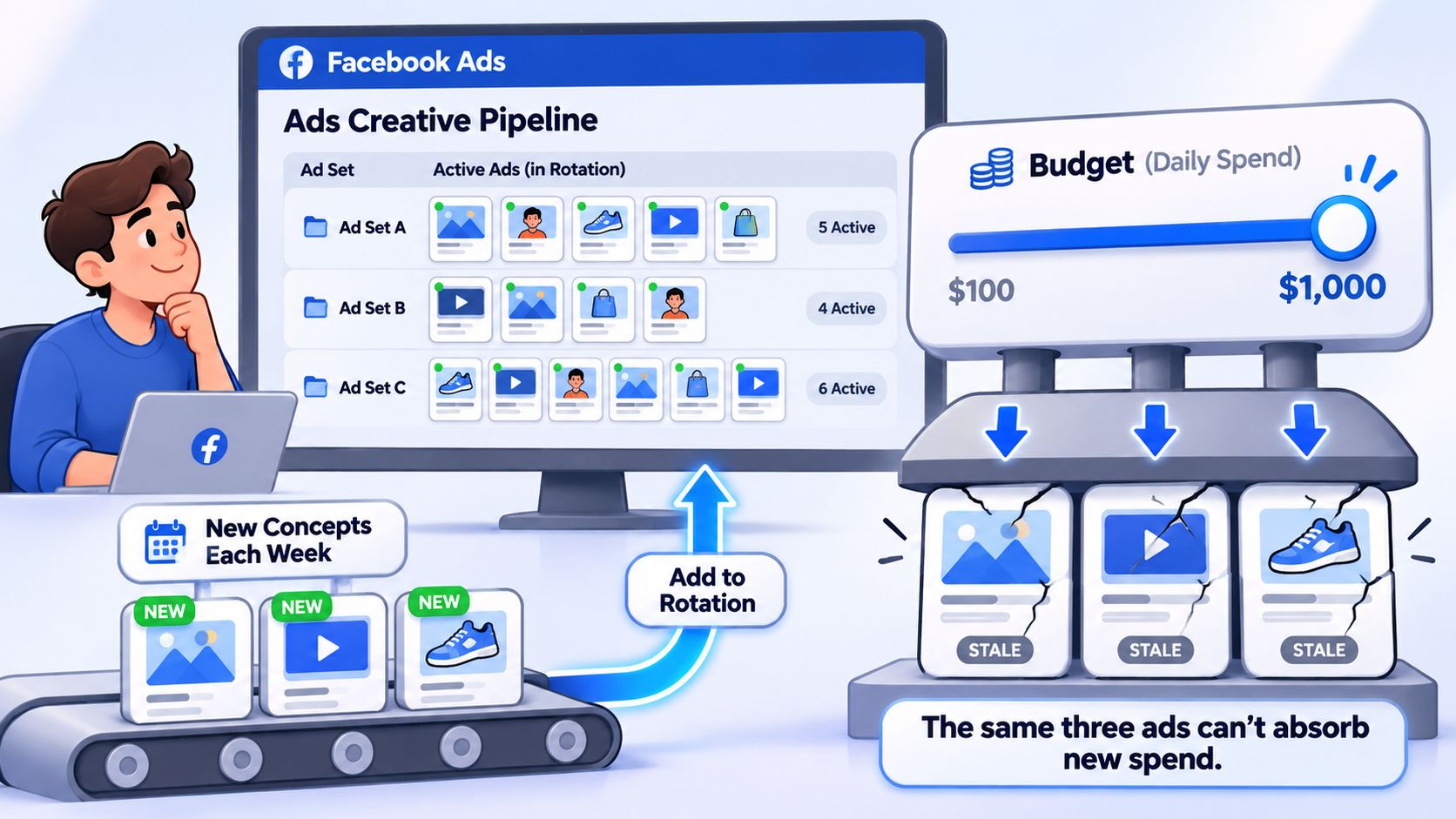
Rapid Ads streamlines bulk creative uploads, naming conventions, and Advantage+ enhancement controls, so your team can spend less time on repetitive Ads Manager setup and more time reading the results of controlled scale moves. If that's the operational bottleneck in your account, visit Rapid Ads to see how it fits your launch workflow.
