Meta's 2025 advertising revenue was $196.175 billion. Across its Family of Apps, ad impressions rose 12% year over year, while the average price per ad increased 9%. The figures show that revenue can grow through more delivery, higher pricing, or both. A campaign's spend or attributed revenue can also shift without a corresponding change in demand.
For performance marketers and agency owners, a useful report aligns date ranges and conversion windows before comparing Meta with backend records. Then separate timing differences from event-count discrepancies and genuine revenue gaps. Platform ROAS remains an optimization signal, not proof of incremental growth. Calibrate it against incrementality evidence, and treat changes as directional when attribution settings or reporting dates do not match.
Table of Contents
- Why Meta Ads Reporting Misleads Buyers
- How Attribution Windows Change the Numbers
- Reading Breakdowns and Core Metrics
- Reconciling Meta Results with Backend Revenue
- Fixing Naming Drift and Advantage Plus Noise
- Exporting and Automating Repeatable Reports
- A Reporting Template You Can Run Weekly
Why Meta Ads Reporting Misleads Buyers
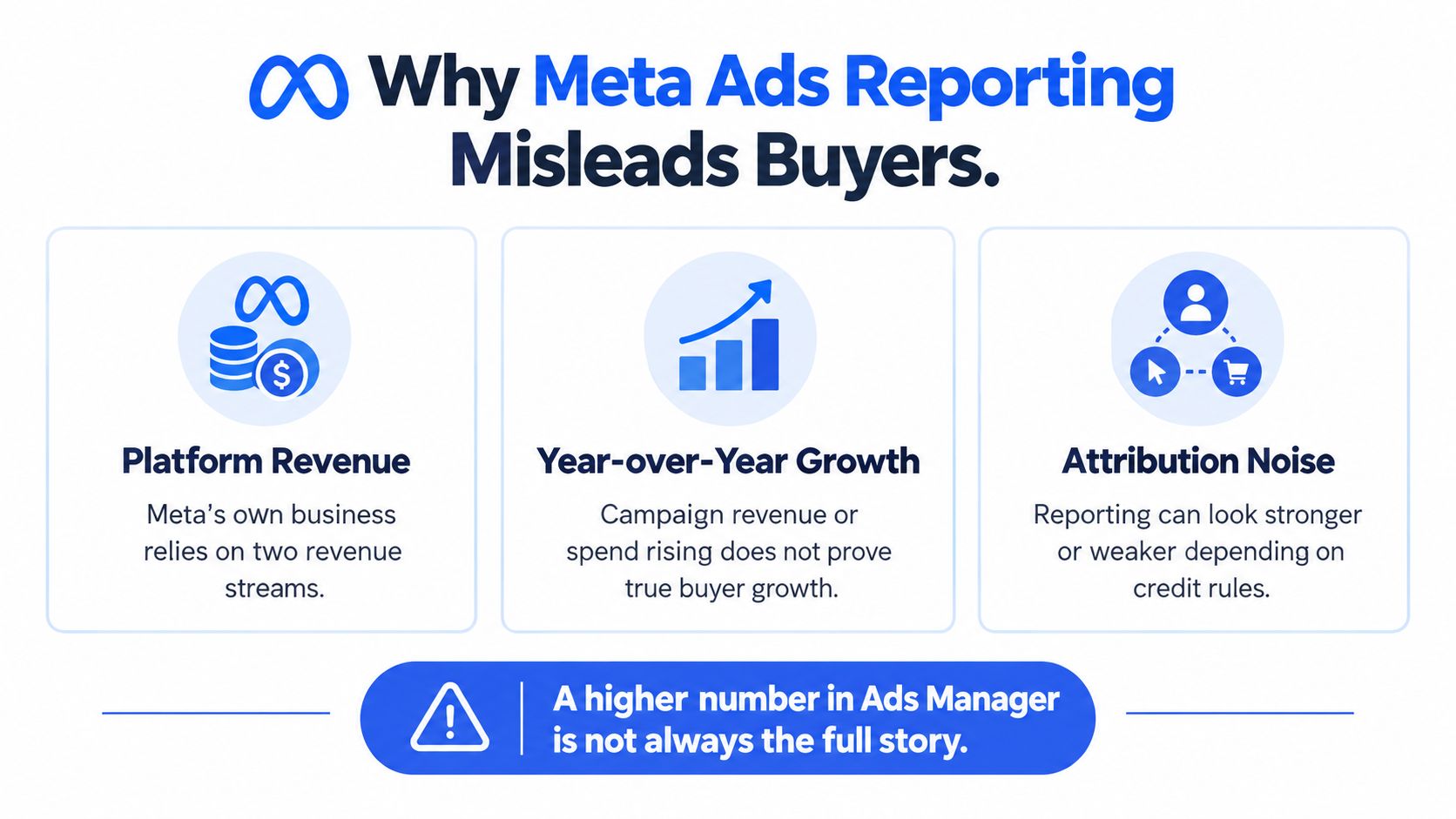
A rise in Meta-reported revenue can reflect more impressions, higher ad prices, or both. Those platform-level movements provide context for campaign reports, but they do not establish that a particular campaign created more demand. Spend and attributed revenue can also shift for separate reasons, so neither metric alone proves that an audience, market, or creative performed better.
Decompose before you declare a winner
When spend or attributed revenue changes, compare impression volume, average price, CPM, click-through rate, conversion rate, and ROAS. Together, these metrics help identify whether delivery volume, media costs, user response, or conversion performance shifted. They are diagnostic signals, not proof of incremental sales.
Use date-aligned comparisons to locate the gap between Meta and backend results. First check whether the reporting periods capture the same purchase timing. Then compare event counts to see whether the systems recorded the same number of conversions. Finally, compare revenue for matched purchases. This separates a timing mismatch from an event-count mismatch and a true revenue mismatch, rather than treating every difference as a measurement failure.
Year-over-year results also need context. Meta has noted that regulatory changes and restrictions from mobile operating systems and browsers can affect ad targeting and measurement. Platform-reported outcomes may therefore differ from independently observed business results. Platform data remains useful for managing delivery, while backend records help assess business outcomes.
Before calling a period better or worse, hold the measurement rules constant. Align date ranges and reporting conventions, then examine the components behind the change.
Use platform ROAS as an optimization signal, calibrated against incrementality, not as standalone proof of growth. That distinction helps explain gaps without assuming either Meta's report or the financial records are automatically wrong. For a focused discussion of ROAS limits, see Arlo's guide to Meta Ads ROAS from Arlo Inc.
How Attribution Windows Change the Numbers
A purchase in Meta's report is tied to an attribution rule, not recorded as an attribution-neutral outcome. The unified attribution setting at the ad-set level determines which conversion data appears in reporting and which signals inform delivery optimization. A commonly used default is 7-day click and 1-day view. Depending on the selected setting and available measurement signals, standard reporting may also include a 1-day non-link engagement path.
Engagement-through attribution can credit a non-link ad click. For video, it can also count a 5-second play or 97% completion when the video is shorter than 5 seconds. Changing the window can therefore shift reported purchases, CPA, and ROAS while delivery and customer behavior remain unchanged. Treat platform ROAS as an optimization signal, then calibrate its meaning against incremental business results rather than treating attribution as proof that ads caused growth.
Lock the reporting rule before comparing performance
In Ads Manager, open Columns, select Customize columns, search for Attribution setting, and add it to the view. Check the setting at campaign or ad-set level, and retain it with each export. Ads Manager can compare 1-day view, 1-day click, and 7-day click windows; 28-day click is available where supported. Options may be narrower for some iOS 14+ app scenarios, so verify the settings available in the account. For more on how window choices affect Facebook reporting, see this guide to the Facebook attribution window.
| Setting | What gets credit | Best use | Reporting risk |
|---|---|---|---|
| 7-day click | Eligible conversion after a link click within the window | Comparing performance where a longer click-through path is relevant | A wider window can include more conversions than a shorter one |
| 1-day click | Eligible conversion after a link click within the window | Reviewing a short click-through attribution window | It won't be directly comparable with results using a wider window |
| 1-day view | Eligible conversion after an ad impression within the window | Separating view-through credit from click-through credit | A purchase can be credited without an ad click |
| 1-day engagement | Eligible conversion after a qualifying non-link engagement | Reviewing engagement-based attribution where enabled | Engagement credit can be mistaken for click-driven performance |
The conversion-count method matters as much as the window. All conversions counts each measurable conversion and may include multiple events from one person, making it useful for revenue-volume analysis. First conversion counts only the first measurable conversion, which is more appropriate for assessing acquisition efficiency. Keep the count method consistent when comparing results.
Missing user-level signals can lead Meta to use modeled or statistically estimated conversions instead of relying only on observed events. Preserve the raw conversion count, attribution setting, and count method together. Then compare Meta with backend results on aligned dates: separate timing differences from event-count differences, and investigate a true revenue gap only after those are accounted for. For a broader framework on reporting beyond last-click attribution, consider how credit is distributed across channels.
Reading Breakdowns and Core Metrics
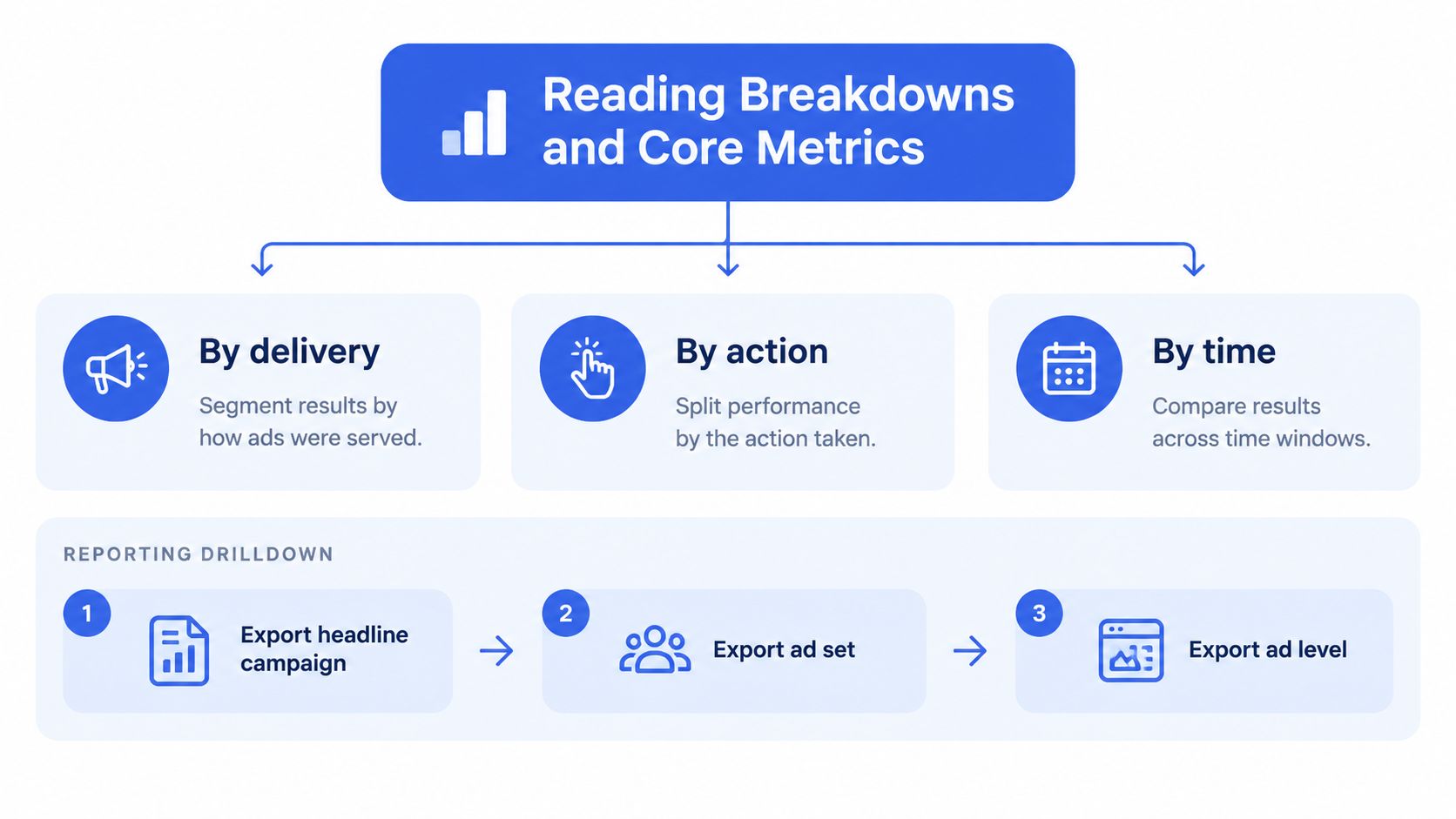
A placement-level ROAS can look decisive while concealing a mismatch in how results are counted. Read breakdowns as diagnostic views of delivery, then test whether each slice explains the campaign total before using it to guide optimization. Meta groups breakdowns into By delivery, By action, and By time, covering dimensions such as audience age, placement, device, and reporting period.
Export the total, then isolate one dimension
Begin with the unbroken campaign, ad-set, or ad view. Capture spend, impressions, reach, frequency, clicks, and conversions. Then apply one breakdown, such as placement, age, device, or time, and compare its rows with the original total. Changing several dimensions at once makes it harder to identify what explains a difference.
A breakdown partitions the reported delivery; it does not provide an independent result. If one placement appears to perform better, check that its figures reconcile with the unbroken view and use the same attribution settings. A segment can be useful for deciding where to investigate or optimize, but its reported ROAS alone does not establish that the placement caused more revenue. Treat it as an optimization signal, then assess growth against incrementality evidence.
Metric definitions matter. A link click or video view records an action on the ad. A website or shop purchase is an off-ad event credited to an ad under the selected attribution window. Keep those pathways distinct when reviewing performance, and use separate click-through and view-through columns where available to understand how the reported credit was assigned (Meta's guidance on action reporting).
QA the slice before you narrate it. Save the attribution setting, conversion-count method, date range, and breakdown configuration with the export. That record lets another analyst reproduce the view and distinguish an actual segment pattern from a reporting difference.
A defensible audience or placement finding shows both the segment result and its relationship to the overall total. For practical guidance on interpreting social performance, see social media tips for small businesses.
Reconciling Meta Results with Backend Revenue
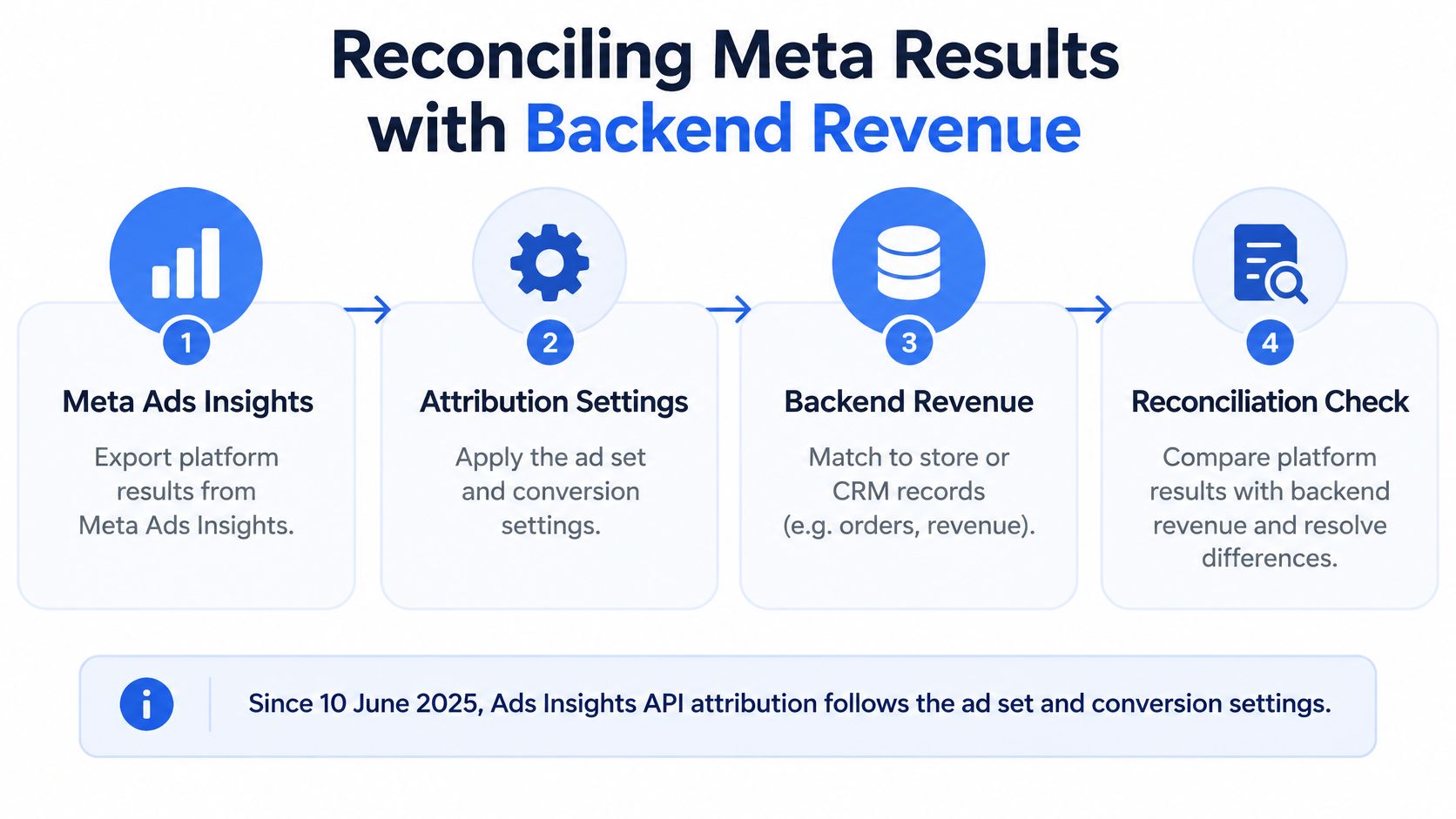
An Ads Manager total and a store's order report may differ because they don't assign events to dates in the same way. Since 10 June 2025, Meta's Ads Insights API has applied attribution logic based on the ad set and conversion settings. On-Meta events such as link clicks use impression-based reporting time, while off-Meta events such as website purchases use conversion-based reporting time (Supermetrics' explanation of the Ads Insights API changes).
That distinction can shift a purchase between reporting dates. Shopify may place an order on its conversion date, while a historical workflow can associate the same purchase with the ad's impression date. That's a timing mismatch, not necessarily a change in campaign performance or evidence that either system is wrong.
Use three labels to diagnose the gap
Before calculating a difference between Meta and backend revenue, document the attribution setting, reporting date basis, event source, currency, timezone, and deduplication logic beside each KPI. Use one consistent date range and align the currency and timezone before interpreting results. For example, select the same reporting period in Ads Insights and Shopify, then establish whether each export dates a purchase by conversion time or by the associated ad impression.
Classify the remaining difference rather than collapsing it into a vague platform-versus-store discrepancy:
- Timing mismatch: The same purchase appears on different dates because the systems use different date bases.
- Event-count mismatch: The systems count different numbers of purchases or conversion events, potentially because their event sources or deduplication differ.
- True revenue mismatch: After dates, event counts, currency, timezone, and deduplication are aligned, the recorded revenue still differs.
For an agency, that classification matters across markets. A single blended ROAS can hide accounts using different date bases or measurement rules, making a neat summary misleading. Keep each account's settings visible in the report instead of assuming the roll-up is comparable.
A clear client note states what the team found and what it didn't change: “The gap reflects a timing mismatch between impression-date and conversion-date reporting. We haven't changed delivery; the account's backend revenue remains the source for booked sales.” For teams standardising campaign parameters alongside this workflow, this guide to UTM tracking can help make traffic records easier to interpret.
Fixing Naming Drift and Advantage Plus Noise
A clean attribution rule won't rescue a report built from inconsistent inputs. If an ad name changes between launches, UTMs are duplicated or applied inconsistently, or a creative enhancement changes after setup, one concept can fragment across rows or the measured asset can differ from the one the buyer thinks they launched.
Standardise inputs at launch
Set a naming pattern for both ad sets and ads, and apply it consistently across markets. The name should distinguish the campaign context, audience or ad-set purpose, and creative identifier clearly enough that exports remain usable when teams duplicate and relaunch work. Pair that with a single UTM scheme applied at launch, then check that links don't carry conflicting or repeated parameters.
Advantage+ creative enhancements deserve their own preflight check. A manual upload can leave a buyer believing a particular asset or treatment is under test when a setting has changed. If the delivered version differs from the planned version, a reported ROAS movement could reflect creative drift rather than the planned test.
Treat the launch configuration as part of measurement. Record the intended asset, name, tracking parameters, and enhancement settings before comparing the results.
For teams handling repeated launches, Facebook Ads naming conventions can provide a starting point for a structure that carries through to reporting. The test is practical: can an analyst identify the intended creative and audience from the exported rows without reconstructing the launch from memory?
A more controlled launch process makes large batches easier to audit across accounts and markets. Whether you upload manually or use a bulk workflow, keep the naming, UTMs, and creative settings stable. Otherwise, a tidy-looking performance report may be comparing different assets or tracking rules without making that difference visible.
Exporting and Automating Repeatable Reports
A scheduled export is useful only when its settings support a valid comparison. Define the report view first, then automate a stable extract order that preserves the metadata another analyst needs to reproduce CPA and ROAS.
A weekly extract sequence
Choose one attribution window and one conversion-count method, either All conversions or First conversion. Export the unbroken campaign or ad-set view first, followed by a single breakdown tied to the question under review. Use the same columns across accounts only when their measurement rules are compatible.
Store this metadata with every file:
- Attribution setting and count method
- Date range and reporting timezone
- Currency and breakdown name
- Account, campaign, ad set, or ad level
- Event source and the exported raw conversion count
Meta's default reporting uses the ad set's attribution setting. Direct actions, such as video views and link clicks, appear in their corresponding columns. Purchases and other off-ad actions receive attribution when they fall within the selected window. Keep view-through and click-through columns alongside on-ad metric columns so clients can distinguish direct ad actions from attributed outcomes, as noted earlier.
Automation rule: Keep accounts with different attribution settings separate in shared reports. Preserve the original account-level figures and metadata.
Retain raw conversion counts beside the window metadata. An export containing only derived CPA or ROAS hides the inputs to those ratios, making it harder to spot a changed count method before results become a client-facing performance claim.
For teams managing multiple accounts, a consistent column preset and file structure can reduce repeated setup. Campaign names and UTMs help make exports easier to interpret, but they do not validate the measurement settings. Before sending a report, check that its export, breakdown, date basis, and conversion-count choice match the comparison being made. When Meta results are later reconciled with backend revenue, align the date basis first, then assess timing differences, event-count differences, and any remaining revenue gap. That sequence keeps a reporting mismatch from being mistaken for a performance change.
A Reporting Template You Can Run Weekly
The most useful weekly report keeps platform attribution and business impact separate. Use attributed ROAS to make rapid creative and budget decisions, but don't treat it as proof that advertising caused every credited sale. Meta-reported ROAS answers which conversions received credit under a particular rule, not how many purchases would have happened without the ads.
When available, pair it with incremental ROAS from a lift test or Meta's Incremental Attribution setting, introduced in April 2025 (incrementality testing and Meta's Incremental Attribution). A lift test compares exposed audiences with randomized control groups; it helps calibrate how closely attributed results reflect additional conversions. For business-level allocation, use blended measures such as MER or contribution margin alongside platform metrics.
Keep the weekly decision block short
Include these fields in the report:
- Attributed ROAS: The platform's optimization signal under the documented attribution rule.
- Incremental ROAS, when available: The estimate informed by a lift test or Incremental Attribution.
- New-customer revenue: The sales associated with customer acquisition.
- Repeat-customer revenue: The sales from returning buyers, shown separately.
- Test-design or confidence note: The context needed to interpret an incrementality result.
This distinction matters for retargeting, branded searches, repeat purchasers, and already-engaged users, where a sale may have happened without the ad. The report should therefore conclude with a decision, not a single score: what to scale, what to hold, and which timing, event-count, or revenue mismatch remains open.
Choose one ad account for the next reporting cycle. Lock 7-day click and 1-day view, or document the account's existing default; export one unbroken week and one placement breakdown; then reconcile backend revenue using the three mismatch labels. Only after the comparison is reproducible should you launch the next batch with consistent names and UTMs. Meta's reported ROAS can guide fast optimisation, while incrementality and business-level measures help establish whether the spend created additional value.
Rapid Ads offers bulk Meta ad uploads, enforced naming conventions, automatic UTMs, and controls that keep unwanted Advantage+ enhancements disabled, helping teams start reporting from a more consistent launch setup. Try the free plan with 10 uploads or choose a paid plan, then visit Rapid Ads to make your next campaign batch easier to audit.