If a launch in Rapid Ads (or any tool built on the Meta Marketing API) fails with the message below, you are looking at a Meta security checkpoint on your Facebook profile, not a bug in the tool:
Please authenticate your account: We think someone may have tried to access your account without permission. For your protection, you won't be able to create or modify ads until you authenticate your account in Ads Manager. Your existing ads will continue to run normally.
Meta returns it as error code 31, subcode 3858385. The frustrating part is that Meta tells you to "authenticate your account in Ads Manager" without ever showing you where that happens. The four steps below trigger the hidden authentication prompt on purpose, and they have cleared the block for every advertiser who has followed them since this wave of checkpoints started in June 2026.
Quick version:
- Open Ads Manager in an incognito window as the connected Facebook profile.
- Edit any ad's name and click Publish.
- Stay on the page, click Start Authentication on the error card and enter the emailed code.
- In Rapid Ads go to Settings → Your Account → Reconnect, then launch again.
What is actually happening
The checkpoint is applied to the Facebook profile that is connected to your launch tool, not to the ad account and not to the tool itself. While it is active, Meta rejects every ad create or edit that comes through the API, while the same profile can still click around Ads Manager by hand. That is why:
- Existing ads keep running and can be paused or edited manually.
- Logging out of Rapid Ads and back in, disconnecting Facebook or changing your Facebook password does not clear it on its own. A brand-new access token is still tied to the same flagged profile.
- The moment the profile is verified, the very same connection starts working again, usually within a few minutes.
Meta's Business Engineering team confirmed the same procedure to a developer in March 2026:
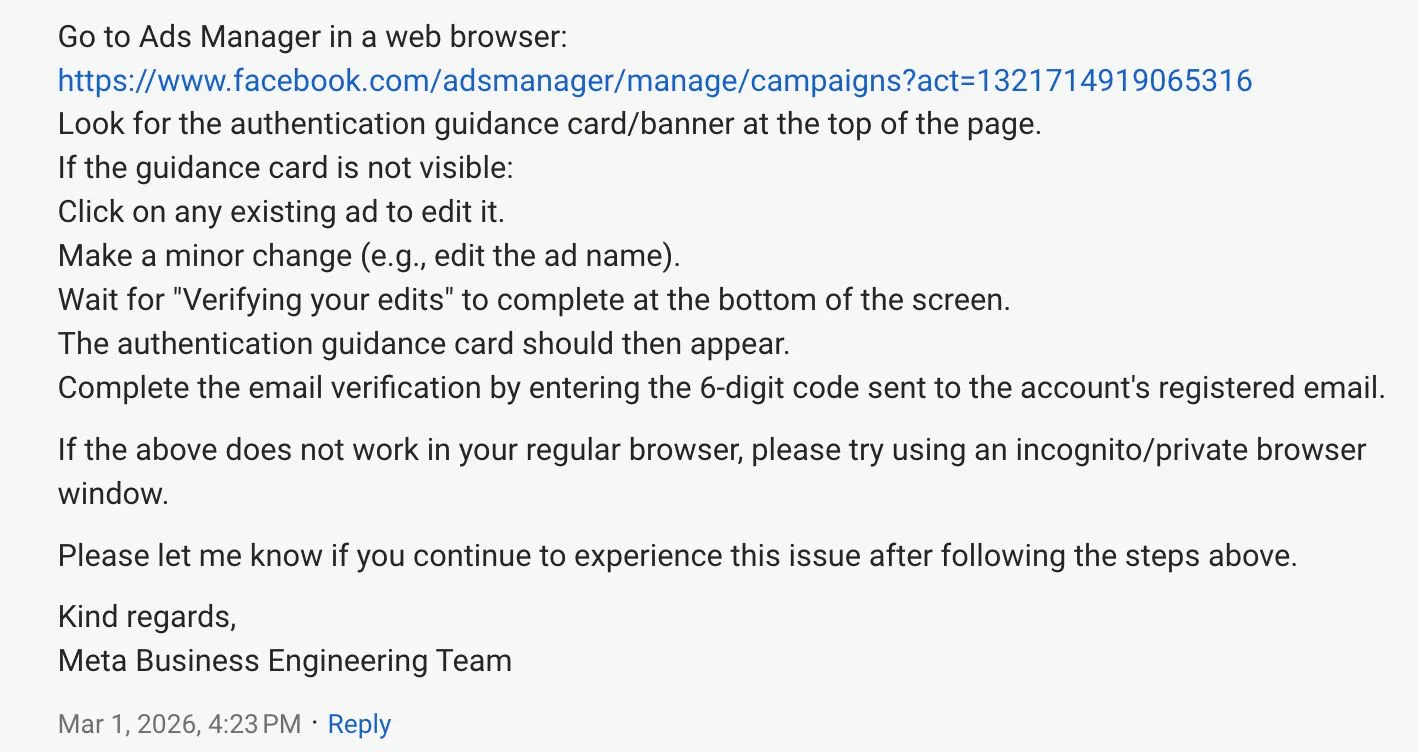
Step 1: Open Ads Manager in an incognito window
Open a private or incognito window in Chrome and go to adsmanager.facebook.com. Log in as the exact Facebook profile that is connected to Rapid Ads. In Rapid Ads you can see which profile that is under Settings → Your Account → Connected User. Incognito matters: cached sessions in your normal browser often stop the prompt from appearing.
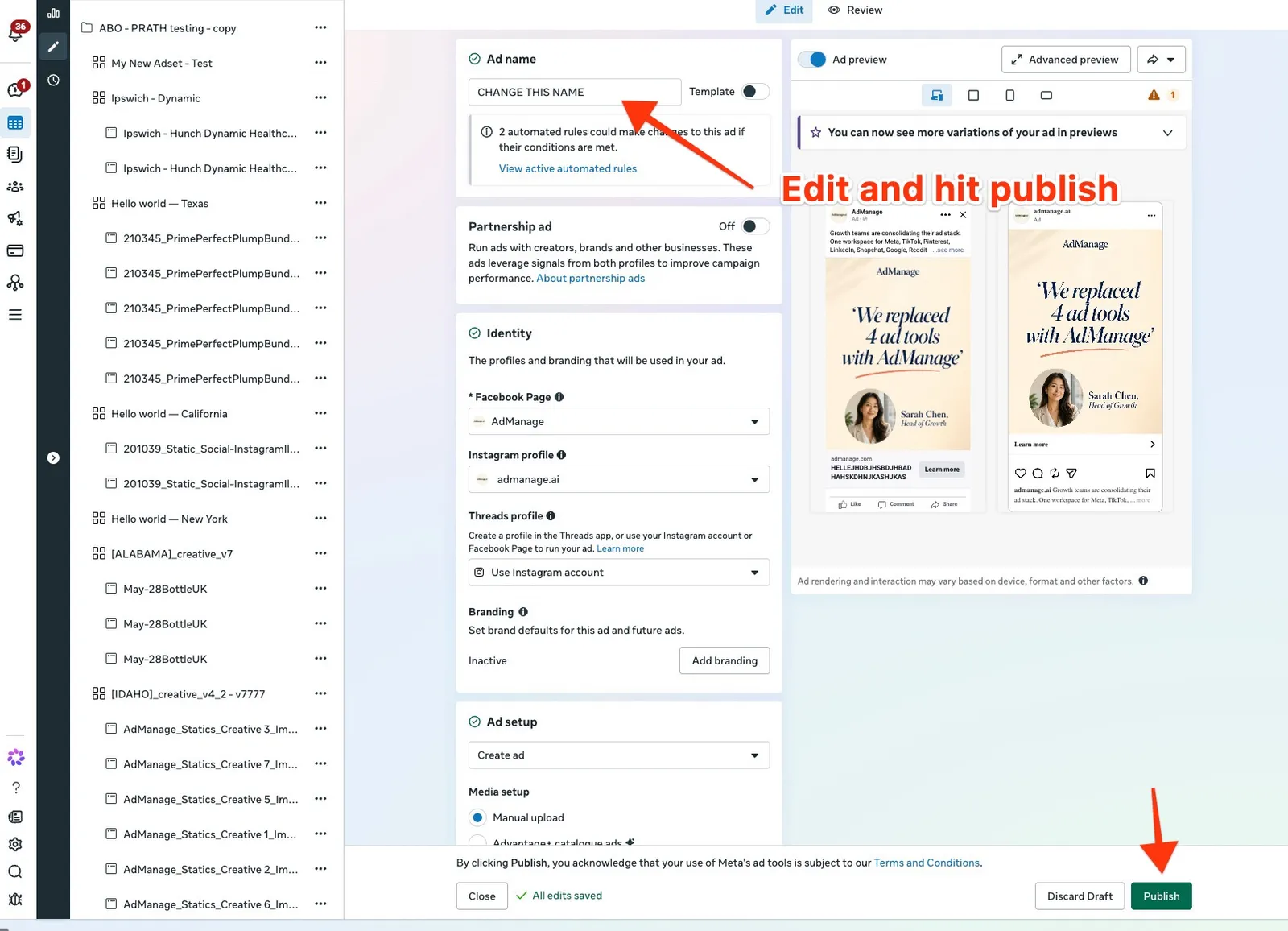
Step 2: Edit any ad's name and publish it
Pick the ad account you launch to, open the Ads tab and hover any ad to reveal its Edit button.
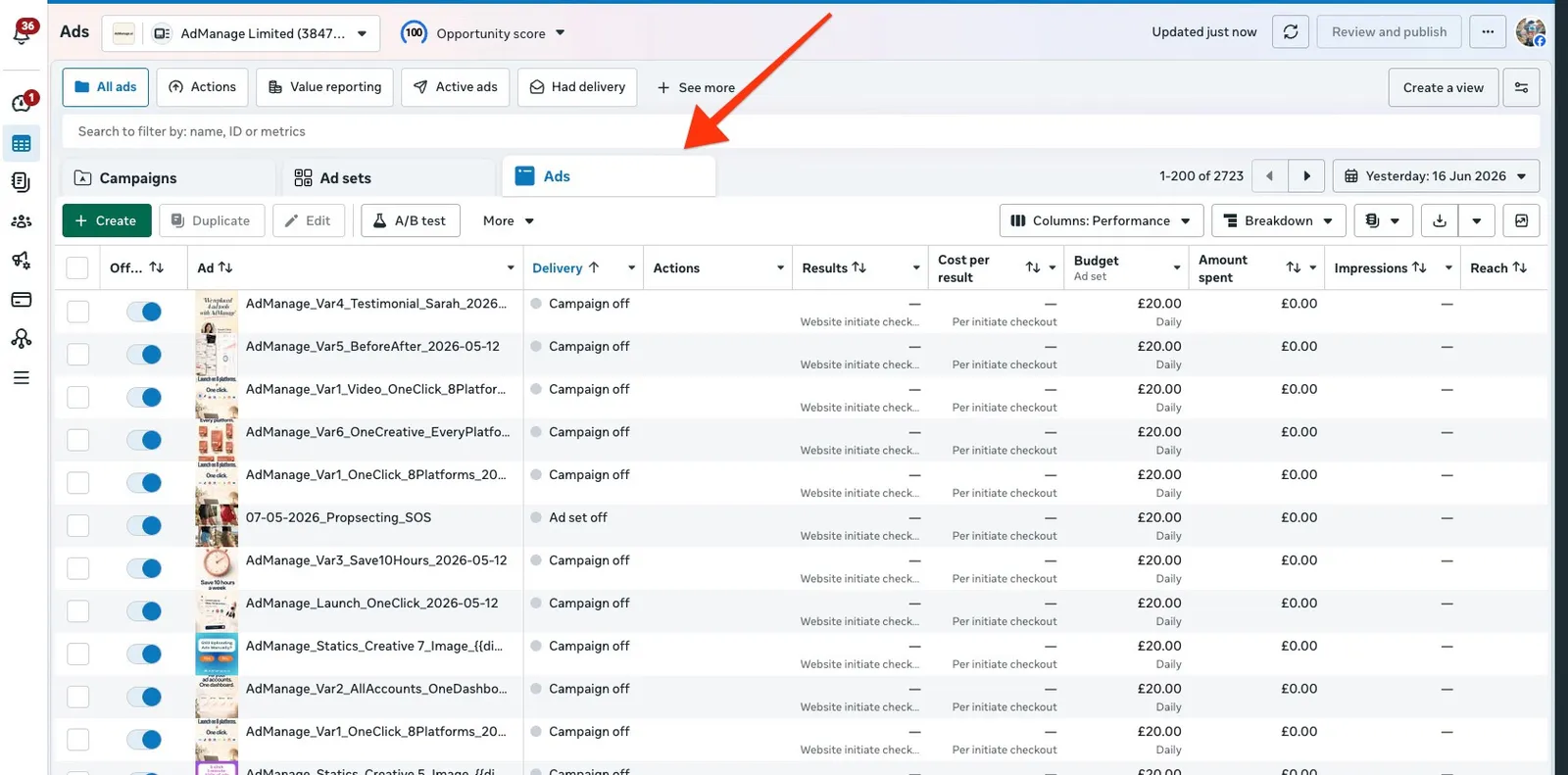
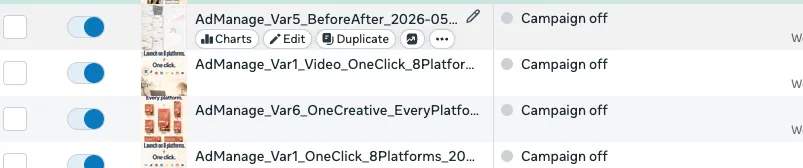
In the editor change only the Ad name (any text will do), wait for "All edits saved" to show at the bottom and click Publish.
Step 3: Stay on the page and complete the authentication
Do not close the editor. Within a few seconds a Review 1 error card appears on the right: "Due to recent activity (e.g. login location), we think that someone may have tried to access your account without permission. To be safe, your ads won't run until you authenticate your account. (#3858385)". This is the prompt you were trying to trigger.
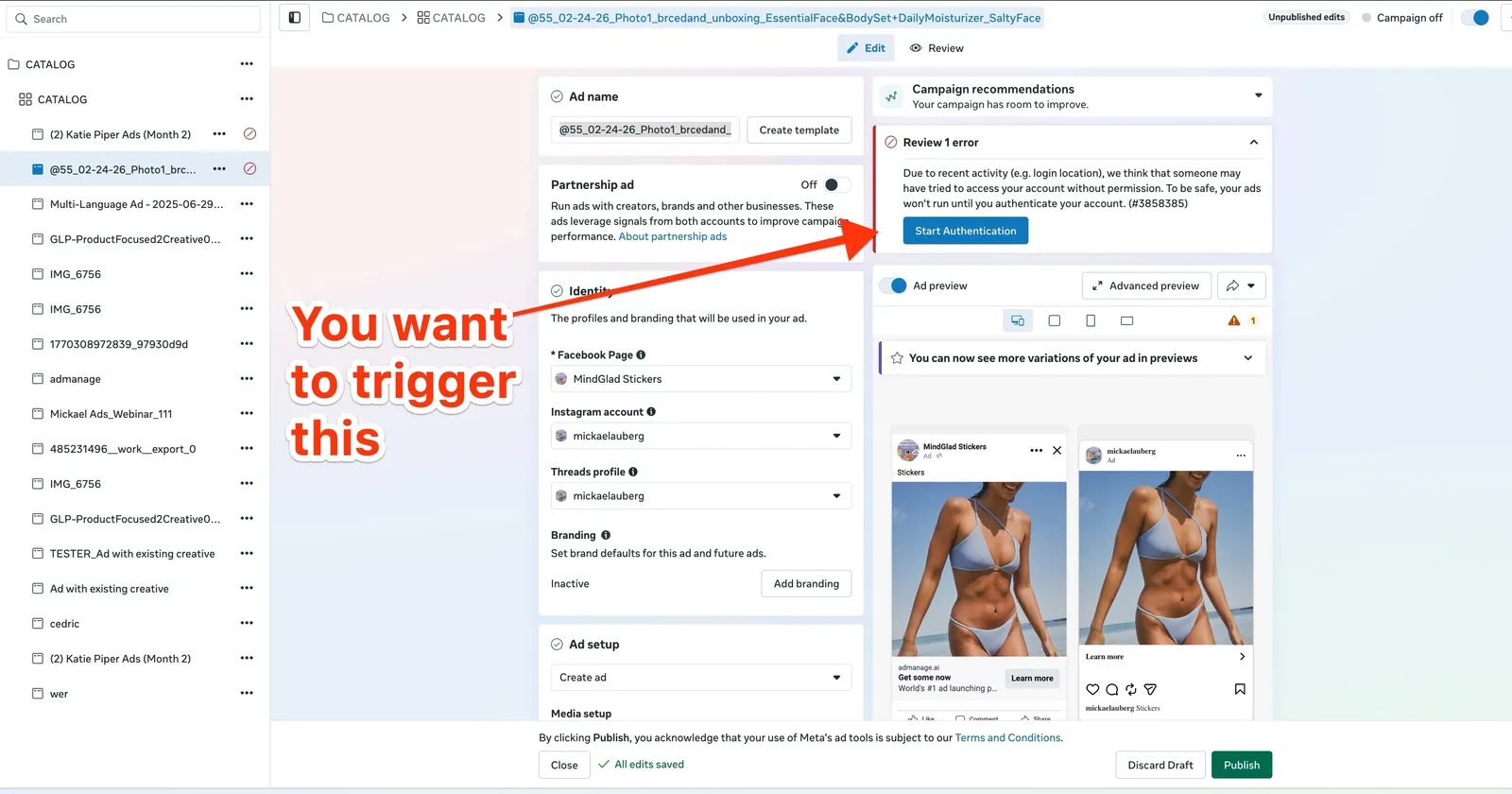
Click Start Authentication and enter the 6-digit code Meta sends to the email address registered on the profile. Once it completes, the checkpoint is lifted for the whole profile, and every tool connected to it can create ads again.
Step 4: Reconnect Rapid Ads and launch again
Back in Rapid Ads, go to Settings → Your Account and click Reconnect. This runs the Facebook login again and swaps in a fresh access token without logging you out or touching any of your saved settings. Then launch your ads again.
If you are on a team, the account owner has to do steps 1 to 4 with their own Facebook profile, since it is their connection that Meta flagged. Team members cannot clear it from their side.
If the prompt does not appear
- Try a different ad, or edit the name of an ad set or campaign and publish that instead.
- Edit the ad's website link rather than the name, then save.
- Make sure you are logged in as the connected profile, not a colleague's profile that happens to have access to the same Business Manager.
- Wait 15 to 30 minutes and retry. Meta sometimes needs a little time after the first attempt.
- If the ad account lives in an agency's Business Manager, ask the agency to run the steps from a profile with full control. Some checkpoints can only be cleared from the owning Business Manager.
- As a last resort, change your Facebook password (which invalidates every API connection), run the steps again and then click Reconnect. Treat this as the final option, not the first, because on its own it does not clear the checkpoint.
Why this keeps happening
Meta rolled this checkpoint out widely in mid-2026, and it is triggered by patterns that look like account sharing: logging in from new locations or devices, several people using one profile, freshly created profiles added to a Business Manager, or bursts of activity from data-centre IP addresses (VPNs, remote desktops, agency rental setups). Bulk launching itself is not the trigger, but a profile that already looks suspicious to Meta can get checkpointed in the middle of a launch. Keeping one profile per person, avoiding VPNs while running ads and turning on two-factor authentication all reduce how often it comes back.
If you have run through every step above and Rapid Ads still shows the error an hour later, email support@rapid-ads.com with the connected profile name and the ad account, and we will check the exact response Meta is returning for you.