You've got a Shopify store, a functioning Meta account, and enough creative to launch. Yet the campaign sits in Ads Manager for hours because assets are sorted manually, naming drifts between ad sets, and an Advantage+ enhancement changes the ad you approved. When performance weakens, the team blames targeting, duplicates another audience, and leaves the actual problem untouched.
That workflow is expensive. Shopify FB ads success in 2026 is increasingly a creative operations and measurement problem, not a hunt for one perfect interest stack. Meta still gives ecommerce teams measurable traffic and lead economics, but rising media costs and shorter creative fatigue windows make clean data and fast deployment more valuable than endless audience tinkering.
Table of Contents
- Introduction Why Shopify FB Ads Still Drive Growth in 2026
- Connecting Shopify to Meta Without Breaking Measurement
- Campaign Structure and Objectives That Scale for Ecommerce
- Creative Operations From Feed to Reels and Bulk Launch Workflow
- Measurement Attribution and Benchmarks You Can Actually Use
- Troubleshooting Scaling and Automation Tips to Reclaim Hours
Introduction Why Shopify FB Ads Still Drive Growth in 2026
A media buyer can lose a week without making a meaningful strategic mistake. The campaign objective is correct, the product feed is active, and the ads have reasonable hooks. The delay comes from small operational failures: a pixel event isn't trusted, purchase events aren't deduplicated, a catalog item is unavailable, or one market uses a different naming convention from the rest of the account.
That matters because the platform still produces useful benchmarks. Shopify's 2026 Facebook benchmark data puts average CTR for Facebook traffic campaigns at 1.71%, up from 1.57% in 2024, while average CPC fell to $0.70, down 6.7% year over year. For lead-generation campaigns, Shopify reports a 2.59% CTR, $1.92 CPC, 7.72% conversion rate, and $27.66 cost per lead, with cost per lead rising 21% year over year.
Those figures aren't promises for a particular store. They show that Meta can still deliver measurable economics at scale, while also showing why objective, funnel stage, and measurement quality must stay connected. A traffic campaign can look efficient on clicks and still fail to produce orders. A lead campaign can generate volume while becoming more expensive to operate.
Operating principle: Fix the data pipe first, increase creative throughput second, and change targeting only when the evidence points there.
The practical sequence is straightforward. Connect Shopify to Meta through the Facebook and Instagram by Meta channel, validate Pixel and Conversions API events, choose a campaign structure that matches the store's catalogue and purchase volume, then build a repeatable creative launch system. After that, read Meta and Shopify together instead of treating either dashboard as the whole truth.
Rapid Ads fits one narrow but real part of that process. Its bulk upload, enforced naming, multi-account controls, UTM handling, and Advantage+ auto-disable workflow address the hours lost between approved creative and live ads. It doesn't replace media strategy or measurement. It removes repetitive deployment work so the buyer can spend more time interpreting performance.
Connecting Shopify to Meta Without Breaking Measurement
A store can spend more and still produce less useful data if its event pipeline is misconfigured. Connect Shopify to Meta before changing audiences or increasing budgets. The Facebook and Instagram by Meta channel links the Meta Pixel, product catalogue, Facebook Shop, Instagram Shopping, and Conversions API. Shopify's commerce setup guidance for Facebook and Instagram by Meta covers how these components work together for selling and measurement.
Build the connection in the right order
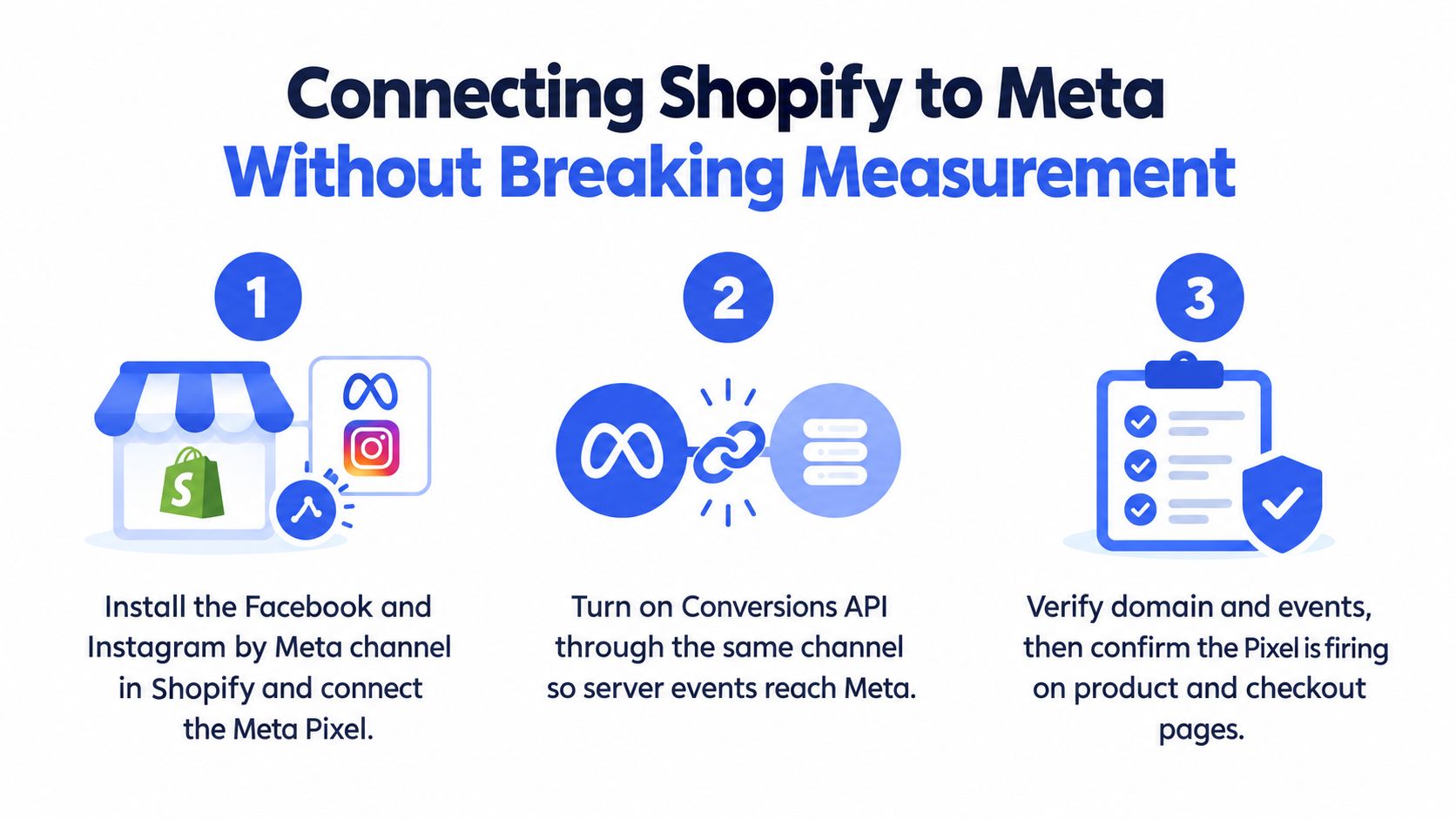
Install the channel. Add Facebook and Instagram by Meta in Shopify. Connect the correct Business Manager, Facebook Page, ad account, and catalogue. Check that every product intended for promotion is available in the channel.
Enable browser and server signals. Connect the Pixel and activate Conversions API through the channel. Browser events record activity on the page. Server events help recover signals lost through browser restrictions and privacy controls. Both systems must represent the same customer action and use deduplication correctly.
Verify ownership and event flow. Complete domain verification in Business Manager. Then use Events Manager to inspect product views, adds to cart, checkout starts, and purchases. Test product and checkout journeys yourself. A successful connection screen confirms setup access, not measurement quality.
The Conversions API affects how much purchase activity Meta can use for optimisation. Shopify's guidance on optimising Facebook ads explains that server-side events can fill browser-tracking gaps. Incorrect configuration or failed deduplication can also understate or duplicate results, making a delivery problem look like a campaign problem.
Use a verification checklist before optimisation
- Event coverage: Confirm that each optimisation event fires at the relevant store step.
- Event quality: Review warnings, missing parameters, and match-quality signals in Events Manager.
- Deduplication: Check that Pixel and Conversions API versions of one action share the required event identifiers and are not recorded as separate purchases.
- Catalogue integrity: Review rejected products, broken links, incorrect prices, and unavailable variants before launching catalogue ads.
- Domain and permissions: Confirm that the verified domain, ad account, Pixel, catalogue, and Shopify channel belong to the intended business assets.
- Backend reconciliation: Compare Meta purchase activity with Shopify orders for the same period, allowing for attribution delays and different reporting rules.
Keep a naming and testing record for event changes. Log what changed, when it changed, and which customer path was tested. That record prevents a tracking edit from being mistaken for a creative or audience result.
Do not optimise immediately after every edit. Shopify's help documentation recommends monitoring KPIs such as CTR, CPC, cost per purchase, and frequency, then waiting 4–5 days before making optimisation decisions. The delay applies after verified implementation. Broken events require immediate repair, while normal delivery noise does not justify constant changes.
Campaign Structure and Objectives That Scale for Ecommerce
Campaign architecture should reflect the buying decision, not a template copied from another account. A low-consideration product with a clean catalogue can support broad Sales delivery and catalogue retargeting. A high-consideration product may need a Lead objective to collect qualified demand before the purchase happens. Traffic has a role for landing-page or collection testing, but it shouldn't be used as a substitute for purchase optimisation when the store can measure purchases reliably.
The objective determines the signal Meta receives. Sales asks the system to find people likely to complete the selected conversion event. Traffic prioritises visits or clicks. Leads is appropriate when the customer needs more information, a consultation, or a follow-up sequence before buying.
Compare the main structures
Prospecting and retargeting in separate campaigns gives the buyer clearer budget control and cleaner reporting. It works well when the store needs a deliberate split between new shoppers and people who have already viewed products, engaged, or begun checkout. The trade-off is fragmentation. Too many ad sets can spread conversion data thin and create a management burden.
A broad Sales campaign usually gives Meta more room to find purchasers, especially when the account has enough clean events and a steady supply of fresh creative. The buyer gives up some manual audience control, but gains a simpler structure and fewer overlapping audiences.
Advantage+ Shopping or catalogue-led delivery suits stores with a dependable product feed and enough creative variation. It can work efficiently for proven products and dynamic retargeting, but feed errors and weak product imagery become media problems quickly.
CBO is the better fit when the campaign has several ad sets that can compete for delivery and the priority is efficient allocation. ABO is more useful for controlled tests, especially when each test needs a defined spend floor. CBO can starve an unproven test before it has a fair read. ABO can force spend into an asset or audience that has already shown weak economics.
| Use Case | Recommended Objective and Structure | When to Use It |
|---|---|---|
| Proven product prospecting | Sales, broad or Advantage+ structure with creative-led ad testing | Use when purchase events are reliable and the offer is already understood |
| Product or collection click testing | Traffic, lean prospecting structure | Use when the immediate question concerns landing-page engagement or collection interest |
| High-consideration purchase journey | Leads, prospecting plus follow-up or retargeting | Use when customers need qualification, education, or contact before purchase |
| Catalogue retargeting | Sales, catalogue ads for engaged shoppers | Use when the product feed is accurate and viewed products map cleanly to available items |
| Controlled creative experiment | Sales or Traffic with ABO | Use when each test needs an explicit delivery allocation |
| Scale after validation | Sales with CBO or Advantage+ structure | Use when winning creative and measurement are already established |
Bid caps and cost caps deserve restraint. A cap can protect efficiency when the account has enough conversion history to support it, but a low cap can throttle delivery before the campaign gathers useful evidence. Start with the conversion signal and delivery pattern, then add constraints when the economics justify them.
The more important decision is often consolidation. If every product, angle, market, and audience gets its own campaign, the account becomes difficult to learn from. Keep the structure broad enough for Meta to deliver, but separate enough that the buyer can explain which objective, audience stage, and creative family produced the result.
Creative Operations From Feed to Reels and Bulk Launch Workflow
A Shopify product can have strong creative and still lose performance before delivery. The usual causes are practical: the wrong crop, inconsistent naming, missing UTM values, or a launch process that changes the asset. Treat creative operations and measurement as one workflow before changing audiences.
Meta's placement rules require deliberate preparation. Meta's placement guidance supports 1:1 and 4:5 image and video ratios for Feed, while Stories and Reels are recommended at 9:16. Keep carousel product images in a consistent ratio so automated adjustments do not produce uneven presentation.
Sort assets before Ads Manager
A usable batch begins with a predictable file system:
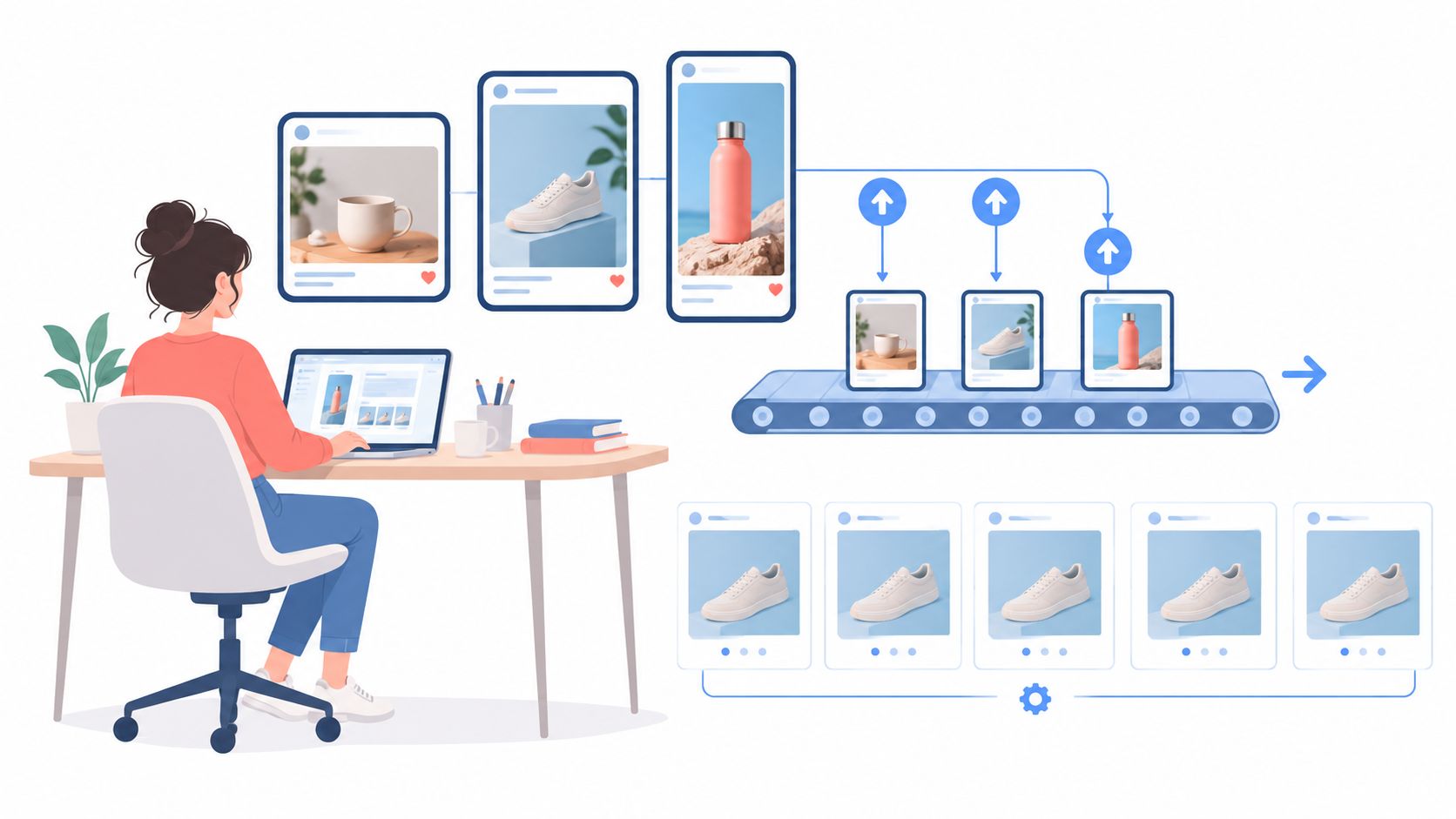
- Format folders: Separate Feed 1:1, Feed 4:5, and vertical 9:16 assets before upload.
- Creative families: Group hooks, offers, testimonials, demonstrations, product close-ups, and creator-led videos.
- Market variants: Keep language, currency, landing page, and compliance versions separate.
- Copy records: Store primary text, headline, description, destination URL, and UTM values beside the asset name.
- Testing labels: Mark the variable under test, such as hook, offer, format, or proof type.
Naming should let a report identify the test without opening every ad. Use Market_Product_Angle_Format_Variant for ads and Funnel_Audience_Objective_Bid for ad sets. Apply the same vocabulary to Shopify landing-page UTMs. Inconsistent labels turn creative reporting into spreadsheet archaeology and make weak results harder to diagnose.
Treat setting control as part of creative quality
Meta's Business Help Center says the Flexible ad format was removed from ad setup starting in March 2026, while existing Flexible ads continue running. A new testing process therefore needs variation inside the current Ads Manager setup, with each measured distinction preserved.
Advantage+ creative enhancements add another control point. Meta's documentation on Advantage+ creative controls states that enhancements can be turned off at ad level, individually or by editing an existing ad. If a test depends on a specific crop, headline, or visual treatment, check the enhancement state after publishing as well as during draft creation.
For a batch of 100–200 ads, manual upload, sorting, naming, UTM tagging, and setting checks can consume 6–8 hours. Rapid Ads describes a workflow reducing this to 5–13 minutes per 100 ads through bulk grouping, aspect-ratio detection, naming controls, UTM attachment, and persistent Advantage+ blocking, according to Rapid Ads' publisher information. Use automation for repetitive deployment, while the media buyer keeps control of test design and analysis.
Creative volume takeaway: Fresh assets don't deliver impact if the launch process changes the asset, loses the name, or delays publication until the concept is already stale.
Measurement Attribution and Benchmarks You Can Actually Use
A Meta report can show profitable ROAS while Shopify orders stay flat. The reverse also happens. Meta assigns credit using its attribution settings and event definitions, while Shopify records the completed transaction and order context. Reconcile both views before changing audiences or cutting a creative.
Shopify conversion benchmark guidance for Meta traffic gives a practical Shopify conversion-rate range of 1% to 3%, with industry leaders around 2.5% to 3% and Shopify's own average store conversion rate around 1.4%. Shopify benchmark access also requires at least 20 Meta-attributed conversions in the last 30 days and a sufficiently large peer group. A low-volume store should treat any gap as a prompt for investigation, not proof that its landing page or audience is broken.
Read the funnel in layers
Start with delivery and click quality. Shopify's historical practical baseline recommends at least 1% CTR for Desktop and News Feed ads and at least 2% for Mobile News Feed ads, as documented in its Facebook and Instagram by Meta setup guidance. Use these figures as screening thresholds, not universal targets. Placement mix, product category, price, and creative format change the comparison.
Then trace the customer path:
- CTR and CPC: Low CTR with high frequency often points to creative fatigue, weak relevance, or a poor first frame. Strong CTR with weak landing-page activity suggests a mismatch between the ad promise and destination.
- Landing-page behaviour: Review product views, add-to-cart activity, checkout starts, and purchase events together. A stage-to-stage drop identifies where to investigate, but not the cause by itself.
- Cost per purchase and ROAS: Reconcile Meta-attributed orders with Shopify's backend order trend. Judge direction and stability across comparable reporting windows instead of reacting to one result.
- Incrementality: If platform reporting remains unclear, compare store-level order trends, blended acquisition economics, and controlled regional or audience observations. Attributed ROAS alone cannot establish incremental demand.
A campaign that looks weak in Meta may still support a stable store-level order trend. A strong reported ROAS may coexist with flat total orders when Meta claims demand that would have converted anyway. Check event quality, naming consistency, and deduplication before pausing a commercially useful creative.
The practical decision is a reconciliation exercise. Compare identical dates, record each attribution window, inspect event definitions, and check whether total store performance changed after spend changed. Fix the measurement setup before adjusting targeting, because clean instrumentation and consistent reporting make creative and budget decisions faster.
Troubleshooting Scaling and Automation Tips to Reclaim Hours
Scaling exposes operational defects that small budgets can hide. A catalogue sync error may begin with a few products, while duplicate purchase events can distort optimisation across the account. Advantage+ enhancements may also alter approved creative, and rising CPM pressure makes stale assets increasingly expensive to keep running.
Recent ecommerce benchmark coverage reports a Meta median CPM of $14.19 in 2025, up 20.03% year over year, while median ROAS reached 1.86x. The same source reports that brands testing 20 or more new ads per month see 65% higher ROAS than brands testing fewer than 10. Use these figures as directional benchmarks, not targets or guarantees for your account.
Start with a short incident workflow:
- Catalogue issue: Check product availability, URLs, pricing, variant data, and rejected items before changing audiences.
- Purchase mismatch: Compare Shopify orders with browser and server event counts, then inspect deduplication and event parameters.
- Creative drift: Review Advantage+ enhancement settings at the ad level after publishing.
- Fatigue: Compare frequency, CTR, CPC, and conversion quality by creative family. Rotate the concept, not only the thumbnail.
- Slow deployment: Use consistent naming, bulk duplication, repeatable ad-set configurations, and a controlled upload process.
Automation should remove clicks while keeping judgement with the buyer. Define the variable under test, confirm that the product has enough demand, and check whether the reported result is incremental. A repeatable operating loop is instrumentation check, structured launch, controlled delivery, backend reconciliation, creative refresh.
If media buyers spend their best hours dragging files into Ads Manager, correcting names, and rechecking reverted settings, move those tasks into a controlled bulk workflow. Rapid Ads supports bulk creative uploads, ad-set grouping, naming conventions, UTM tagging, aspect-ratio routing, multi-account management, and Advantage+ auto-disable controls for Meta campaigns. Evaluate whether that workflow gives the team more time for measurement, creative strategy, and profitable scaling.
