
You're staring at a comment pileup under a live creative, and it's already doing the worst possible thing for a paid test. The ad is getting clicks, but the thread is full of junk, arguments, and off-brand noise, so the post looks weaker than the offer is. If you manage Meta campaigns at scale, comment controls aren't cosmetic. They're part of protecting the creative, the social proof, and the first impression that decides whether a prospect leans in or bounces.
Meta doesn't give you one universal switch that shuts comments off everywhere. The control you can use depends on the surface, profile post, Page post, ad comment thread, or Group post. On personal profiles and most Page posts, the platform usually limits who can comment. In Groups, you get a true on and off control on the post itself. In ad workflows, the setting follows the ad surface and placement behavior, so the practical answer is always, which asset are you controlling?
Table of Contents
- Why Comment Controls Matter for Meta Ads at Scale
- Blocking Comments on a Personal Profile Post
- Page-Level Moderation Tools in Meta Business Suite
- Turning Off Comments on Group Posts
- Managing Ad-Level Comments and Placements
- Blocking Users and Hiding Individual Comments
- Choosing the Right Comment Strategy for Your Ads
Why Comment Controls Matter for Meta Ads at Scale
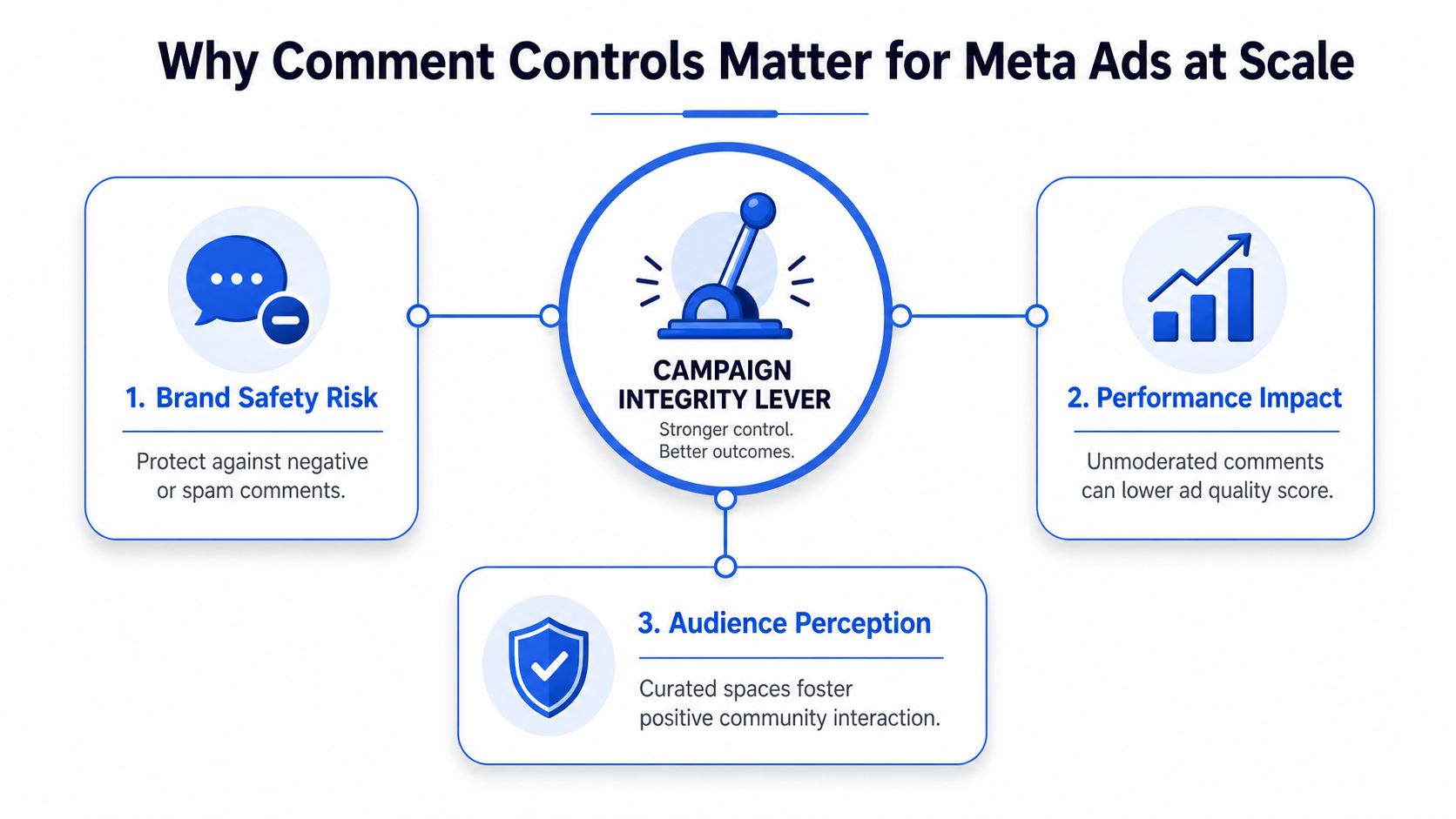
When you're spending across dozens or hundreds of creatives, the comment section becomes part of the media-buying environment. A bad thread can drag attention away from the offer, make a strong creative look risky, and turn a simple test into a moderation headache. That's why knowing how to block comments on Facebook is really about campaign integrity, not just comfort.
Meta's own help center shows that the platform uses visibility and moderation rules rather than a global disable-all button for every post type, with public-post controls such as Public, Friends, Friends of friends, and Profiles and Pages you mention (Meta Help Center). For Pages, Meta also supports keyword-based hiding with comma-separated terms or a .CSV upload in the comment moderation flow (Meta Help Center). That matters because a media buyer rarely wants only one outcome. Sometimes you want silence. Other times you want the thread cleaned up without killing engagement.
Practical rule: if the post is meant to inform, moderate. If the post is likely to attract pile-on, lock it down before it goes live.
The four surfaces that actually matter
The rest of the workflow breaks into personal profile posts, Page posts, ad-level comment threads, and Group posts. Those are not interchangeable. A control that works on a Group post won't magically exist on a personal profile, and a Page admin's moderation tools don't behave like a hard off switch.
For a buyer, the trade-off is between silencing conversation and moderating at scale. Quiet threads can protect a launch. Active threads can improve trust, answer objections, and surface purchase intent. The right choice depends on whether the post is a sensitive announcement, a high-risk creative, or a discussion-heavy community update.
The best teams treat comment settings like naming conventions or UTM structure. They decide the posture before launch, not after the thread starts going sideways. That keeps moderation from becoming a reactive cleanup job and turns it into a repeatable control point.
Blocking Comments on a Personal Profile Post
A personal profile post is the easiest place to test comment control because Facebook gives you the closest thing to a post-level restriction on regular posts. Open the post, tap the three-dot menu, then choose Who can comment on this post. In some interfaces, that control only appears after the post audience is set to Public, and the closest restriction is Profiles and Pages you mention (Meta Help Center, creator walkthrough).
The public-post prerequisite that trips people up
The part that causes confusion is the audience state. If you switch the post back to a narrower audience, the comment restriction can disappear from the interface, which is why people think the setting vanished. Users in community threads describe a workaround where they set the comment restriction while the post is public, then narrow the audience after the restriction is already in place (community discussion).
That is clunky, but it matches the actual behavior of how Facebook exposes the setting. The platform does not give you a universal No one option on every profile post the way many users expect. It ties the control to visibility, so timing matters.
If the post is sensitive, set the audience and comment posture before you publish. Retroactive cleanup is slower and usually less reliable.
Mobile and desktop don't always show the same path
On mobile, the path is usually easier to find inside the post menu. On desktop, the label may sit under post settings or audience controls instead of looking like a literal “block comments” button. That is why people waste time looking through profile privacy menus when the answer is on the post itself.
For a practitioner, the rule is straightforward. If you want to reduce comments on a personal profile post, use the post-level menu, make the audience Public if the control needs it to appear, and pick the narrowest available comment option. If you need a true off switch, Facebook does not make a personal profile post the easiest place to do that.
Page-Level Moderation Tools in Meta Business Suite
For brand Pages, the main task is usually not to shut down every reply. It is to keep the comment thread usable so the post can still do its work. Meta's Help Center says Page admins can hide comments that contain specific words, use comma-separated lists, and upload keyword lists from .CSV in the moderation flow (Meta Help Center, Meta Help Center). That is the core of Page-side comment control.
What to use for a brand Page
The practical setup is a mix of word filters, profanity filters, and comment ranking. The keyword list catches repeated spam terms, competitor bait, and obvious boilerplate. A profanity filter handles common abuse patterns. Comment ranking helps surface better replies without pretending the thread has been fully cleaned up.
Page roles matter too. In real accounts, admins and moderators usually carry the moderation workload, while lower-permission roles should not be treated as a place for policy changes. Access can vary by Page structure, but the cleanest setup is to have one person or a small team own the keyword library so the filter logic stays consistent across campaigns.
Page moderation checklist
- Build one keyword library: Keep brand names, competitor names, refund bait, and common spam phrases in a shared list.
- Use CSV for scale: If the list gets long, upload it instead of typing it one term at a time.
- Prefer hide over delete: Hiding keeps the thread cleaner without turning every removal into a public fight.
- Review on a schedule: Brand Pages need a set moderation cadence, not random inbox checks.
| Control | Where it lives | Best use case | Limitation |
|---|---|---|---|
| Keyword hide list | Page moderation settings in Meta | Repeated spam or off-brand phrases | Doesn't stop every new variation |
| Profanity filter | Page moderation settings | Abuse and toxic language | Can't replace human review |
| Comment ranking | Page post settings | Keeping useful comments visible | Doesn't remove harmful replies |
| Manual hide or delete | Individual comment menu | One-off cleanup | Doesn't scale by itself |
For agencies running several Pages, the biggest mistake is using delete as the default. Delete is clean, but it removes the comment completely. Hide is often the better first move because it preserves the thread's appearance while suppressing the noise. That gives you a better balance when the post still needs social proof.
Turning Off Comments on Group Posts
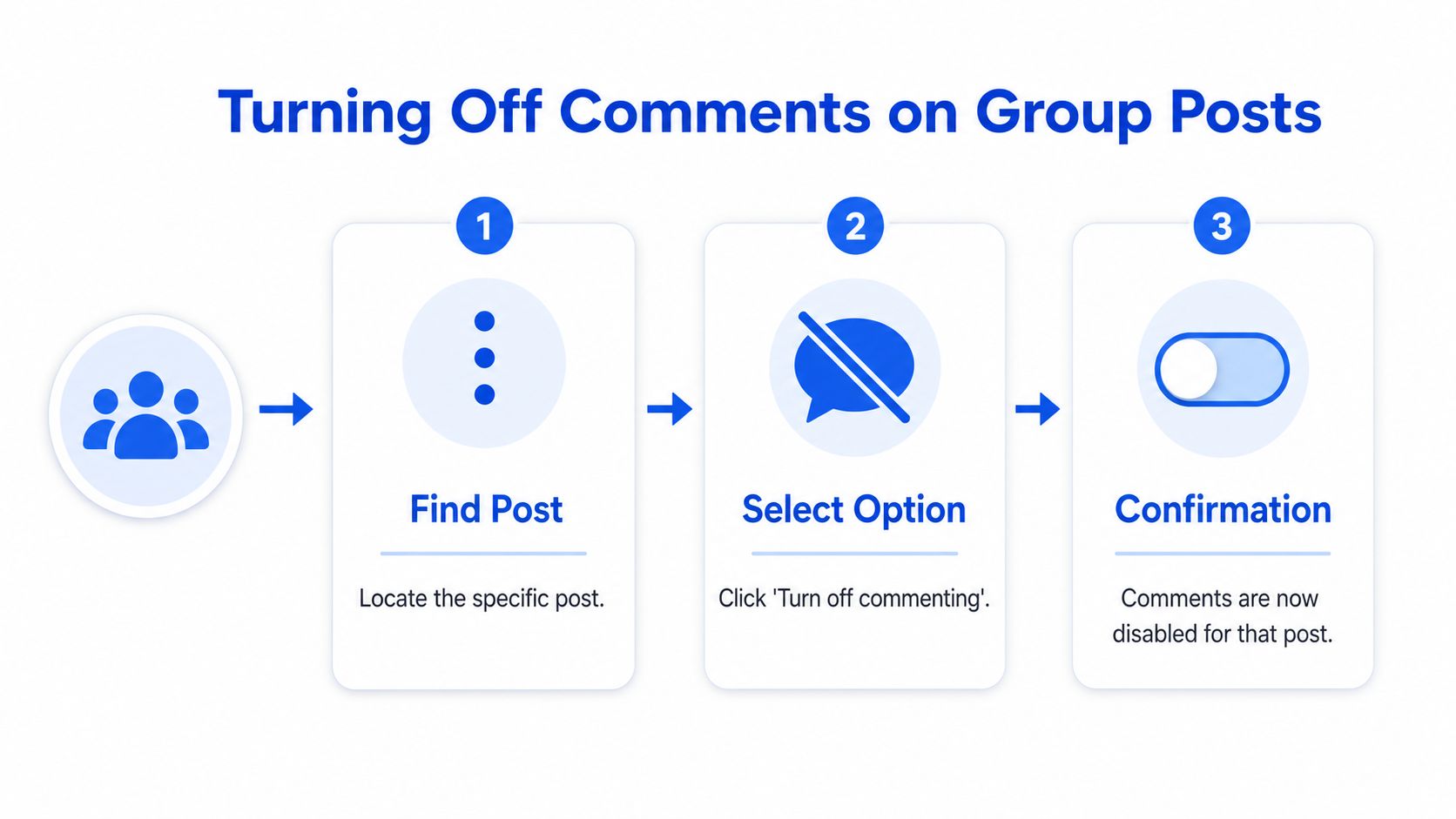
Facebook Groups are the one place where the platform gives you a genuine post-level on and off switch. Meta's Help Center says group admins and moderators can open a specific post and choose Turn off commenting, then reverse it later with Turn on commenting (Meta Help Center). That is cleaner than keyword filtering because it stops future comments on that thread altogether.
Why this is the closest thing to a real off switch
For announcements, weekly digests, policy updates, or sensitive threads, a Group post can justify a hard lock. You're not trying to guide the discussion. You're trying to stop it. That makes the Group control the cleanest mechanism Meta ships for this use case.
The key difference from Page moderation is scope. This is per post, not a global group default that fixes everything forever. That's useful because not every thread deserves the same treatment. A welcome post can stay open. A contentious update can be shut down immediately.
When to choose it over moderation
Use the off switch when the thread should not become a debate. Use moderation when you still want community participation. That sounds obvious, but brands blur the line all the time and end up over-moderating discussion posts or under-moderating announcements.
For admins managing a busy Group, the clean workflow is straightforward. Identify the post type, decide whether the conversation has value, and then either leave it open or shut it down in the post menu. The control is there because Meta recognizes that some community posts need containment, not curation.
Managing Ad-Level Comments and Placements
Ad comment management is the surface performance marketers care about most, because paid distribution magnifies the first few replies. A hostile thread under a fresh creative can shape how prospects read the ad, even if the offer is strong. In practice, the control sits inside the ad itself or the ad workflow, not in your Page's general organic settings.
Here's the most useful rule. If you're creating or editing a paid ad, treat the comment policy as part of the creative launch checklist, not a cleanup task. The thread can influence perception fast, and in early delivery windows that matters more than many teams want to admit.
Placement behavior and workflow discipline
Ads can surface across Facebook and, depending on the setup, other Meta placements. The commenting behavior follows the ad surface, so boosted posts and Ads Manager builds shouldn't be treated as identical just because they look similar in the feed. A boosted post can inherit a more Page-like posture, while a native ad build often needs its own review.
The operational fix is boring but effective. Standardize your naming, duplicate from a clean template, and make sure every launch batch carries the same comment posture. In a high-volume account, the worst setup is the one where half the ads are moderated one way and half another way because two buyers used different habits.
Buyer's shortcut: if the creative is launch-critical, don't assume the comment thread will behave itself. Decide the policy before the ad goes live.
Why bulk discipline matters more than one-off cleanup
The main pain in scale accounts is not one messy ad. It's fifty messy ads, each with slightly different moderation states. That's where repeatable naming, duplicate-based launch workflows, and a shared policy save time. If the launch list is huge, teams usually lose more time verifying settings than building the ads themselves.
That's also why early comment moderation can affect the learning phase indirectly. A clean thread keeps the creative framed around the offer, while a chaotic one drags attention toward objections, accusations, and irrelevant chatter. You're not changing the auction with moderation alone, but you are changing what real users see when the ad starts to circulate.
Blocking Users and Hiding Individual Comments
Sometimes the right move isn't to mute a whole post. It's to deal with one person, one comment, or one pattern. That's where hide, delete, and block diverge in a way that matters to operators.
Hide is the least disruptive option. The comment disappears from public view, but you're not making the interaction look like a public confrontation. Delete removes it entirely. Block cuts off the user from further interaction. For many brand accounts, the right sequence is hide first, block only when the behavior repeats.
How to think about the escalation path
A competitor dropping the same bait under every launch creative is a different problem from a frustrated customer posting one sharp reply. The first is a pattern. The second is a single incident. Your response should match the volume and intent of the behavior, not the tone alone.
Minimum-action rule: remove the comment that creates the problem, then escalate the account only if the same pattern comes back.
That approach preserves social proof where possible. It also keeps moderation from turning into a reflexive ban-hammer habit that wipes out legitimate questions. For ads, this matters because high-intent comments sometimes look negative at first glance but signal purchase intent or shipping concern.
When hiding beats deleting
Hiding is usually the better first move when the thread is still valuable. It keeps the surface cleaner without turning the post into a graveyard of missing context. Deleting makes more sense when the comment is clearly abusive, spammy, or completely off-topic.
Blocking a profile or restricting a Page visitor is the final step when the same actor keeps coming back. Use that when the pattern is obvious, not just because someone annoyed the team. In paid social, restraint is often the better moderation habit because it protects both the thread and the signal around the offer.
Choosing the Right Comment Strategy for Your Ads
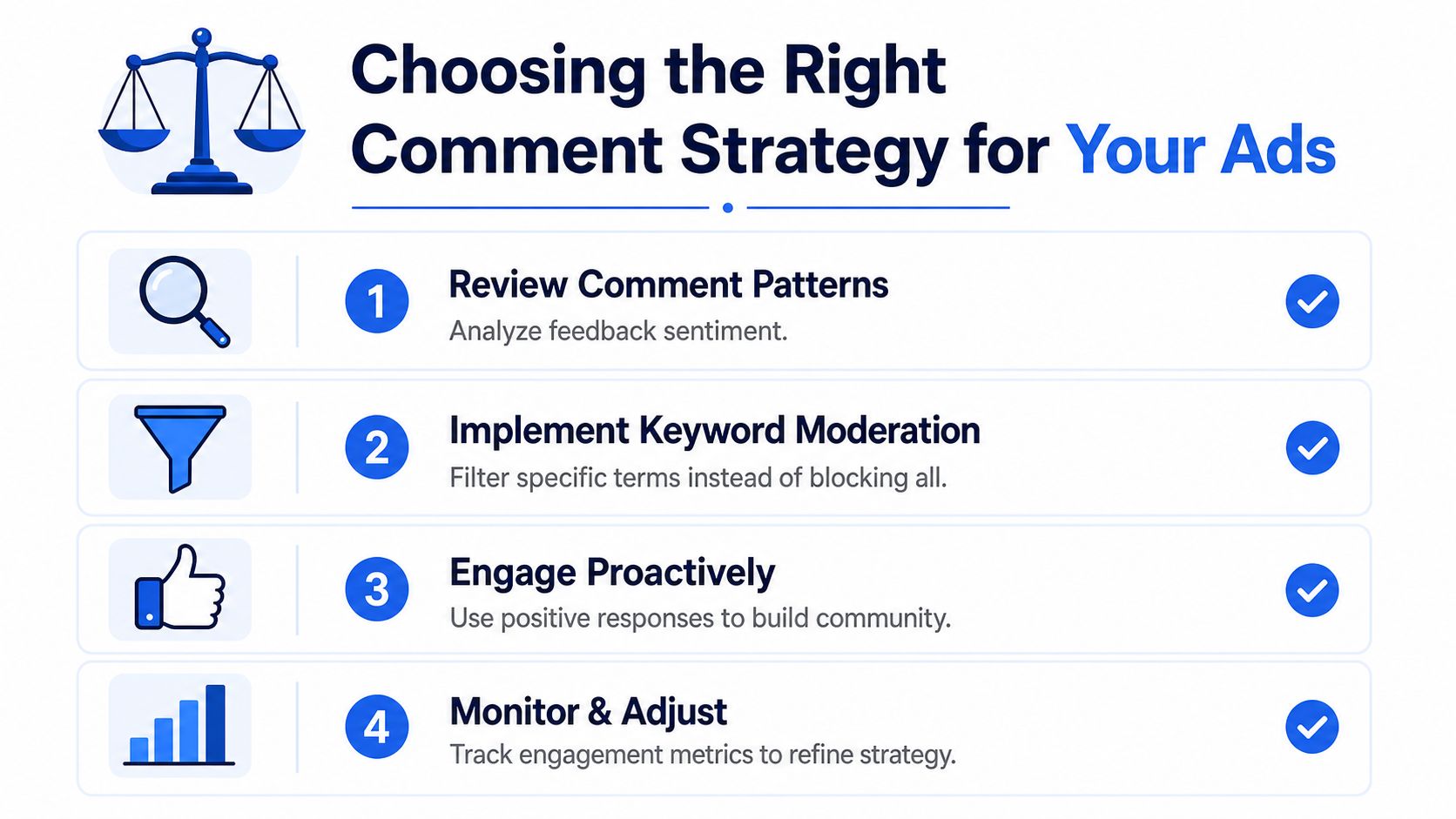
The wrong assumption is that the goal is always to shut comments down. For most Pages and ad accounts, the better answer is layered moderation, not silence. Meta gives you enough control to filter spam, suppress profanity, and manage comment visibility without erasing conversation entirely, and that usually serves performance better than a blanket off switch.
A practical decision framework
- Use “Profiles and Pages you mention” for sensitive personal updates where you want to narrow who can reply.
- Use keyword moderation on Page posts when you need to suppress spam, abuse, or repeated phrases.
- Use “Turn off commenting” on Group posts that should not become open debate.
- Use hide or block for individual users or one-off bad comments.
- Escalate to third-party moderation when you're managing comment volume across many active ads and multiple markets.
The line that matters is whether you want to silence conversation or moderate it at scale. Those are different jobs. A brand announcement usually wants the first. An active Page or community-led campaign usually needs the second.
The 30-second launch check
Before approving a new creative, answer three questions. Which surface is this, what level of control does Meta expose there, and do you need silence or moderation? If you can answer those clearly, you won't waste time searching for a global disable button that doesn't exist.
The best media buyers don't wait for comments to become a problem. They decide the posture in advance, apply the smallest control that solves the issue, and keep the thread aligned with the campaign's purpose. That's the difference between reacting to chaos and running a clean launch.
If you want a faster way to keep Meta launches clean, Rapid Ads helps you push creatives live without the usual manual drag of Ads Manager. It's built for bulk uploads, naming consistency, and controlling settings that can drift during setup, which makes it a practical fit for teams that need launch discipline as much as speed. Visit Rapid Ads and see how it can tighten your workflow around comment-sensitive campaigns and high-volume ad builds.
